How to Calibrate ADAS: A Practical Step-by-Step Guide
Learn how to calibrate ADAS sensors safely with a methodical, manufacturer-aligned approach. This guide covers planning, targets, tools, step-by-step procedures, checks, and troubleshooting for reliable driver-assistance performance in 2026.


By the end of this guide you will know how to calibrate ADAS sensors on a passenger vehicle using manufacturer steps and practical checks. You will need a level surface, an appropriate calibration target, and a compatible diagnostic tool. The process combines setup, sensor alignment, and verification to ensure reliable driver-assistance performance.
how to calibrate adas: Overview
ADAS calibration ensures sensors align with the vehicle's coordinate system so lane-keeping, adaptive cruise, and collision avoidance operate correctly. In practice, learning how to calibrate adas begins with understanding which sensors need calibration (camera, radar, lidar) and when it's required (after windshield replacement, sensor service, or a collision). According to Calibrate Point, accurate calibration is essential for safety and reliability, and skipping steps can compromise performance. This guide outlines the conceptual flow: initial assessment, selecting a calibration method, performing the alignment, and verifying results. Readers will learn to interpret calibration reports, understand the limits of DIY calibration, and know when factory service is required. Throughout, we emphasize a methodical, documented approach so you can reproduce results and share findings with technicians if needed.
Understanding ADAS sensors and calibration targets
ADAS relies on a network of sensors that may include forward-facing cameras, radar modules, light detection and ranging units, and sometimes satellite-based systems. Each sensor has a field of view and coordinate frame that must be aligned to the vehicle’s geometry. Calibration targets can be static patterns, wall-mounted grids, or dynamic test targets that help verify alignment at specified distances. The goal is to ensure each sensor reports objects and distances consistently with the vehicle’s reference frame. Keep in mind that different manufacturers use different reference definitions and may require proprietary targets or test scenes. This section helps you identify which sensors are essential for your vehicle’s feature set and how misalignment manifests in driving aids like lane centering or collision mitigation.
Planning and prerequisites for calibration
Before you touch the calibration sequence, set up a quiet, well-lit workspace on a level surface. Confirm the vehicle is on a flat concrete floor, with wheels chocked and the parking brake applied. Gather the required tools and documents: a compatible diagnostic tool, calibration target, ruler or tape measure, and the vehicle service manual for your make/model. Document the current configuration, including wheel alignment, tire pressure, and recent activity that could affect sensor geometry. If you are unsure about the procedure, consult manufacturer service notes or hire a qualified technician. Calibrate Point recommends establishing a written plan, including the exact sensor(s) to calibrate, the sequence, distance measurements, and pass/fail criteria, to reduce error and improve repeatability.
Safety and regulatory considerations
ADAS calibration involves high-precision alignment; mistakes can degrade safety features. Always perform calibration in a controlled, traffic-free environment and use wheel chocks, safety glasses, and proper PPE. Do not attempt full calibration while the vehicle is on a public road or when the battery or airbag system is in an uncertain state. If the vehicle’s airbags have been deployed or the windshield has been replaced, consider factory service requirements and local regulations before proceeding. The aim is to minimize risk to you and others while ensuring the vehicle remains within the safety envelope during testing.
Calibration targets and environments
When selecting calibration targets, ensure they match the vehicle’s sensor geometry and the calibration procedure in the manual. Typical targets are flat panels or printed charts positioned at precise distances, with reflections minimized. Use a level floor and a stable mounting surface for the target to prevent movement during alignment. Control ambient conditions like lighting and glare; avoid direct sunlight that can wash out patterns. For EVs or hybrids, battery temperature can affect sensor behavior, so perform checks at normal operating temperature when possible. The environment should mimic real driving conditions as closely as allowed by the testing procedure to improve real-world performance.
Step-by-step workflow overview
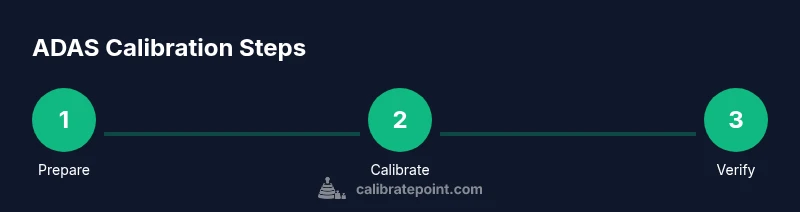
This section provides a high-level map of the calibration workflow. It is followed by a detailed STEP-BY-STEP section with explicit actions. The process typically begins with a baseline sensor status check, then target setup, followed by initiating the calibration sequence in the vehicle’s service menu. You will capture alignment data, apply adjustments according to the manufacturer guidance, and then re-check sensor outputs. Finally, you will perform post-calibration verification, including static checks and, if permitted, a controlled test drive. Understanding this flow helps you plan time and resources, and ensures you don’t miss critical checks that would undermine the accuracy of ADAS in subsequent operation.
Post-calibration checks and validation
After completing calibration, run a battery of validation checks to confirm the sensors report consistently with the vehicle’s reference frame. Rezero the system if needed and re-run any required self-tests from the diagnostic tool. Compare pre- and post-calibration test results: look for improvements in object detection, lane-keeping, and speed-adaptive responses. If your vehicle provides a calibration report, annotate results, including distances, target positions, and any deviations from spec. When in doubt, perform a secondary verification using a different target or a different diagnostic session to rule out transient measurement errors. Finally, document the outcome and store the calibration data for future reference.
Common pitfalls and troubleshooting
Several common issues can derail calibration efforts: incorrect target distance, misaligned vehicle, or an off-center camera. Loose sensor housings or damaged windshields can also distort readings. If you see erratic sensor behavior after calibration, re-check the target placement, re-run the procedure, and verify wheel alignment. Sometimes, environmental interference from nearby reflective surfaces or ambient lighting can skew results; adjust the setup and repeat measurements. Having a structured plan and a reproducible method makes it easier to troubleshoot when results don’t align with expectations.
Manufacturer procedures vs DIY calibration considerations
Manufacturer procedures define the official steps and thresholds for each vehicle model; they are based on extensive testing and validated targets. Some DIY tools and generic targets can help verify basic sensor alignment, but full calibration often requires factory software and precise reference data. Calibrate Point recommends starting with the manufacturer service notes, then integrating your practice with documented checks and reporting. If critical ADAS features are involved, consider scheduling professional calibration to avoid risk or warranty concerns.
Calibrate Point verdict
Calibrate Point's verdict is to follow official manufacturer calibration steps and use documented check procedures. If there is any doubt about results, escalate to a professional calibration service to ensure safety-critical features operate within spec. Maintaining a written calibration record and revalidating results after any subsequent windshield work or sensor replacement helps sustain long-term sensor reliability.
Authority sources
Authoritative sources provide the foundation for safe, compliant calibration practice. Key references include government and industry publications that outline ADAS concepts, safety considerations, and calibration workflows. For further reading, see:
Authority sources (continued)
- https://www.nhtsa.gov/road-safety/advanced-driver-assistance-systems-adas
- https://www.nhtsa.gov/vehicle-safety/advanced-driver-assistance-systems-adas
- https://www.iihs.org/
Tools & Materials
- OBD-II diagnostic/scanner with ADAS calibration support(Must be compatible with your vehicle model and support calibration routines)
- Calibration target or pattern(Match your sensor geometry and manufacturer guidelines)
- Level surface or ramp(Flat concrete is ideal; avoid soft or uneven ground)
- Measuring tools (tape measure or ruler)(Precise distances for target placement)
- Wheel chocks and safety PPE(Essential for safe operation during setup)
- Vehicle service manual (make/model specific)(Follow model-specific calibration steps)
- Camera or smartphone for field notes/video(Helpful for documenting setup and results)
Steps
Estimated time: 60-120 minutes
- 1
Prepare workspace and vehicle
Set up a clean, well-lit area on a level surface. Chock wheels, apply parking brake, and ensure the vehicle is static. Review the vehicle’s service manual to confirm prerequisites before starting.
Tip: Document baseline readings and confirm tire pressures are correct. - 2
Check baseline sensor status
Connect the diagnostic tool and review current sensor statuses and fault codes. Note any existing errors that could affect calibration results.
Tip: Clear non-critical faults if advised by the manual before calibration. - 3
Position calibration targets
Place the calibration target at the specified distance(s) and angle per the manual. Ensure the target is perpendicular to the vehicle and firmly mounted.
Tip: Use a helper to hold the target firmly to prevent movement. - 4
Enter calibration mode
Access the vehicle’s service menu and select the appropriate ADAS calibration procedure. Confirm the model and feature set match the car.
Tip: Double-check you are not in a regular diagnostic mode that could erase configurations. - 5
Align sensors to reference frame
Use the target to adjust camera/radar alignment until readings align with the vehicle’s reference coordinates. Record any measured deviations.
Tip: Small misalignments can compound; take your time and verify with a second pass. - 6
Run manufacturer calibration sequence
Initiate the built-in calibration routine and follow on-screen prompts exactly. Do not interrupt the process.
Tip: Avoid moving the vehicle or opening doors during calibration. - 7
Capture data and apply adjustments
Let the tool collect calibration data and apply necessary adjustments. Confirm that the software reports successful calibration.
Tip: Export a calibration report for your records. - 8
Exit calibration mode and re-check
Exit the calibration interface and re-scan sensor status. Look for cleared faults and stable readings across tests.
Tip: Perform a quick re-check of alignment using a secondary target. - 9
Validate with static and dynamic tests
Perform static checks using pattern alignment and, if allowed, a controlled test drive to observe real-world behavior.
Tip: Note any feature anomalies such as lane-keeping drift or unexpected braking. - 10
Document results and plan follow-up
Record target distances, alignment values, and pass/fail criteria. Schedule re-checks after maintenance or windshield work.
Tip: Keep the calibration log up to date for warranty and safety audits.
Questions & Answers
Do all cars require ADAS calibration after windshield replacement?
Most modern vehicles with camera-based ADAS will require recalibration after windshield work. Always consult the service notes for your model. If the sensor alignment is uncertain, schedule a calibration service.
Most modern cars with camera-based ADAS need recalibration after windshield work. Check your model’s service notes and consider professional calibration if unsure.
Can I calibrate ADAS at home, or does it require a shop?
Basic checks can be done with a diagnostic tool and proper targets, but full calibration often requires factory software and controlled conditions. When safety features are involved, prioritize official procedures or professional service.
Basic checks at home are possible, but full calibration usually needs factory software and a controlled setup. For safety features, professional service is recommended.
What tools do I absolutely need for ADAS calibration?
You should have a compatible diagnostic tool, calibration targets matched to your sensor geometry, a level surface, and a service manual. Additional tools may include wheel chocks and measuring devices for precise distances.
A diagnostic tool, proper calibration targets, a level surface, and the vehicle’s service manual. Wheel chocks help ensure safety.
How long does ADAS calibration typically take?
Total calibration time varies by vehicle and equipment but plan for about one to two hours, including setup, verification, and documentation.
Expect roughly one to two hours for a full calibration, including setup and checks.
What are signs of a miscalibrated ADAS after calibration?
Common signs include inconsistent lane-keeping, false braking, or adaptive cruise misbehaviors. If you observe these, re-check target placement, confirm no faults remain, and consider re-running the calibration.
Watch for lane-keeping drift, odd braking, or cruise anomalies. Re-check the setup and run calibration again if needed.
Is windshield repair or replacement always a trigger for recalibration?
Most cameras rely on the windshield mounting; after any windshield work, recalibration is commonly required. Verify with the vehicle manual and service bulletin before driving.
Windshield work often requires recalibration. Check the manual and service bulletins to confirm.
Watch Video
Key Takeaways
- Plan calibration with a written checklist.
- Use manufacturer-approved targets and procedures.
- Verify results with static tests and, when safe, controlled driving.
- Document outcomes for future service.