Calibrate Front Radar Sensor: A Step-by-Step Guide
Learn to calibrate your vehicle's front radar sensor with safe, proven steps. Tool lists, procedures, testing, and documentation ensure reliable driver-assist performance.


This guide walks you through calibrating a front radar sensor on a typical passenger vehicle. You’ll learn prerequisites, required tools, and a clear, step-by-step process to verify sensor accuracy. Safe testing and documentation are emphasized to ensure reliable driver-assist performance and fusion with other sensors. Follow the plan to calibrate front radar sensor accurately and consistently.
Why calibrate front radar sensor matters
Front radar sensors are a cornerstone of modern driver-assistance systems, enabling adaptive cruise control, collision avoidance, and blind-spot fusion. When these sensors are miscalibrated, the vehicle can misjudge distance, misinterpret braking cues, or generate false alerts. The result is degraded safety, inconsistent performance, and reduced driver confidence. Therefore, calibrating the front radar sensor is not optional; it’s a necessary maintenance step after installation, after physical impact, or following any service that touches the sensor alignment. According to Calibrate Point, calibrating the sensor with vehicle-specific service data and a controlled testing environment yields the most consistent results. The calibration aligns the radar’s internal reference with the car’s geometry and with other sensing modalities such as cameras and lidar. This alignment underpins reliable obstacle detection, accurate speed measurements, and proper fusion across sensor streams. In short, proper calibration improves ADAS reliability and helps your vehicle live up to its safety promises.
Safety and prerequisites for calibration
Calibration should never be performed while the vehicle is in operation or on public roads. Park on a level, unobstructed surface and engage the parking brake, ensuring the transmission is in Park. Confirm the area is free of reflective surfaces or metal objects that could interfere with radar signals. Review the vehicle service manual for any requirements, including power state, hood position, and sensor cleaning. Gather all required tools before starting to minimize in-progress interruptions. If your vehicle’s procedure requires ignition or accessory power, follow the OEM guidelines to avoid damage or inaccurate readings. This stage also covers personal safety: wear eye protection and gloves, keep bystanders away, and never attempt calibration on a windy, dusty, or wet surface. Document the starting condition, including any previous warnings or sensor fault codes, so you can compare results after tests.
How radar sensors interpret signals
Modern automotive radar works by emitting radio waves and measuring the reflections from objects. The sensor uses beamforming and signal processing to estimate range, relative speed, and angle. Because radar data are fused with camera and lidar inputs in the vehicle’s ADAS, even small misalignments can degrade perception. The calibration process aligns the radar's reference frame with the vehicle’s geometry, so distance estimates and object classifications align with other sensors. We'll cover how to plan the calibration, what data to collect, and how to verify results.
Calibration workflow overview
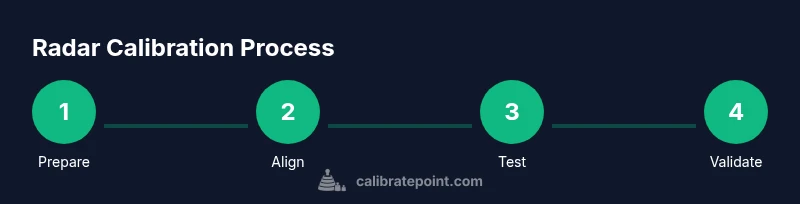
For many vehicles, calibration follows a vendor-specific workflow that combines physical alignment, software configuration, and on-vehicle testing. Typical steps include verifying mounting height and angle, connecting the diagnostic tool, performing a baseline readout, applying the calibration constants, and validating with static and dynamic tests. Always start with official service data for your model and firmware, as this information accounts for factory offsets and regional variations. The remainder of this guide explains how to adapt those steps into a repeatable, safe process.
Aligning the sensor: mounting considerations
Sensor alignment depends on the bracket design, vehicle height, and windshield contour. Use a calibration target or alignment tool to verify the sensor is perpendicular to the vehicle axis and at the documented height. Re-check mounting screws to the recommended torque and ensure there is no play in the bracket. Record the mounting reference and any found deviations before running software calibration. A misaligned sensor can produce skewed range readings and false object detections.
Testing approaches: static targets and dynamic tests
Static tests use calibrated targets at known distances in a controlled area to verify range accuracy. You’ll compare measured distances from the radar against the target positions, noting any consistent bias. Dynamic tests involve controlled vehicle movements in a closed area to validate the sensor’s reaction to approaching objects under speed and angle changes. Use a mixture of test patterns to cover representative driving scenarios, including highway-style distances and urban environments.
Maintaining calibration over time
Calibration is not a one-time task. Changes to the vehicle's suspension, wheel alignment, or bodywork can alter sensor geometry and drift calibration constants. After any collision, major service, or mounting adjustment, revisit calibration and documentation. Maintain a calibration log with dates, vehicle mileage, tool versions, and results. Periodic rechecks, even when no service occurred, help ensure long-term reliability of ADAS features.
Environmental influences and warnings
Temperature extremes, windshield icing, moisture, or dirt on the radar window can affect signal quality and calibration results. Ensure the sensor is clean and free of obstructions. Driving near large metal structures or in highly reflective surfaces can produce calibration drift. If you notice degraded performance after weather events, recheck calibration and consider re-running the procedure in a controlled environment.
Documentation, logs, and data management
Keep a complete record of calibration steps, tool versions, baseline readings, and final calibration constants. Store service data, test results, and images or videos of the test setup for future reference. If you service multiple vehicles, label calibration logs consistently to avoid cross-model mixups. Good documentation speeds future maintenance and helps you verify the integrity of ADAS performance over time.
The Calibrate Point approach and next steps
At Calibrate Point, we advocate a disciplined, model-specific approach to radar calibration that pairs official service data with controlled validation tests. Our guidance emphasizes starting with the manufacturer’s procedure, then performing thorough on-vehicle tests and cross-checking results against other sensors. By following this approach, technicians can maintain sensor accuracy, ensure predictable ADAS behavior, and build a verifiable calibration history. The Calibrate Point team hopes this guide gives you a clear path toward reliable radar performance, and we invite you to consult our step-by-step materials for deeper practice and checklists.
Tools & Materials
- OBD-II scanner with radar calibration capability(Ensure it supports your vehicle model and radar module)
- Manufacturer calibration tool kit(If provided by the radar sensor vendor)
- Torque wrench(Torque specs per vehicle manufacturer for sensor brackets)
- Torx/Hex bit set(Common fasteners for sensor brackets)
- Calibrated reference targets(Targets used for fixed-distance measurements)
- Measuring tape or caliper(Useful for precise mounting height checks)
- Safety gear (gloves and eye protection)(Personal protective equipment during procedure)
- Vehicle service manual(Manufacturer procedure and constraints)
- Wheel chocks(Prevent movement during calibration in a workshop)
Steps
Estimated time: Estimated total time: 90-180 minutes
- 1
Prepare the vehicle and environment
Park on a level surface, engage the parking brake, and ensure the vehicle is in Park with the engine off or as dictated by the OEM procedure. Clear the area of obstacles and ensure good lighting. Confirm all doors are closed and no one is near the sensor field of view. Documentation notebooks or a digital log should be ready for notes.
Tip: Double-check the service data for your model before starting to avoid misalignment. - 2
Power up and access calibration mode
Connect the diagnostic tool to the vehicle and navigate to the radar calibration module per the manufacturer’s instructions. Verify the tool reads the current sensor state and confirms firmware compatibility. If an OEM procedure requires enabling test modes, follow exactly to avoid unintended system behavior.
Tip: Use a dedicated power source or a stable battery supply for consistent tool operation. - 3
Inspect sensor mounting and clean window
Visually inspect the radar sensor and bracket for play or damage. Clean the sensor front window with a lint-free cloth and approved cleaner. Remove any debris that could alter reflections or occlude the field of view.
Tip: Record any cosmetic or alignment concerns before proceeding. - 4
Verify baseline readings from diagnostic tool
Take baseline readings for range, angle, and signal quality. Note any out-of-spec indicators or fault codes. This baseline helps you detect drift after calibration and provides a reference for validation.
Tip: If baseline data are noisy, address grounding or wiring issues first. - 5
Enter manufacturer calibration data
Input model-specific offsets, mounting height, and angle from the OEM data into the calibration software. These constants reflect factory tolerances and regional variants. Ensure the values are saved before proceeding.
Tip: If you’re unsure about any value, consult the service bulletin or vendor support. - 6
Perform initial software calibration
Run the software-calibration routine, applying the constants while the vehicle is stationary. Monitor progress and capture the final calibration state. If the calibration tool reports errors, pause and verify connections and data input.
Tip: Do not rush this step; a slow, deliberate approach reduces risk of miscalibration. - 7
Conduct static-target alignment checks
Place calibrated targets at defined distances, then measure radar readings against known positions. Confirm the sensor detects objects at expected ranges and angles. Adjust bracket or offsets if systematic bias is observed.
Tip: Document exact distances and readings for future comparison. - 8
Execute dynamic road tests in a controlled area
Move the vehicle through test patterns at low speeds to verify real-time responses, sensor fusion with cameras, and proper object tracking. Observe how the system handles approaching objects from multiple angles and speeds.
Tip: Perform this step with a trained spotter to ensure safety. - 9
Cross-check with other ADAS sensors
Compare radar results with camera and lidar data if available. Look for consistency in object detection and distance estimates. Document any discrepancies and adjust calibration as needed.
Tip: Ensure the alignment across sensing modalities is coherent. - 10
Document results and finalize calibration
Save calibration data, take photos of the setup, and log test outcomes. Record the date, mileage, tool versions, firmware, and operator. Confirm that the vehicle’s ADAS features perform as expected after calibration.
Tip: Store a backup of all data in a shared, versioned location.
Questions & Answers
Do I need specialized equipment to calibrate a front radar sensor?
Yes, many radar calibrations require vendor-specific hardware and software. Some basic checks can be performed with general diagnostic tools, but accurate calibration usually demands official procedures and tools from the vehicle manufacturer.
Yes, factory tools and procedures are typically required for reliable calibration.
Can I calibrate front radar sensor myself at home?
It is possible for some vehicles with documented procedures and the right tools, but many systems require professional equipment and a controlled testing environment. Always consult the OEM guide before attempting on your own.
It can be done in some cases, but often professionals are needed.
What are signs that calibration has drifted?
Common signs include unexpected ADAS warnings, inconsistent distance readings, or delayed reactions to obstacles. If you notice sudden changes in sensor behavior, recheck calibration.
Look for misreads, spurious warnings, or erratic responses from ADAS.
How often should radar calibration be performed?
Follow the vehicle manufacturer’s maintenance guidelines. Recalibrate after a collision, major service, or any work affecting sensor alignment, and periodically as part of a maintenance routine if recommended.
Follow OEM guidelines and recalibrate after impact or service.
Are there safety warnings during calibration?
Yes. Calibrate in a controlled area, keep bystanders away, and never perform calibration on public roads. Use protective equipment and follow all safety notes in the OEM procedure.
Always calibrate in a controlled space and wear safety gear.
What should I do if readings still don’t match after calibration?
Recheck mounting, clean the sensor window, and verify all offsets. If discrepancies persist, consult the OEM service bulletin or vendor support for advanced steps.
Double-check setup and consult official guidance if mismatches remain.
Watch Video
Key Takeaways
- Prepare a controlled environment and gather OEM data before starting
- Follow vendor steps to input mounting offsets accurately
- Validate with static and dynamic tests for robust results
- Document everything for traceability and future maintenance