How to Calibrate Windshield Sensors
Learn how to calibrate windshield sensors to protect ADAS reliability. This practical guide covers tools, environment setup, step-by-step actions, and verification checks for accurate sensor readings after windshield service.


By following manufacturer procedures and using a diagnostic scanner, you can calibrate windshield sensors to ensure ADAS accuracy. The process is precise and vehicle-specific, requiring a clean workspace, calibration targets, and a trained hand. This guide explains the typical steps, safety checks, and verification methods to maintain optimal sensor performance.
Why Windshield Sensor Calibration Matters
Windshield sensors are at the heart of automated safety features, including lane-centering, adaptive cruise control, and collision avoidance. Misalignment or drift can cause phantom braking, false lane departures, or missed warnings. According to Calibrate Point, accurate calibration is not a one-time task but a validation of how the vehicle sees its environment under typical operating conditions. The calibration process accounts for windshield curvature, sensor mounting tolerance, and changes after windshield replacement. For technicians and DIYers, understanding the why behind calibration helps prioritize the steps and avoid unnecessary adjustments. In modern vehicles, the sensor suite relies on precise geometry and reference frames to interpret data, so even small misalignments can degrade performance. Proper calibration also supports future maintenance by providing a baseline reference for windshield service or repair. This section establishes why calibration matters and how it ties directly to safety and driver confidence.
Key Components and Prerequisites
Effective windshield sensor calibration starts with knowing the core components and having the right prerequisites. You’ll typically need the vehicle’s service manual or manufacturer calibration procedure, an OBD-II or vehicle-specific calibration tool, and proper calibration targets designed for your model. A clean, quiet workspace helps ensure readings aren’t affected by dust or vibration. The Calibrate Point team emphasizes having a documented procedure for your specific vehicle because calibration geometry varies between models, windshields, and sensor types. Gather all items before you begin to minimize downtime and avoid redoing steps. Also confirm the vehicle is in a safe state for service, with the engine off and the parking brake engaged if required by the procedure.
Preparation and Setup Before You Calibrate
Preparation is the foundation of a reliable calibration. Start by reviewing the manufacturer’s calibration steps and ensuring you have the correct tool firmware for your vehicle. Park the car on a flat, level surface in a controlled environment, free from direct sun and temperature extremes that could affect sensor readings. Inspect the windshield area for damage, tint inconsistencies, or residues that could skew reflections. Clean the sensor housings and adjacent glass with a microfiber cloth and a non-residue cleaner. The Calibrate Point approach is to document baseline readings and ensure the vehicle is stationary during calibration events. This helps isolate sensor data from other vehicle systems and reduces the chance of drift during the setup.
The Calibration Environment: Lighting, Temperature, and Surface Cleanliness
The environment greatly influences calibration accuracy. Use uniform lighting to avoid glare on the windshield and sensor faces. Temperature stability matters, so avoid calibrating during rapid heat or cold swings or immediately after windshield replacement when the glass is still cooling. Clear, dry surfaces prevent readings from moisture or smudges. Before you begin, remove any aftermarket coatings or hydrophobic treatments that could affect optical readings, then re-test after reapplication if specified by the manufacturer. Maintain a dust-free zone around the sensor area and use anti-static measures if your workspace has potential static discharge sources. This section explains how to create the right conditions for reliable calibration and how to recognize conditions that could invalidate the process.
Step-by-Step Calibration Process Overview
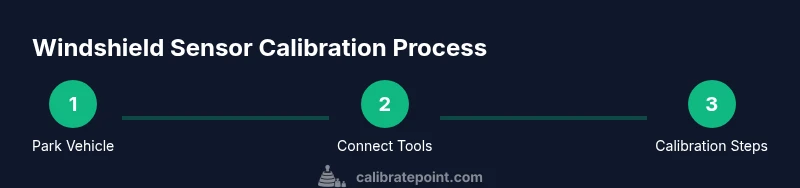
This section provides a high-level overview of the calibration journey and how the steps flow together. You will move from verifying compatibility and preparing the vehicle to connecting the diagnostic tool, initiating calibration mode, and running post-calibration verification. Each step has a clear objective, a required condition, and a check for success. A well-documented process helps ensure repeatability and reduces the chance of skipped or rushed steps. Throughout, keep the vehicle documentation handy, follow the official procedure for your model, and capture any reference values or target readings for future audits. The overview also highlights the importance of performing a verification pass after calibration to confirm the system responds correctly in typical driving scenarios.
Verification and Post-Calibration Checks
Verification is where you confirm calibration efficacy. After completing calibration, run a verification pass that tests sensor responses to controlled stimuli—such as a lane-change cue or a simulated obstacle—within the vehicle’s specified tolerance. Compare results to baseline measurements in the service sheet, and ensure no sensor warnings remain on the dash. If any discrepancies appear, revisit the alignment and re-run the steps. Finally, test the system in a real-world setting under safe conditions to observe how the vehicle responds to normal driving tasks. Document the results and note any anomalies for future reference. Calibrate Point recommends a quarterly or semi-annual check for critical ADAS components to maintain reliability between windshield services and routine maintenance.
Tools & Materials
- OBD-II diagnostic scanner or manufacturer calibration tool(Must support windshield sensor calibration for your vehicle model)
- Calibration targets or reference alignment targets(Use vehicle-specific targets if provided by the manufacturer)
- Vehicle service manual or official calibration procedure(Follow the exact steps and tolerances specified by the maker)
- Clean microfiber cloths(For glass surfaces and sensor housings)
- Isopropyl alcohol 70% or higher(Use to remove smudges and residues without leaving streaks)
- Masking tape or painter’s tape(Mark reference points if required by the procedure)
- Measuring ruler or calipers(Helpful for checking reference distances during setup)
- Safety cones or warning signs(Set around the work area if calibration is in a public or shared space)
Steps
Estimated time: 60-90 minutes
- 1
Verify vehicle compatibility and prerequisites
Confirm that the vehicle model and year support windshield sensor calibration and that you have the correct calibration procedure for that model. Check that the diagnostic tool firmware is up to date and that the vehicle’s battery is stable before starting. Document any preexisting sensor warnings to differentiate new findings from legacy issues.
Tip: Review the official procedure for your exact model to avoid applying generic settings that don’t fit the system. - 2
Park on a level surface and power down
Position the vehicle on a flat surface away from strong winds or vibrations. Turn off the engine and ensure the vehicle is in a safe state for maintenance as per the manufacturer’s guidance. If required, engage the parking brake and disconnect high-voltage systems where applicable.
Tip: A stable, quiet environment reduces measurement noise and improves repeatability. - 3
Connect the diagnostic tool and access calibration mode
Attach the scanner or calibration tool to the OBD-II port or dedicated connector. Navigate to the windshield sensor calibration function and select the correct procedure for your vehicle. Ensure interface indicators show a ready state before proceeding.
Tip: Double-check that you’re using the vehicle-specific calibration profile, not a generic one. - 4
Clean sensor surfaces and windshield area
Wipe the sensor housings and the windshield area with a microfiber cloth and isopropyl alcohol. Remove any debris, smudges, or reflections that could skew readings. Re-check clearance around the sensor faces to ensure unobstructed lines of sight during calibration.
Tip: Even a single fingerprint can alter optical readings; cleanliness is essential. - 5
Set up calibration targets and reference distances
Position calibration targets at the distances specified by the manufacturer. Use a ruler or calipers to verify the exact spacing. Tape targets securely to prevent movement during the procedure.
Tip: Accurate distances are critical for correct sensor geometry alignment. - 6
Enter calibration mode and begin the procedure
Initiate calibration mode on the diagnostic tool and start the procedure. Follow prompts precisely and avoid deviating from the sequence or tolerances. If the tool requests a multi-step alignment, complete each step before moving on.
Tip: If a step fails, record the error and restart the process from the beginning to ensure traceability. - 7
Capture reference measurements and align sensors
Record baseline readings from the sensor outputs and compare them to target values. Use the tool’s alignment guidance to adjust sensor orientation, if the procedure permits. Make small, incremental changes and re-check readings after each adjustment.
Tip: Avoid over-tight adjustments; small corrections produce better stability. - 8
Run a calibration verification pass
Execute the verification phase to confirm the sensors respond correctly to the calibrated setup. Look for consistent readings within tolerance and absence of warning indicators.
Tip: If results deviate, re-run the alignment steps or review target distances. - 9
Save calibration data and exit calibration mode
Store the calibration data in the vehicle’s memory and exit calibration mode. Confirm that no warning lights reappear after exiting the tool. Document the exact procedure, target distances, and readings.
Tip: Keep a copy of the calibration record for future maintenance events. - 10
Perform post-calibration checks in a controlled test
Take the vehicle to a safe, controlled environment to validate ADAS behavior (lane-keeping, braking assist, etc.) under typical driving. Observe whether features engage and disengage as expected without false activations.
Tip: Use a trusted passenger to monitor ADAS responses during the test. - 11
Document results and plan follow-up
Record all readings, tool versions, and any anomalies. Schedule a recheck according to manufacturer guidance or after windshield service. Store the documentation with the vehicle’s service history.
Tip: A documented baseline helps identify drift over time and informs future calibrations. - 12
Return tools, clean area, and finalize
Remove all calibration materials, clean up the workspace, and return equipment to storage. Verify that the vehicle is ready for normal use and that any safety systems are functioning as intended.
Tip: A tidy end state reduces the chance of stray debris affecting future work.
Questions & Answers
Do windshield sensor calibrations affect safety immediately after service?
Yes. Proper calibration ensures ADAS features respond correctly to real-world scenarios. If miscalibrated, features like lane keeping and collision avoidance may behave unexpectedly. Always verify readings and perform a post-calibration test before driving in automated modes.
Calibration affects safety right away; verify readings and run a test drive before using ADAS features.
Can I perform windshield sensor calibration at home without professional tools?
Some vehicles allow basic calibration with a compatible diagnostic tool and official instructions, but many require manufacturer-specific software and reference targets. If in doubt, consult the service manual or a qualified technician to avoid miscalibration.
Some cars support home calibration, but many require special tools—check the manual first.
How long does windshield sensor calibration usually take?
Typical calibration takes about 60 to 90 minutes, depending on the vehicle and the complexity of the sensor system. Allow extra time for verification and potential rechecks.
Most calibrations take about an hour, plus time for verification.
What should I do if ADAS still misbehaves after calibration?
Revisit the setup to confirm alignment and target distances. Review error codes from the diagnostic tool and re-run the calibration procedure if necessary. If problems persist, consult the vehicle manufacturer or a calibration specialist.
If misbehavior continues, check alignment, re-run the steps, or seek professional help.
Is windshield replacement always followed by sensor recalibration?
Most modern vehicles require recalibration after windshield replacement to restore proper sensor geometry and function. Always follow the vehicle’s official procedure and confirm results with a verification test.
Yes, most new windshields need recalibration to maintain sensor accuracy.
Watch Video
Key Takeaways
- Follow model-specific calibration steps to maintain ADAS accuracy
- Maintain a clean, controlled environment for reliable readings
- Document and verify calibration results before driving in automated modes
- Perform post-calibration verification in a safe, controlled setting