How to Calibrate Hall Effect Joystick: Step-by-Step Guide
A practical, engineering-focused guide to calibrating a Hall effect joystick for precise, repeatable input. Learn neutral centering, dead zone setup, and linear mapping, with tests and maintenance tips tailored for DIY enthusiasts and professionals.


Goal: ensure accurate, repeatable input by calibrating a Hall effect joystick. You’ll verify neutral center, set dead zones, and map sensor output to axes across travel. Gather the joystick, a stable test rig, cables, and calibration software. This guide explains how to calibrate hall effect joystick for reliable control. How to calibrate hall effect joystick, step by step, is covered with practical checks and verification.
Understanding Hall effect joysticks
Hall effect joysticks rely on magnetic field sensing rather than physical potentiometers. A small magnet is mounted on the joystick handle and a Hall sensor sits nearby; as you move, the magnetic flux changes and the sensor outputs a proportional voltage. This non-contact arrangement reduces wear and improves longevity, but it also means calibration must establish a precise neutral reference and a predictable relationship between motion and output. When you calibrate, you align the sensor readings with the expected input range so that the center position maps to zero or mid-scale, and the travel toward each edge corresponds to accurate positive/negative values. How to calibrate hall effect joystick is a common task in DIY projects and industrial setups alike. The key is repeatability: one clean neutral reading and consistent scaling across sessions. According to Calibrate Point, establishing a stable test environment and documenting the baseline readings are essential first steps for reliable calibration.
Why calibration matters
Calibration is not merely a one-time setup. Temperature changes, long-term sensor drift, and mechanical wear can shift the center, scale, and symmetry of your Hall effect joystick. Even small misalignments degrade precision, cause skewed centering, or create uneven response between quadrants. In practical terms, a properly calibrated joystick offers smoother control, more predictable input for fine-tuning, and reduced need for compensation in downstream control software. Calibrate Point analysis emphasizes establishing a repeatable baseline and validating performance across multiple sessions to ensure stability over time.
Signals, drift, and what to measure
Hall effect sensors output analog voltages that map to X and Y axes. Calibration seeks a clean neutral reading (center) and accurate scaling from neutral to maximum travel. Key measurements include the neutral offset, the full-scale output at each extreme, and the linearity of response across the range. Drift can manifest as small shifts in center or changes in slope after repetitive cycles or environmental changes. You should log multiple traces, compare them against a reference map, and look for consistent results within a tolerance band. The goal is a repeatable, monotonic response in all directions.
Practical calibration workflows
If you’re learning how to calibrate hall effect joystick, you’ll typically choose between firmware-based calibration (in-device firmware or microcontroller code) and software-based calibration (PC/logging tool plus a test harness). The firmware approach stores center and scale parameters in the device’s non-volatile memory, while the software approach applies a live mapping during testing and exports a calibration profile. In many setups a hybrid approach works best: establish neutral and scale in firmware, then refine with software validation. For robustness, plan multiple passes to confirm repeatability, and ensure the same environmental conditions across tests. How to calibrate hall effect joystick benefits from a clear protocol and repeatable test rig, as outlined in this guide. Calibrate Point’s guidance highlights documenting the baseline readings for traceability.
How to set up test conditions
A disciplined test environment reduces noise and increases confidence in results. Use a rigid mounting frame to minimize movement, shield the workspace from magnetic interference, and provide clean power. Keep cables organized to avoid cross-talk and ensure the joystick is fully seated in its mounting. Use a data logger or test software to capture a consistent series of samples while you move the stick through neutral and extremes. Record setup details such as firmware version, serial number, test software, and ambient temperature to allow future comparisons.
Common mistakes and how to avoid them
Avoid rushing through steps or skipping neutral validation. Do not calibrate on a surface with metal clutter or in a magnetic field that could bias readings. Never apply forces outside the mechanical stop, as this can permanently alter the sensor wiring or magnet alignment. Always perform calibration in multiple sessions and report your results with timestamped data. By following a structured protocol, you minimize hidden biases and improve confidence in long-term performance.
Long-term maintenance and validation
Calibration is not a set-and-forget task. Re-check roughly every few months or after hardware changes or firmware updates. Maintain a calibration log including center values, scale factors, and any observed drift. When possible, validate with a standardized test pattern and compare to the original baseline. Regular validation helps you spot gradual degradation that could affect control accuracy in critical applications.
Tools & Materials
- Hall effect joystick(Ensure model supports calibration and has readable sensor data)
- USB/Serial data cable(Connect to calibration PC or microcontroller)
- Calibration software(Official or open-source tool capable of logging X/Y values)
- Stable test rig or jig(Rigid mounting to minimize movement during tests)
- Stable power supply(Provide clean, regulated voltage if required by hardware)
- Data logger or oscilloscope (optional)(For high-precision measurements and traceability)
- Notebook or digital log(Document baseline readings and calibration constants)
Steps
Estimated time: 45-60 minutes
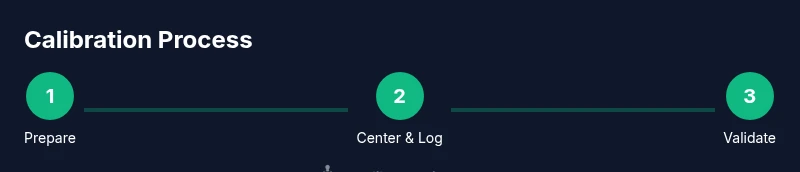
- 1
Prepare your workspace
Set up a clean, vibration-free area. Mount the joystick firmly in the test rig and verify that all cables are securely connected. Check power availability and ensure ground references are stable before you begin.
Tip: Use a cable management system to prevent tugging during calibration. - 2
Connect the joystick to the calibration system
Attach the joystick to the PC or microcontroller with the appropriate interface. Verify the software detects the device and lists X and Y channels correctly.
Tip: Confirm the device appears with the expected vendor and model in the calibration tool. - 3
Power up and confirm baseline signals
Power the joystick and record the baseline neutral readings. If the center is skewed, note the offset before proceeding to centering steps.
Tip: Allow a brief warm-up period (30–60 seconds) for sensor stabilization. - 4
Center the joystick and document neutral output
Gently bring the stick to its neutral position in both axes. Capture multiple neutral samples to define the reference center.
Tip: Take at least 5 samples and average them for a stable center value. - 5
Sweep to edges and capture data
Move the joystick through full travel in all directions, recording outputs at each stage. This creates the raw map needed for calibration.
Tip: Use consistent motion speed to minimize dynamic effects. - 6
Compute center offset and scale factors
Analyze the data to derive center offsets and scale factors for X and Y. Decide whether to apply symmetric or axis-specific corrections.
Tip: Document the math or configuration used to derive the parameters. - 7
Apply calibration to firmware/software
Load the derived center and scale values into the device firmware or calibration software profile. Save the profile to non-volatile memory if supported.
Tip: Back up existing settings before overwriting. - 8
Validate and save calibration data
Repeat neutral and edge tests with the new parameters to confirm improved linearity and centering. Save the final data with device ID and firmware version.
Tip: Track any discrepancies and plan a re-run if needed.
Questions & Answers
What is a Hall effect joystick and how does it differ from a potentiometer joystick?
A Hall effect joystick uses a magnet and a Hall sensor to sense position, producing a non-contact, durable signal. Unlike potentiometer joysticks, it has no physical wipers and requires calibration to map magnetic readings to the intended axes.
A Hall effect joystick uses magnetic sensing instead of a physical potentiometer, so calibration focuses on mapping magnetic values to axis output.
Is calibration software required, or can I do it in firmware?
Both approaches are common. Firmware calibration stores constants on the device, while software-based calibration lets you log and adjust parameters from a PC. Many setups benefit from a hybrid approach, validating in software and deploying stable values to firmware.
You can calibrate with software and then save the results to the device firmware if supported.
How often should I recalibrate a Hall effect joystick?
Calibration frequency depends on usage and environment. Recalibrate after major firmware changes, repeated drift, temperature shifts, or mechanical repairs to maintain accuracy.
Recalibrate after big changes or noticeable drift to keep accuracy stable.
Can calibration fix dead zones or drift in one axis only?
Yes, you can target centering and scale for individual axes. Calibration should address any asymmetry to restore consistent response across all directions.
You can fix drift on one axis by applying axis-specific calibration parameters.
What if calibration data cannot fix the issue?
If drift persists after calibration, check mechanical wear, magnet alignment, or feed-through noise. In some cases, sensor replacement or hardware adjustment is required.
If calibration fails to fix it, inspect hardware for wear or misalignment.
Watch Video
Key Takeaways
- Center accurately with stable neutral readings
- Map full travel to output with confirmed linearity
- Record calibration data for traceability
- Validate with multiple passes before finalizing