How to Calibrate Phone Compass: A Practical Step-by-Step Guide
Learn how to calibrate your phone compass to improve navigation accuracy. This practical guide covers indoor and outdoor calibration methods, troubleshooting, and verification steps for reliable headings.


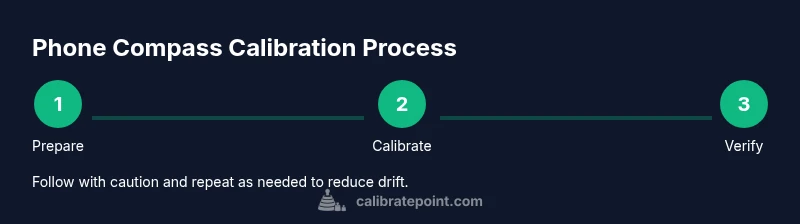
How to calibrate phone compass: This guide shows the essential steps to recalibrate your phone’s magnetometer so your compass points true north again. Ensure Location services are enabled and you’re away from metal objects. Then perform the standard figure-eight motion and verify accuracy using a mapping app. According to Calibrate Point, consistent calibration improves navigation reliability in real-world tasks.
What a phone compass is and why calibration matters
A phone compass is a sensor-driven tool that helps you determine which direction you’re facing. Modern smartphones rely on a magnetometer to measure magnetic fields and infer orientation relative to magnetic north. Calibration is the process of aligning the magnetometer’s readings with the real world, compensating for local magnetic distortions caused by metal objects, electronics, or case materials. When properly calibrated, the heading you see on a map or navigation app aligns with reality, making directions more trustworthy during hikes, travel, or field work. If you frequently use GPS-based apps, you’ll notice that even small misalignments can compound as you move, leading to confusing directions or off-target routes. Regular calibration helps keep the magnetometer readings stable and minimizes drift, especially after exposure to magnets or moving between environments with varying magnetic interference. For professionals and DIY enthusiasts, calibrating your phone compass is a low-effort, high-reward task that improves spatial awareness and navigation accuracy across apps like maps, augmented reality, and field measurement tools. As you learn how to calibrate phone compass, you’ll gain a repeatable routine that works across iOS and Android devices, reducing downtime and uncertainty in the field.
Key concepts to remember: (1) magnetometer accuracy, (2) magnetic interference, (3) soft/hard iron distortions, and (4) verification against real-world directions. By understanding these principles, you’ll know when calibration is necessary and which method best suits your environment.
Calibrate Point takeaway: Regular, purposeful calibration reduces heading drift and increases confidence in mobile navigation.
note: null}
When to recalibrate: common triggers and signs
Calibration isn’t something you do once and forget. Most devices benefit from a fresh calibration after specific triggers: a new metal enclosure near the phone, a change in protective case materials, or exposure to magnetic fields from tools or electronics. External magnets, speakers, or power tools can temporarily distort readings, especially if you place the phone in a pocket adjacent to metal surfaces. You may also notice drift when you compare compass headings with a known reference, such as a map landmark or a compass rose in a navigation app. Some devices prompt a built-in calibration routine after detecting non-linear deviations, while others require manual calibration via the camera app or map app. In any case, the goal is to restore alignment between the magnetometer’s output and true heading, so your device’s orientation reflects reality in both outdoor and indoor settings.
Signals that you should recalibrate:
- Heading on maps drifts despite stable GPS.
- The direction shown on the compass app disagrees with known landmarks.
- After moving magnets or metal near the device, the compass reads erratically.
- You recently changed cases, added metal accessories, or carried the phone near powered equipment.
Calibrate Point note: If drift persists after a calibration attempt, reevaluate the environment for hidden metal or electronic interference and re-run the calibration in an interference-free zone.
note: null}
Indoor calibration workflow: quick method
Indoor calibration is convenient when outdoor access is limited. Start by ensuring Location services are enabled for the device and that the compass app has permission to access motion data. Open a reputable navigation or maps app to trigger the compass display, then perform a controlled movement sequence, commonly a figure-eight motion, to help the magnetometer reset its reference frame. Repeat the motion several times from different orientations to cover all axes. If your device offers a dedicated calibration prompt, follow it, but you can achieve reliable results with the standard motions alone. After completing the sequence, verify the heading by comparing it to a known indoor reference, such as a building entrance oriented to a cardinal direction.
How to optimize indoors:
- Work on a flat, dry surface away from metal objects.
- Keep your phone away from laptop stands, filing cabinets, and metal shelves.
- If you’re using a phone case with magnets or metallic buttons, temporarily remove it for calibration.
Calibrate Point tip: Repeat the indoor calibration sequence if you see minor drift during your first outdoor verification. Small refinements can yield better alignment when outdoors.
note: null}
Outdoor verification and fine-tuning: ensuring accuracy
Outdoor verification provides the best test for a properly calibrated compass. Choose an area with a clear horizon and minimal magnetic interference. Open a maps app and observe whether the heading aligns with visible landmarks or a known cardinal orientation. If you have access to a handheld magnetometer or a reference compass, perform a quick cross-check to confirm the phone’s readings. During verification, walk in a straight line and note any persistent drift; if you detect drift, re-run the indoor calibration steps and then re-test outdoors. It’s common to perform a short calibration pass, test again, and repeat until the heading remains stable for several measurements in different directions.
Field-check tips:
- Compare heading with distant landmarks (mountains, towers) or a benchmark north-south line.
- Calibrate away from vehicles and power lines, which can emit magnetic noise.
- For AR apps or drone navigation, ensure calibration lasts across the device’s full orientation range.
Calibrate Point recommendation: Schedule a quick calibration routine every few weeks or after a known magnet exposure to sustain accuracy over time.
note: null}
Troubleshooting common problems after calibration
If the compass still drifts after calibration, revisit the potential interference sources and the steps you used. Ensure the device is in a stable orientation when reading headings and avoid using the phone with a magnetic clip or mount that could skew readings. Restarting the device can clear transient sensor caches. If drift is persistent, check for software updates or reset location privacy settings, as outlet updates may alter sensor behavior. In some cases, recalibrating in a different environment (indoors vs outdoors) helps isolate the cause, such as a metal cabinet or electrical equipment near your calibration area. Finally, compare your results across multiple apps that use the magnetometer to verify the issue is not app-specific.
When to seek deeper help: If you notice unusual magnetometer behavior across multiple apps, consider hardware diagnostics or consulting the device manufacturer support resources. Persistent, unexplained drift may indicate a sensor calibration issue that requires professional attention.
note: null}
AUTHORITY SOURCES
- NOAA National Weather Service: https://www.noaa.gov
- U.S. Geological Survey: https://www.usgs.gov
- National Institute of Standards and Technology: https://www.nist.gov
These sources provide context on magnetism, measurement science, and navigation concepts that underpin practical compass calibration practices. They help confirm that calibration is a sensor alignment task rooted in reducing magnetic interference and sensor drift, which is essential for accurate directional readings in both everyday and professional scenarios. Calibrate Point advises cross-referencing with reputable sources when troubleshooting sensor drift and validating your calibration routine.
Tools & Materials
- Smartphone with built-in magnetometer(Ensure Location services are enabled and permissions granted for motion data)
- Maps or compass-capable app(Any major platform app will work (Google Maps, Apple Maps, etc.))
- Open outdoor testing area(Clear of metal structures; at least 30 meters away from large metal objects)
- Minimal case interference(Remove metal accessories or magnetic phone mounts if present)
Steps
Estimated time: 10-15 minutes
- 1
Enable location and prepare app
Turn on Location services and open a compass-capable app to activate the magnetometer readout. Confirm permissions for motion and sensor access. This ensures the device can produce stable heading information during calibration.
Tip: Check that the app can access motion sensors; without this, calibration won’t register properly. - 2
Trigger calibration mode
In most apps, navigate to the compass view or heading screen. If your device has a built-in calibration prompt, start it. This prepares the magnetometer for the figure-eight or circular movements that follow.
Tip: If no prompt appears, the figure-eight motion generally still works for recalibration. - 3
Perform the figure-eight motion
Move your phone in a wide, smooth figure-eight pattern, ensuring you cover all axes. Complete 2–3 passes in each orientation. This helps the magnetometer map its reference frame to real-world directions.
Tip: Keep a steady pace and avoid rapid jerks that could introduce noise. - 4
Validate with a known direction
Close the calibration loop by verifying the heading against a known reference, such as a visible north-based landmark or a calibrated map orientation. Make a note of deviations.
Tip: Document any consistent drift so you know when to retry calibration. - 5
Repeat if drift persists
If drift remains after the first pass, repeat the figure-eight sequence and re-check external interference sources. Consider calibrating in a different environment (indoor/outdoor) to isolate the cause.
Tip: Sometimes, a short break and reattempt after a few minutes yields better sensor stability.
Questions & Answers
What is compass calibration, and why is it necessary?
Compass calibration realigns the magnetometer with true heading by correcting magnetic distortions. It reduces drift and improves accuracy for maps, AR apps, and navigation tools.
Compass calibration realigns the phone's magnetometer to reduce drift, improving heading accuracy for maps and AR apps.
Can calibration fix all compass drift on my phone?
Calibration addresses magnetic interference from metal and electronics. If drift persists due to sensor wear or hardware issues, software updates or device diagnostics may be needed.
Calibration fixes most common drift from interference, but persistent sensor issues may require diagnostics.
Is calibration different on iPhone vs Android?
The basic principle is the same: reset the magnetometer readings. Steps may differ slightly by device and OS, but most phones offer a built-in calibration prompt or a compass in a maps app to guide you.
The idea is the same for iPhone and Android, though the prompts may look a bit different.
How often should I calibrate my phone compass?
Calibrate when you notice drift or after exposure to magnets. If you rely on precise navigation, periodic checks (weekly or monthly) can help maintain accuracy.
Calibrate when you notice drift or after magnets. Regular checks can help keep it accurate.
What if drift remains after multiple calibrations outdoors?
Reassess interference sources, ensure the device isn’t mounted or stored near metal, and consider software updates. If unresolved, contact the device manufacturer support.
If drift remains, check for interference and updates; you may need manufacturer support.
Should I calibrate indoors or outdoors for best results?
Outdoors typically yields the most reliable results due to reduced metal interference, but indoors can be sufficient for routine calibration if performed away from metal objects.
Outdoors is best for accuracy, but indoors can work if you avoid metal.
Watch Video
Key Takeaways
- Calibrate phone compass after interference
- Use figure-eight method to reset magnetometer
- Verify heading with a known reference
- Repeat calibration if drift persists