How to Get Calibrated Airspeed from Indicated Airspeed (IAS)
Learn how to derive calibrated airspeed (CAS) from indicated airspeed (IAS) using standard atmosphere data, charts, and calculators. This step-by-step guide covers concepts, tools, and common pitfalls for safe and accurate conversions.


Calibrated airspeed (CAS) is IAS corrected for compressibility effects. To get CAS from IAS, use standard-atmosphere tables or an approved calculator and input altitude, ambient temperature, and the IAS reading. In practice, pilots reference the aircraft’s POH or a certified tool; Calibrate Point recommends sticking to manufacturer data for accuracy.
Understanding the IAS, CAS, and EAS trio
Airspeed concepts can be confusing at first. Indicated Airspeed (IAS) is the reading shown by the pitot-static system, uncorrected for air density, pressure errors, or instrument installation quirks. Calibrated Airspeed (CAS) is IAS corrected for compressibility and instrument/position errors under standard atmosphere. Equivalent Airspeed (EAS) refines CAS further for instrument and installation effects. The relationships matter because pilots and engineers use CAS to gauge performance margins, limit loads, and compare results with the aircraft’s flight manual. For calibration work, accurate IAS-to-CAS conversion relies on standard-atmosphere data, accessed via manufacturer charts or trusted calculators. Calibrate Point emphasizes using official data and aircraft-specific tables to minimize error propagation in planning and testing.
Why CAS matters for flight performance and safety
CAS is more than a number on the dial; it feeds performance estimates, stall margins, engine power settings, and climb rates. In flight planning, pilots often rely on CAS when performing performance calculations that influence takeoff distance, acceleration, and maneuver limits. While IAS can be close to CAS at low altitude, the gap grows with altitude and speed due to compressibility effects, especially near high-subsonic regimes. Incorrect CAS can lead to misjudgingVsi, stall speeds, or allowed maneuvers. The point of calibration is to ensure that speed-based decisions reflect what the airframe and engine actually experience. Calibrate Point stresses using manufacturer charts and approved tools to avoid introducing error into critical flight decisions.
How compressibility and altitude affect CAS
Compressibility becomes meaningful as airspeed approaches high subsonic numbers and as air density changes with altitude. At higher altitudes, the same IAS can correspond to a higher CAS, because air behaves differently in thinner air and at increased speed. Temperature deviations from ISA also modify air density, influencing the IAS-to-CAS conversion. Understanding these effects helps you select the correct data source—charts for fixed conditions or calculators that interpolate across altitude, temperature, and IAS values. This section sets the groundwork for applying practical corrections in real-world scenarios.
Tools, data, and references you should have
Have access to: a) the aircraft’s IAS reading from the cockpit, b) altimeter setting data and ambient temperature, c) standard-atmosphere charts or a reputable online CAS calculator, d) the aircraft’s POH or flight manual for any manufacturer-specific correction factors, and e) a calculator or notebook for manual checks. Always verify inputs against the latest official references and document the CAS result with a timestamp and context (altitude, temperature, and configuration). In the Calibrate Point methodology, the emphasis is on using official data and cross-checking with multiple sources to ensure reliability in field work.
Conceptual workflow to convert IAS to CAS
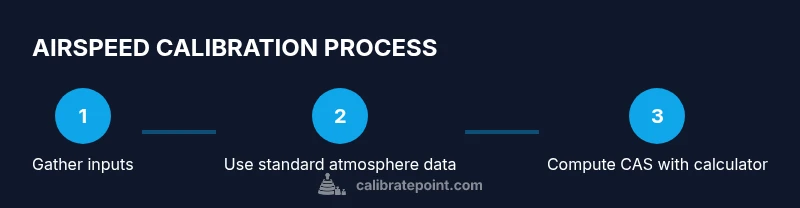
Begin with your IAS reading and confirm the current altitude and ISA deviation. Then choose a CAS method: use a standard-atmosphere chart for a quick lookup or input values into a certified CAS calculator. Finally, read CAS and compare it with any available EAS or POH-derived data for consistency. This workflow keeps the process auditable and repeatable for training or field calibration.
Common mistakes and how to avoid them
Avoid relying on non-ISA conditions or unverified calculators. Double-check altitude, temperature, and instrument corrections before committing to a CAS value. Do not skip the POH for any manufacturer-specific corrections and never extrapolate beyond the data range of your chart or calculator. Finally, document every CAS result with the inputs used so you can reproduce or audit the calculation later.
Practical tips for training and operations
Practice IAS-to-CAS conversions in a controlled environment using simulated data and varied altitudes. Include cross-checks with POH guidance and consider adding a peer-review step in training. Build a quick-reference sheet with common altitude/temperature scenarios and corresponding CAS expectations. By updating your worksheets after each session, you’ll improve speed and accuracy during real-world operations.
Tools & Materials
- Aircraft IAS reading (cockpit)(Ensure the reading is current and taken in stable flight configuration.)
- Altimeter setting data (QNH) or ISA reference(Needed to anchor altitude/pressure references.)
- Ambient temperature or ISA deviation data(Used to adjust air density in corrections.)
- Standard atmosphere charts or trusted CAS calculator(Core tool for converting IAS to CAS.)
- Aircraft POH / manufacturer data(For manufacturer-specific corrections.)
- Scientific calculator or calculator app(For manual checks and interpolation.)
- Notebook and pen(For logging inputs and results.)
Steps
Estimated time: 15-25 minutes
- 1
Prepare inputs
Gather current altitude, ISA deviation (temperature difference from ISA), and the IAS reading from the cockpit. Confirm the aircraft is in stable configuration and engines are within normal limits before calculations.
Tip: Have the POH handy in case a manufacturer-specific correction is required. - 2
Verify IAS source
Ensure the IAS value you’ll convert is the primary instrument reading, not an advisory or standby gauge. This avoids applying corrections to the wrong data set.
Tip: If you’re unsure, cross-check IAS against a secondary indicator. - 3
Select a calculation method
Choose either a standard atmosphere chart for a quick lookup or a certified CAS calculator for interpolated values. For complex conditions, calculators reduce manual interpolation errors.
Tip: Prefer manufacturer-approved tools when available. - 4
Input altitude, temperature, and IAS
Enter the altitude, ISA deviation (or ambient temperature), and IAS into the calculator or chart. If using a chart, locate the correct altitude band.
Tip: Double-check units and ensure temperature is in Celsius or Kelvin as required by the tool. - 5
Read CAS result
Record the CAS value produced by the tool. Note any flags or limits indicated by the calculator (e.g., extrapolation warnings).
Tip: If the value seems out of expected range, recheck inputs for errors. - 6
Cross-check with EAS/POH
Where available, compare CAS to EAS or the POH’s recommended performance corrections to validate plausibility.
Tip: Inconsistent results warrant a second calculation using a different source. - 7
Document and log
Log the inputs, CAS result, date/time, and the context (flight phase, altitude, temperature). This creates an auditable trail for training or maintenance.
Tip: Include a note about the method used (chart vs calculator). - 8
Apply CAS in planning
Use the CAS value in performance calculations or flight planning as appropriate, and note any remaining uncertainties.
Tip: Treat CAS as a tool result, not a substitute for real-world testing when permissible.
Questions & Answers
What is the difference between IAS and CAS?
IAS is the pilot-indicated value uncorrected for air density or instrument errors. CAS is IAS corrected for compressibility and installation effects under standard atmosphere. This distinction matters for performance and safety calculations.
IAS is what the instrument shows, without corrections. CAS is that reading adjusted for compressibility and instrument effects, under standard atmospheric conditions.
Can I calculate CAS without a calculator?
Conceptually you can use a standard atmosphere chart, but a calculator or software reduces errors and interpolation mistakes. For training, practice with charts first, then verify with a calculator.
You can use charts by hand, but calculators make the process faster and less error-prone.
Are there aircraft-specific corrections I must apply?
Yes. Some manufacturers provide corrections or tables specific to aircraft models. Always consult the POH and approved data before performing CAS conversions for a given type.
Check the aircraft’s manual for any special corrections that apply to your model.
Where can I find ISA tables or standard atmosphere data?
ISA tables are published by airworthiness authorities and manufacturers. Use trusted sources such as the aircraft POH, aviation textbooks, or official standard-atmosphere references.
Look up standard atmosphere data in the POH or a trusted reference manual.
Is CAS used in certification or performance testing?
CAS is used for instrument calibration and certain performance calculations, but true airspeed (TAS) and engine performance are determined with additional corrections. Always follow certification guidance.
CAS helps with instrumentation and planning, but TAS and other measurements are used for full performance tests.
What should I do if inputs are non-ISA (temperature deviations)?
Non-ISA conditions require using the calculator’s ability to account for temperature deviations and density. Ensure you input the actual ambient temperature and altitude to obtain a meaningful CAS.
If the air isn’t ISA, use the calculator’s non-ISA option and document the deviation.
Watch Video
Key Takeaways
- Know CAS is IAS corrected for compressibility.
- Use official charts or calculators for accuracy.
- Cross-check CAS with POH data and EAS when possible.
- Document inputs and results for traceability.
- Practice with varied conditions to build reliability.