How to Use Probe Calibrate: Step-by-Step Guide for Precision
Master probe_calibrate with a practical, safety‑focused how-to. Learn prep, workflow, verification, and documentation for repeatable, traceable calibration.


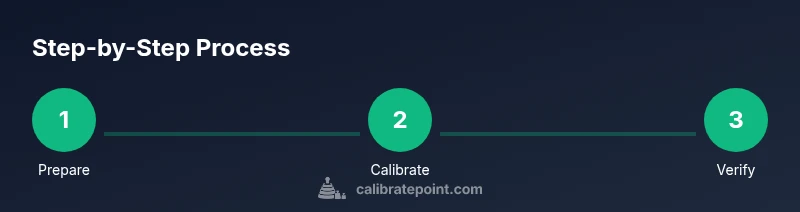
By following this guide, you will learn how to use probe_calibrate to achieve repeatable probe accuracy. You’ll need a reference probe, a stable workbench, calibration software, and proper PPE. This quick answer outlines the essential setup and the 8-step workflow you’ll expand on in the body. Use the steps to prep, calibrate, verify, and document results for traceable calibration.
Why Probe Calibration Matters
Calibration is the backbone of reliable measurements. When we talk about how to use probe_calibrate, we’re focusing on aligning a probe’s response with a known reference so drift and bias are minimized over time. In professional settings—whether in electronics, chemistry, or materials testing—probes must be calibrated to maintain traceability to standards. The Calibrate Point team emphasizes that even small deviations can cascade into incorrect conclusions, product quality issues, or failed audits. This section sets the stage: precision starts with a clear goal, a defined reference, and repeatable procedures that you can document for compliance. By adopting a structured workflow, you’ll reduce variability and increase confidence in every reading. For DIY enthusiasts and technicians, that means fewer reworks, faster diagnosis, and better data history to lean on during future calibrations.
Core Concepts You Need to Know
Before diving into hands-on steps, clarify the language: a probe is any sensing element that produces a measurable signal. Probe_calibrate is the workflow or toolset you use to adjust the probe’s response to match a reference standard. Key concepts include traceability—linking measurements to recognized standards; offsets and gain corrections—small adjustments that bring the probe’s output into agreement with the reference; and drift—how measurements change over time due to environmental or mechanical factors. Understanding these ideas helps you interpret results, evaluate tolerances, and decide when to recalibrate. Calibrate Point’s guidance highlights documenting each calibration event, including the reference used, environmental conditions, and instrument status. This makes your data auditable and shareable with teammates or auditors.
Safety and Workspace Best Practices
Calibration work can involve electronic equipment, chemicals, and energized systems. Start with a clean, dry workspace free of clutter. Ground yourself and the instrument to minimize static discharge. Wear appropriate PPE: safety glasses, gloves where solvents are used, and a lab coat or apron to protect sensitive components. Keep calibration standards in a stable, temperature-controlled area and avoid direct sunlight or drafts that could affect readings. If you’re calibrating probes that use hazardous materials or operate at high voltages, isolate the work area and follow your site’s safety protocol. Document any safety concerns before you begin so you can address them quickly if something changes mid‑procedure.
Preparing the Calibration Environment
A repeatable calibration environment reduces drift and improves reproducibility. Start by verifying that your reference standard is within its own calibration window and stored correctly. Calibrate using a clean, lint-free cloth to remove any residues from the probe tip; inspect for wear, corrosion, or coating that could skew results. Temperature and humidity can influence many sensors, so log ambient conditions and adjust if necessary. Ensure the calibration software is updated and configured for the specific probe type you are calibrating. Create a baseline reading with the probe in a known state, then proceed to engage the reference standard. This groundwork is essential for a trustworthy calibration run.
Step-by-Step Workflow Overview
The core workflow follows a logical sequence: prepare, configure, apply reference standards, record offsets, perform the calibration routine, verify results, and document the outcome. In practice, you’ll move through these stages with deliberate actions, checking that each step completes successfully before continuing. This overview helps you plan the session, allocate time, and anticipate potential issues. You’ll refer back to this flow during the more detailed Step-by-Step sections that follow. Remember: accuracy improves when you proceed with discipline and consistency rather than rushing to finish.
Step 1: Initialize and Inspect Probes
Power up the system and visually inspect each probe for damage, wear, or contamination. Clean the tip or sensing element per the manufacturer’s guidelines and dry thoroughly. Check connector integrity and cable condition; loose connections can introduce noise or offset errors. Document the probe’s serial number, model, and any visible defects. This initial check saves time later by catching problems early. Tip: keep a dedicated inspection log for quick reference during future calibrations.
Step 2: Configure Calibration Software and References
Open the calibration software and select the correct probe model and calibration profile. Load the reference standard data and verify that the standard is traceable to an accepted standard. Confirm environmental inputs (temperature, humidity, and pressure if applicable) and set the tolerances to match the instrument’s specification. If the software supports multi-point calibration, choose the appropriate number of reference points to cover the probe’s expected operating range. Tip: create a named calibration template you can reuse in future sessions.
Step 3: Apply Standards and Record Offsets
Attach or position the probe against the reference standard, ensuring stable contact and consistent orientation. Execute the standard’s prescribed sequence and record the raw output from the probe and the reference value for each point. The software should compute offsets, gain, and any required linearization. Save each data point with a timestamp and environmental notes. If any point falls outside tolerance, flag it for re-measurement and potential recalibration. Tip: cross-check a second reference point to confirm drift behavior.
Step 4: Execute Calibration Routine and Adjustments
Run the calibration routine according to the device profile. The software may iteratively adjust gain and offset to align the probe’s response with the reference across the range. Review the corrective values and ensure they are reasonable for the probe type. Avoid overcorrecting, which can destabilize measurements in real use. After the routine completes, capture a fresh set of readings to verify the alignment. Tip: run a quick sanity check with a known, simple input to confirm expected changes.
Step 5: Verification Checks with Independent References
Validation is critical. Use an independent reference or a secondary channel to verify the calibrated probe’s accuracy. Compare multiple points outside the initial calibration set to confirm linearity and consistency. If discrepancies appear, re-run the calibration with adjusted parameters or re-evaluate the reference standard’s credibility. Document verification metrics and any deviations observed. Tip: maintain a separate verification log to facilitate audits.
Step 6: Documentation and Calibration Certificate
Create a calibration certificate that includes the probe details, reference standards, environmental conditions, measured values, offsets, and the date of calibration. Ensure the certificate is legible, stored with the instrument, and accessible to relevant staff. Include a note on the validity period and suggested follow-up interval. This documentation supports traceability and quality assurance; it’s essential in regulated environments. Tip: attach a copy of the raw data as an appendix for full transparency.
Troubleshooting, Common Pitfalls, and Maintenance
Even well-planned calibrations encounter issues. Common problems include noisy readings from loose connections, drift due to temperature fluctuations, and contamination on the probe tip. Address noise by reseating connectors, re-checking grounding, and re-running the measurement cycle. Temperature control helps minimize drift; consider short thermal stabilization periods between steps. For long-term reliability, schedule periodic recalibrations, store probes properly, and maintain calibration logs. Tip: review past calibration records to identify recurring problems and adjust maintenance intervals accordingly.
Sustaining Accuracy: A Long-Term Calibration Strategy
A robust calibration program treats calibration as an ongoing, preventive activity rather than a one-off event. Establish routine calibration intervals based on usage, drift history, and environmental exposure. Use standardized procedures across teams to maintain consistency, and ensure all operators have access to the same reference standards and templates. The result is predictable performance over time, easier audits, and improved product quality. The Calibrate Point guidance emphasizes building a living protocol: review, update, and improve your calibration workflow regularly to adapt to new probes or standards. In 2026, adopting a formal calibration cadence is more accessible than ever, thanks to integrated software and centralized documentation.
Tools & Materials
- Reference probe (calibrated/traceable)(Choose a probe with known accuracy and a documented calibration history)
- Calibrate software license or installed software(Ensure compatibility with your probe type and reference standards)
- Calibration standards / reference materials(Traceable to an approved standard; replace periodically)
- Stable, clean work surface(Static-free environment preferred; use anti-static mat)
- Lint-free wipes and solvent (e.g., isopropyl alcohol)(For tip cleaning when required by the probe type)
- Personal protective equipment (PPE)(Safety glasses, gloves as needed)
- Anti-static wrist strap(Optional but recommended for sensitive electronics)
- Notebook or calibration log(Record conditions, results, and certificates)
Steps
Estimated time: Total time: 60-90 minutes
- 1
Prepare and inspect
Power up the instrument and inspect the probe for damage or contamination. Clean the tip if needed and verify connectors are secure. Establish the baseline environment, including temperature and humidity readings when available.
Tip: Document any physical issues before starting; they can affect results later. - 2
Configure software and references
Open calibration software and select the proper probe profile. Load the traceable reference standard data and confirm environmental inputs are current. Save a fresh template for this session.
Tip: Double-check the reference’s calibration date and tolerance specs to avoid hidden errors. - 3
Attach standards and collect points
Position the probe against the reference and capture outputs for each reference point. Record both the probe reading and reference value with timestamps and ambient data.
Tip: Use multiple reference points to map the response across the operating range. - 4
Run calibration routine
Initiate the calibration routine and allow the software to compute offsets and gains. Review changes, ensuring they are within plausible bounds for the device type.
Tip: Avoid overcorrecting; small adjustments tend to be more stable over time. - 5
Verify with independent checks
Use a secondary reference or an alternate method to verify results. Compare at least one non-reference point to confirm linearity and consistency.
Tip: Document any deviations and consider re-running if outliers appear. - 6
Finalize and export data
Create a calibration certificate, export raw data, and attach notes about environmental conditions. Store the file with the instrument for easy access and audits.
Tip: Keep a clean, organized archive to support future calibrations. - 7
Close and review
Close the session by reviewing the entire workflow and checking for any missed steps. Schedule the next calibration due date based on usage and drift history.
Tip: Set reminders to prevent missed calibration cycles. - 8
Post-session cleanup
Power down equipment safely, clean tools, and return references to their storage. Update the calibration log and back up the data.
Tip: A tidy workspace reduces the risk of cross-contamination between probes.
Questions & Answers
What is probe_calibrate and when should I use it?
Probe_calibrate is a workflow and toolset designed to align a probe’s output with a known reference. Use it whenever you need traceable, repeatable measurements across devices or test setups.
Probe_calibrate helps align a probe’s readings with a reference for consistent measurements. Use it whenever accurate, repeatable data is required.
What are the most common sources of calibration drift?
Drift typically arises from temperature changes, probe aging, contamination, or mechanical wear. Environmental logging helps identify which factor is most influencing drift.
Drift often comes from temperature shifts, worn probes, or dirty tips. Track conditions to find the culprit.
Do I need special equipment for all probes?
Most probes require a traceable reference standard and calibration software. Some types may need additional fixtures or adapters; always consult the probe’s documentation.
Most probes need a reference standard and calibration software. Some may need extra adapters, so check the manual.
How often should I calibrate a typical probe?
Calibration intervals depend on usage, environment, and drift history. Establish a schedule based on performance data and regulatory requirements.
Set a calibration schedule based on how often you use the probe and its drift history.
What should I include in a calibration certificate?
Include probe details, reference standards, environmental conditions, measured values, offsets, date, and the calibration’s validity period.
Add probe details, standards used, readings, date, and how long the calibration is valid.
What if a reading fails verification?
Reassess the calibration setup, re-run with proper references, or consult the probe manufacturer. If persistent, consider replacing the probe.
If verification fails, recheck setup, re-run with proper references, and consider replacement if the issue persists.
Watch Video
Key Takeaways
- Prepare thoroughly and log baseline conditions.
- Follow the exact calibration sequence to improve repeatability.
- Verify results with independent checks before finalizing.
- Document all data and maintain traceability for audits.