How to calibrate home theater for optimal audio and video
Learn how to calibrate home theater for accurate color, balance, and sound. This practical guide covers tools, steps, and best practices from Calibrate Point to help DIY enthusiasts achieve pro-level results.


Goal: calibrate home theater for accurate video and balanced sound. You’ll set picture to correct gamma, color temperature, and white point, then optimize room acoustics and speaker levels using a colorimeter, SPL meter, and calibration discs. This step-by-step guide from Calibrate Point helps DIY enthusiasts reach pro-level results.
The goal of calibrating your home theater
Calibrating your home theater begins with a simple question: how can you see and hear movies as the creators intended? When you calibrate home theater, you align display color, brightness, gamma, and white point with reference standards, and you synchronize audio to the room. For DIY enthusiasts, the objective is not perfection in a lab but reliable, repeatable results that translate across viewing positions. A proper calibration improves detail in shadows, makes skin tones natural, and prevents clashing reds or oversaturated greens. In many rooms, simply switching to a neutral night or film mode is not enough; real calibration requires deliberate measurements and adjustments. The Calibrate Point team emphasizes that consistent lighting, accurate test patterns, and a calibrated microphone set the foundation for meaningful gains. With the right tools and patience, you can achieve a cinema-like experience in a typical living room by focusing on the core elements of video and audio alignment.
Core concepts: video vs audio calibration
Calibration for home theater covers two parallel strands: video and audio. Video calibration aims for faithful color reproduction, correct white point, proper gamma, and appropriate peak brightness for your display. Audio calibration focuses on aligning speaker levels, timing, and subwoofer placement to create a coherent soundstage. Although these domains operate separately, they must be tuned in concert for the best overall experience. Your goal is to ensure that what you see matches the intent of the content and what you hear matches the on-screen action. The Calibrate Point approach treats video and audio as a unified system; small changes in one domain can affect the other, especially in rooms with challenging acoustics. By starting with stable lighting, trusted test patterns, and a calibrated microphone, you build a reliable foundation for both images and sound.
Tools and measurement basics
Successful calibration relies on reliable measurements. A colorimeter or spectrophotometer measures display color accuracy, white point, and luminance; an audio measurement microphone captures room response and allows precise SPL matching across seating positions. A calibrated test patterns disc or streaming content provides reference signals for color and luminance, while a sound level meter (or a smartphone app with a known calibration file) helps verify SPL. While professional kits exist, a well-chosen colorimeter and a basic calibrated mic are enough to start. Keep the environment as stable as possible during measurements: dim the room, avoid direct sunlight on the screen, and limit foot traffic. This reduces reading noise and leads to clearer, repeatable results.
Practical workflow: color, gamma, white point, audio levels
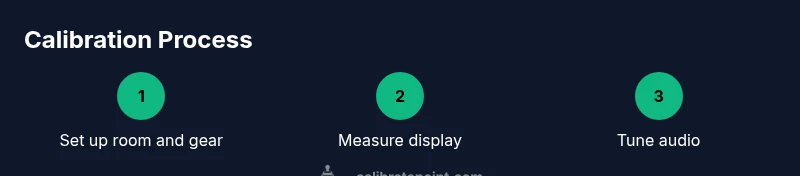
A practical calibration workflow starts with establishing a neutral baseline for the display. Begin by measuring white point and color accuracy, then adjust color temperature and color gamut to align with standard reference spaces. Next, set the display’s luminance to match the viewing environment, ensuring the target peak brightness is achieved without crushing shadows. Gamma and black level adjustments come next; aim for consistent midtone response so details in both bright and dark scenes are visible. For audio, perform speaker-level calibration at the primary listening position, then balance surrounds and subwoofers to create a cohesive soundstage. Use test tones to sweep room modes and reduce bass buildup where possible. Document each change so you can reproduce the setup if needed. Visual references like Figure 1 can guide you through the process, while keeping in mind the room’s unique reflections and seating layout. This integrated approach yields a more faithful, immersive experience.
Common pitfalls and how to avoid them
Many pitfalls stem from working in an uncontrolled environment. Don't calibrate in bright rooms or with glare on the screen; always use a consistent, dim environment. Avoid relying solely on factory presets or auto-calibration features; these can create imbalanced colors or uneven loudness. Skipping room acoustics or using an uncalibrated microphone undermines results. Keep paths clear of interference and ensure the mic is positioned at the listener’s ear height for each measurement. Finally, don’t rush; calibration is iterative. Take breaks between steps so your perception remains accurate, and recheck measurements after any adjustment to confirm stability. The more you document, the less you rely on memory and guesswork.
Tools & Materials
- Colorimeter or spectrophotometer(Used to measure display color, white point, and luminance)
- Calibrated audio measurement microphone(For measuring room response and speaker levels at the listening position)
- Calibration software or test patterns disc/streaming content(Contains color patterns, test images, and audio test tones)
- Sound level meter or calibrated smartphone app(Helpful for verifying SPL across seating positions)
- Reference test media (color bars, grayscale, audio tones)(Access via USB/streaming; essential for consistent patterns)
Steps
Estimated time: 90-120 minutes
- 1
Set up the viewing environment
Prepare the room with stable lighting, close curtains, and sit at your primary listening/viewing position. Ensure the display is on and warm-up time has elapsed. Position your measurement mic at ear height in the center of the seating area to establish a reliable baseline.
Tip: Ensure the room lighting remains constant during measurements to avoid drift in readings. - 2
Connect measurement tools
Connect the colorimeter to the display and launch calibration software. Plug the calibrated microphone into your interface or computer and verify the signal is being received correctly. If using a smartphone app, ensure the app has the correct calibration profile loaded.
Tip: Calibrate the microphone input levels before taking measurements to prevent skewed results. - 3
Baseline white point and color accuracy
Measure the display’s white point and color accuracy against reference targets. Begin with color temperature and primary colors, adjusting until readings align with standard values. Document deviations to guide subsequent steps.
Tip: Use a neutral gray pattern to avoid color bias during measurement. - 4
Adjust gamma and luminance
Tune gamma to achieve consistent midtones and avoid crushing blacks or clipping highlights. Set luminance so that the target peak brightness is reached without compromising shadow detail. Re-measure after each adjustment.
Tip: If the room is bright, consider slightly increasing brightness to retain contrast without affecting color accuracy. - 5
Color calibration across spaces
Repeat color checks across different test patterns to ensure accuracy across the monitor’s color gamut. Confirm that skin tones and neutral grays read correctly in multiple scenes. Update LUTs or preset values as needed.
Tip: Work iteratively and validate with multiple patterns to avoid overfitting to a single test image. - 6
Audio calibration: channel balance
Play pink noise or a sweep tone and adjust each main channel to reach a target SPL at the listening position. Align subwoofer output with the main channels for a cohesive bass response. Check for phase alignment and time delay if possible.
Tip: Use a single seat for initial balance; later verify from secondary seating positions. - 7
Final verification and save presets
Run a final pass with the full set of test patterns and a few representative movie clips. Confirm stability by re-measuring the white point, color targets, and SPL. Save your presets and labeling for easy future recalibration.
Tip: Create a naming convention for presets so you can revert quickly if needed.
Questions & Answers
What does it mean to calibrate a display for a home theater?
Display calibration aligns color accuracy, white point, and luminance with reference standards so images look natural and consistent. It also helps ensure that skin tones and grayscale appear correctly across scenes.
Display calibration aligns color and brightness with reference standards so movies look natural across scenes. It also helps skin tones stay realistic.
Do I need a colorimeter to calibrate at home?
A colorimeter or spectrophotometer provides objective measurements of color and luminance. While you can start with built-in tools and test patterns, a colorimeter markedly improves accuracy and repeatability.
A colorimeter gives you objective color readings and makes calibration more reliable.
Can I calibrate audio and video at the same time?
Yes, but it’s often better to calibrate video first, then address room acoustics and speaker levels. This reduces cross-effects and makes adjustments clearer across both domains.
You can calibrate them together, but starting with video helps you see the true effects of your sound adjustments.
Why is room acoustics important for calibration?
Room acoustics shape how sound behaves in your listening area. Without addressing reflections and modes, speaker level adjustments may not translate well from one seat to another.
Room acoustics determine how sound travels and reflects; neglecting them can skew your results.
How often should I recalibrate?
Recalibrate after major changes to equipment or room layout, and at least once or twice a year if you use your theater frequently. Seasonal lighting changes can also alter perceived color warmth.
Recalibrate after big changes or at least annually to keep results consistent.
Is professional calibration worth it?
Professional calibration offers highly precise measurements and validation, often with specialized equipment. For many enthusiasts, a well-structured DIY calibration yields most of the gains at a fraction of the cost.
Yes, professionals provide high-precision work, but a solid DIY approach can give you most of the benefits.
Watch Video
Key Takeaways
- Calibrate home theater by addressing both video and audio as a system
- Use measurement tools and reference patterns for objective results
- Validate from your primary seating position and recheck across seats
- Save presets to maintain consistent results over time