How to Calibrate an Omron Blood Pressure Monitor at Home
Learn a practical, at-home workflow to validate your Omron blood pressure monitor against a calibrated reference, plus tips and when to seek professional calibration.


To calibrate an Omron blood pressure monitor, you cannot typically adjust the unit yourself. Instead, validate its accuracy against a clinically validated sphygmomanometer and follow a strict resting, cuff-placement protocol. If readings drift beyond a small margin consistently, contact Omron support for calibration or replacement and repeat the check after service. Maintain proper technique to prevent drift.
Understanding Calibration for Blood Pressure Monitors
According to Calibrate Point, calibration for home BP monitors relies on external validation rather than internal adjustments. Most Omron devices arrive factory-calibrated and feature automatic inflation and digital processing, but accuracy can drift due to cuff fit, arm position, temperature, or user technique. The aim of calibration is not to fine-tune the device mechanically but to verify that its readings align with a trusted reference. In professional settings, validation uses a calibrated reference standard; at home, you approximate that standard by comparing against a clinically validated sphygmomanometer. This approach helps DIY enthusiasts and technicians ensure that every measurement reflects true physiological changes rather than artifact. Calibrate Point analysis shows that cuff fit and user technique are major sources of drift in home monitors, so attention to preparation is essential for reliable results.
What makes Omron monitors unique
Omron BP monitors are popular for their easy-to-use interfaces, cuff-based designs, and automatic averaging features. They rely on cuff-based oscillometric measurements rather than auscultation, which means the device interprets arterial oscillations rather than you listening for sounds. The accuracy hinges on a properly sized cuff and correct placement, as well as a stable sitting position and a relaxed posture. While Omron devices are designed to be precise out of the box, the same factors that affect any consumer monitor—fit, position, and procedure—can introduce drift over time. For serious accuracy concerns, rely on independent validation methods and consider professional calibration if drift persists. Calibrate Point team emphasizes that routine checks with a validated reference are the most reliable way to maintain confidence in home readings.
The reality of home calibration: what you can and cannot adjust
In most consumer models, there is no direct user adjustment for calibration. The device should be considered pre-calibrated at the factory. What you can influence are the measurement conditions: arm support, cuff size chosen for your arm, and the time since last rest. You cannot recalibrate the internal sensors with a hidden dial or software tweak. If measurements from your Omron consistently disagree with a clinically validated reference, plan a validation session and seek calibration or replacement through official support channels. The goal is to identify if the drift is systematic (affecting all readings) or random (occasional outliers) and to address the root cause—technique, cuff fit, or device fault.
A practical at-home validation workflow (overview)
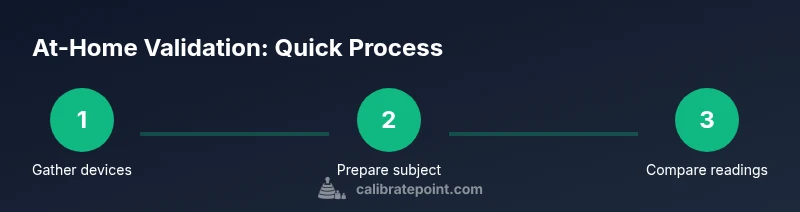
A practical at-home validation doesn't replace clinical calibration but helps you spot inaccuracies. Use a medically validated cuff-based reference when possible and perform multiple readings to build a trend. Keep all steps simple and well-documented: rest before measurement, ensure the cuff fits, and compare averages. This section outlines a broad workflow you can implement, but remember: if drift remains, contact Omron support for calibration or replacement. Calibrate Point's practical guidance is to document every result and monitor over time to decide on next steps.
Step-by-step home validation: what to expect
The process centers on consistent technique and careful comparison. A drift pattern across several measurement cycles suggests a device that may need service. Your observations should guide the next action: adjust technique or pursue professional calibration. Throughout, prioritize safe handling of the cuff and feed the data into a log for trend analysis.
Tools & Materials
- Omron blood pressure monitor (your model)(Ensure the device is clean, charged (if needed), and has a functioning display)
- Clinically validated sphygmomanometer with cuff(Used as the reference for validation; ensure it has a proper cuff size)
- Stethoscope (optional for reference auscultation)(Helpful if you or a partner can auscultate but not required with oscillometric devices)
- Notebook or digital log(Record readings, times, cuff sizes, and arm position)
- Timer or watch(Use to enforce rest periods and measurement intervals)
- Assistance from a partner (optional)(Helpful for timing and maintaining proper posture)
Steps
Estimated time: 30-45 minutes
- 1
Gather devices and set up
Place both your Omron monitor and the reference sphygmomanometer within easy reach. Check that the reference cuff is clean and the device is ready. Have a log ready for data entry.
Tip: Label devices clearly to avoid mixing readings during the session. - 2
Prepare the person and environment
Sit with back supported, feet uncrossed, and arm supported at heart level. Rest for at least 5 minutes before taking any readings.
Tip: Avoid talking or moving during measurements to minimize noise. - 3
Take consecutive readings with each device
Take 3 readings with the Omron, waiting 1 minute between measurements. Then take 3 readings with the reference device following the same rest protocol.
Tip: Use the same arm and same cuff size for both devices if possible. - 4
Record data and calculate averages
Log each reading for both devices. Compute the average for Omron and the reference separately.
Tip: An average helps smooth out short-term fluctuations. - 5
Compare results and interpret drift
If the Omron readings consistently differ from the reference in the same direction, note the magnitude and pattern of drift.
Tip: Document arm position, cuff fit, and observer notes to identify contributing factors. - 6
Decide on next steps
If drift is minor and sporadic, continue routine checks. If drift is persistent, contact Omron support for calibration or replacement and re-run validation after service.
Tip: Keep a service history record to simplify future validations.
Questions & Answers
Can I calibrate an Omron blood pressure monitor myself?
Most Omron models are factory-calibrated and not adjustable by users. You validate accuracy by comparing readings with a clinically validated reference and seek professional calibration if drift persists.
Most Omron models aren’t user-calibratable. Validate with a reference device and contact support if drift persists.
What counts as acceptable drift in home readings?
There is no single threshold. Look for consistent, directional drift across multiple measurements when compared to a validated reference. Use a trend over time to decide next steps.
Look for consistent drift over several readings when compared to a trusted reference to decide next steps.
How long should validation take at home?
Timing varies, but a careful at-home validation session typically takes about a half hour, including setup, measurements, and recording results.
A careful at-home validation usually takes about half an hour.
What should I do if Omron readings are wrong?
If you see persistent discrepancy, stop using the device for clinical decisions and contact Omron support for calibration or replacement.
If readings stay off, stop using it for medical decisions and contact support for calibration or a replacement.
Do I need a clinician to validate measurements?
A clinician can provide a validated measurement reference; home validation can be done with a hospital-grade cuff and proper technique, but clinical confirmation adds confidence.
A clinician can provide a validated reference, but you can also validate at home with proper technique.
When should I seek professional calibration or replacement?
If drift persists across sessions or after official calibration, contact the manufacturer for calibration services or a replacement unit.
If drift persists after service, contact the manufacturer for calibration or a replacement.
Watch Video
Key Takeaways
- Validate readings against a calibrated reference.
- Do not attempt internal device adjustments.
- Ensure correct cuff size and arm position for reliable results.
- Document results and monitor trends over time.
- Seek professional calibration if drift persists.