Is It Hard to Calibrate a TV? A Practical Guide for DIYers
Discover whether TV calibration is hard for DIYers and learn a step-by-step approach to improve grayscale, color accuracy, and overall image quality with safe tools and practical methods.


According to Calibrate Point, is it hard to calibrate a tv? Not for many DIY enthusiasts with a clear plan, essential tools, and a guided workflow. You can achieve meaningful gains in grayscale, color temperature, and gamma without pro equipment. This quick answer previews key steps, expected time, and when professional calibration is warranted.
Why TV calibration matters for image quality
Calibration tunes a display to reflect accurate brightness, contrast, color, and gamma, so what you watch matches the creator's intent. In practice, this means whites stay clean, blacks stay deep, and colors look natural rather than oversaturated. For DIY enthusiasts, the process is approachable but benefits from a structured workflow and reliable reference materials. According to Calibrate Point, a well-executed calibration reduces eye strain and makes HDR and SDR content more consistent across viewing environments. The key is understanding your display's native capabilities and avoiding common pitfalls like relying on factory presets that are biased toward vibrancy rather than accuracy. You’ll also benefit from a consistent measurement environment, including dim ambient lighting and a calibrated reference source. This section sets the stage for practical steps you will perform later in the guide, and it explains how measurements translate into real-world viewing gains. The more you understand the factors that influence grayscale and color balance, the easier it is to interpret test results and decide which adjustments matter most for your room.
Common myths and realities about calibration versus quick tweaks
Many assume calibration requires expensive gear or professional services. In reality, you can achieve a solid baseline with widely available tools and a methodical approach. However, the results depend on the device's panel technology, age, and your viewing room. Debunking myths helps set realistic expectations: calibration is not a one-time fix, but an ongoing process as your equipment or room lighting changes. Calibrate Point analysis shows that most improvements come from matching grayscale, color temperature, and gamma to a reference target rather than chasing ultra-high color volumes. Small, deliberate adjustments beat aggressive tweaks that degrade detail in shadows and highlights.
Baseline settings you should check before advanced steps
Before diving into complex adjustments, establish a safe baseline. Start with a 2-point white balance and a neutral color temperature, then verify that the TV is in its 'cine' or 'custom' picture mode with local dimming enabled (if available). Ensure the panel isn’t in a high-contrast preset that clips highlights or crushes shadows. These baseline steps create a stable starting point, which makes subsequent adjustments more meaningful. Calibrate Point recommends documenting your baseline measurements so you can reproduce results later.
The calibrated workflow: a practical, repeatable process
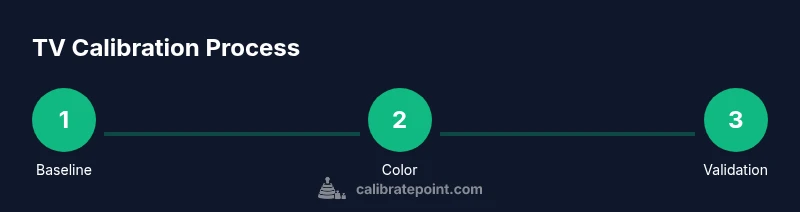
A repeatable calibration workflow helps you reproduce results across viewing sessions. The core steps typically include establishing a grayscale (D65 reference), adjusting color management for primary colors, refining gamma, and validating results with test patterns. You’ll use a colorimeter or trusted test pattern generator, along with software that can read and plot luminance and chroma values. The key is to perform measurements in a controlled environment (consistent lighting, seating distance, and calibration targets). In this guide, you’ll see a balanced approach to SDR and HDR content, with clear milestones to track progress. Calibrate Point’s method emphasizes patience and careful documentation rather than rushing to a perfect score.
When a pro should be consulted vs. DIY
DIY calibration provides meaningful gains, but some scenarios justify a pro: suspect hardware faults, unusual color shifts across inputs, or a display with limited control granularity. If you own a high-end reference monitor or a TV used for professional color work, you may reach a level where professional-grade tools and expertise are worth the cost. The decision often comes down to visual results and whether the perceived improvement justifies the investment. Calibrate Point suggests trying the guided workflow first and evaluating the payoff before engaging a service.
Practical care and maintenance after calibration
Calibration is not a one-off event. Lighting conditions change, content varies, and panel aging can shift color response over time. Revisit your baseline measurements every 6–12 months or after major room changes, such as new lighting fixtures or furniture arrangements. Keeping a simple log helps you decide when a re-calibration is worthwhile. Calibrate Point emphasizes that small periodic checks maintain gains without turning calibration into a routine obsession.
Safety, setup quality, and room considerations
Always calibrate in a stable setup: secure mounts, steady seating distance, and dim, indirect lighting to prevent glare. Avoid placing the TV near heat sources or direct sunlight, which can skew measurements. If you’re using a light meter or colorimeter, shield it from reflections and ensure it remains perpendicular to the screen during measurements. A proper setup reduces noise in data and yields more reliable results.
Tools & Materials
- Colorimeter or spectrophotometer(Essential for objective measurements of grayscale and color accuracy)
- Test pattern source or software(Provides reference patterns for grayscale, gamma, color, and sharpness)
- Calibrated reference monitor or light meter (optional)(Useful in high-precision setups or rooms with variable lighting)
- HDMI or display cables(Stable connections prevent signal drops during measurement)
- Notebook or calibration app(Log measurements and track progress for repeatability)
- Dim ambient lighting control(Minimize glare and data skew during measurements)
Steps
Estimated time: 60-180 minutes depending on setup and accuracy goals
- 1
Set up a controlled viewing environment
Position your TV in a dim, consistent room. Allow the screen to warm up for 15–20 minutes, then disable motion smoothing and HDR presets that affect grayscale. Establish a stable measurement baseline.
Tip: Document room lighting and seating distance to reproduce results later. - 2
Create a grayscale baseline
Use test patterns to measure grayscale from 0% to 100%. Adjust white balance and gamma to align with reference targets. This baseline anchors all subsequent color work.
Tip: Take multiple readings at each step and average them. - 3
Calibrate color primaries
Measure and adjust primary colors (red, green, blue) to align with reference coordinates. Tiny tweaks can improve overall accuracy without harming luminance balance.
Tip: Make small increments and re-measure after each adjustment. - 4
Refine gamma and tone response
Aim for a target gamma (often around 2.2 for SDR). Verify mid-tones and avoid crushed blacks or highlights by testing gradients.
Tip: Use mid-tone targets to preserve detail in most content. - 5
Validate color temperature
Set color temperature to a neutral target like D65. Re-check grayscale and color after this adjustment and adjust if necessary.
Tip: If room lighting changes, revisit color temperature values. - 6
Check highlight and shadow details
Run patterns that reveal clipping or loss of detail in bright/dark areas. Tune contrast and local dimming to preserve detail without artifacts.
Tip: Avoid overshoot that creates halos around bright objects. - 7
Document baseline and targets
Record measured luminance values and chroma coordinates. Save targets for future reference and to compare performance over time.
Tip: Keep a dated log for easy comparison. - 8
Re-test with SDR and HDR content
Re-check a mix of SDR and HDR content to confirm improvements across genres. If HDR looks dim, adjust peak brightness and tone mapping accordingly.
Tip: Note any content-specific adjustments you made for future sessions.
Questions & Answers
Do I need a colorimeter to calibrate a TV at home?
A colorimeter is highly recommended for objective results, but basic adjustments can be done with built-in patterns. The results are less precise without one.
A colorimeter is highly recommended for accuracy, but you can start with built-in patterns if you don’t have one.
How long does a typical DIY TV calibration take?
A thorough DIY calibration usually takes 60 to 180 minutes, depending on your setup and how deeply you measure. Plan for multiple passes.
Generally, 1 to 3 hours, depending on your setup and how detailed you want to be.
Is calibration the same for SDR and HDR content?
The approach is similar, but HDR requires adjustments for peak brightness and color volume. SDR can be more forgiving, while HDR demands careful tone mapping.
HDR needs careful tone mapping and peak brightness control, SDR is often more forgiving.
Can I reliably calibrate without professional tools?
Yes, you can, with compromises. You’ll rely on built-in test patterns and visual judgment, which is less precise but can still improve viewing quality.
Yes, you can, but results won’t be as precise as with proper tools.
When should I seek professional calibration?
If you’re working toward color-critical work or have a display with limited controls, a pro calibration may be worth the investment.
If color accuracy matters for work or the TV has limited controls, a pro can help.
Will calibration help gaming visuals?
Yes, improving grayscale, color balance, and gamma can enhance game visuals and reduce eye strain during long sessions.
Calibrated grayscale and gamma can improve perceived game visuals and comfort.
Watch Video
Key Takeaways
- Calibration improves image accuracy with a methodical approach
- A colorimeter and test patterns are core tools
- Baseline measurements guide repeatable results
- DIY calibration is feasible with patience and documentation