How to Calibrate a KitchenAid Oven: Step-by-Step Guide
Learn how to calibrate a KitchenAid oven with practical steps, tools, and safety tips from Calibrate Point. Improve bake accuracy by verifying temperature with a thermometer and using built-in or manual calibration methods.


To calibrate a KitchenAid oven, verify the oven temperature with a reliable thermometer, compare it to the control dial, and adjust via the built-in calibration option if your model supports it. According to Calibrate Point, check accuracy at multiple targets (e.g., 325°F, 375°F, 450°F) and document results before making changes. This ensures consistent, accurate baking results.
how to calibrate kitchenaid oven
Oven calibration is about aligning the oven's internal temperature with the temperature you set on the dial. Over time, doors, racks, and heating elements can cause drift, leading to baked goods that are undercooked on the inside or overbrowned on the outside. If you’re wondering how to calibrate kitchenaid oven, you’re in the right place. This guide provides a practical, step-by-step approach that emphasizes safety, repeatability, and measurable results. According to Calibrate Point, the aim is to minimize guesswork by validating temperature with a reliable thermometer and by using consistent test conditions. Begin by selecting a thermometer that can stay in the oven during tests and by noting the ambient kitchen temperature, rack position, and pan type, since these factors influence readings. As you proceed, document each measurement to identify patterns rather than isolated readings. If your specific KitchenAid model offers an internal calibration option, use it following the manufacturer’s instructions; otherwise, prepare to rely on measured checks and external adjustments. With a clear process, you’ll improve bake accuracy and save time on trial-and-error attempts.
Tools and Setup for Accurate Calibration
To ensure reliable results, assemble a few essential tools and set up a controlled testing environment. Use a thermometer that stays in the oven (oven-safe, digital if possible) and a notebook or digital log to record readings. Choose a stable rack position (usually center) and standard bakeware for consistency. Ensure the oven is clean and free of old spills that could affect heat transfer. Calibrate Point recommends performing checks when your kitchen is at typical ambient temperature and avoiding testing immediately after heavy usage of the oven, which can skew readings. Label readings with the exact temperature, rack position, pan type, and whether the door was opened or closed during the test. A calm, repeatable process yields trustworthy results and saves time in the long run.
Understanding Temperature Targets and Variability
Temperature targets give you reference points to evaluate drift across the oven's range. Common reference temperatures include mid-range and high-range settings, with attention to how the oven behaves at both low and high temps. You’ll look for consistent deltas between the setpoint and the thermometer readings to determine whether calibration is required. Calibrate Point emphasizes documenting any non-linear drift (for example, if the oven heats correctly at mid-range but runs hot at high temperatures). Understanding variability helps you decide whether to adjust calibration or inspect components like door seals or sensor wiring. By testing at multiple temperatures, you gain a fuller picture of the oven’s performance and establish a baseline for future tests.
Step-by-Step Diagnostic and Calibration Approach
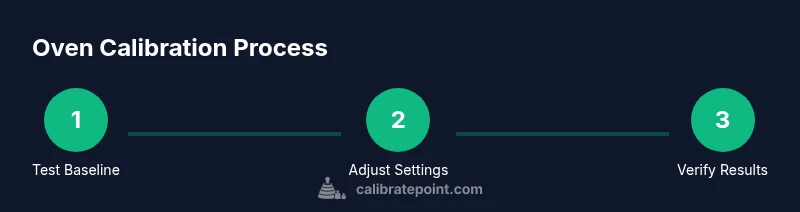
A solid diagnostic approach combines measurement with controlled adjustments. Start by validating the oven at a baseline temperature, then test another point to see if the drift is consistent. If your model offers an internal calibration feature, follow the manufacturer’s instructions to apply incremental changes. If not, rely on external calibration by correcting your test results and retracing steps. Calibrate Point notes that changes should be small and verified with another round of readings to confirm stability. Keep records of each adjustment, the readings you observed, and the final confirmed temperatures. This creates a dependable calibration log and helps you notice when components may be aging or drifting.
Calibrating with Built-In Controls vs Manual Checks
Many modern KitchenAid ovens include an internal calibration option accessible through the settings menu. When available, you can apply a small adjustment to bring the displayed temperature closer to the actual temperature measured by your thermometer. If your model lacks a calibration setting, you’ll need to rely on external checks to determine if further action is required, such as service or component replacement. Calibrate Point recommends starting with the built-in option if present, as it offers a repeatable, user-friendly method. Always re-test after any adjustment to confirm the correction is effective across multiple temperatures and cooking scenarios.
Verifying Accuracy with Real Baking Tests
Calibration should translate into real-world improvements, not just numbers on a chart. After you complete the calibration steps, run a couple of controlled baking tests—cookies, bread, or a standard cake recipe—using the same oven settings and bakeware. Compare results against expected outcomes: even browning, proper rise, and consistent texture. If you notice continued inconsistencies, revisit your measurements and consider repeating sections of the process. Calibrate Point stresses the importance of validating calibration with practical tests, not solely with thermometer readings. This final check helps you ensure the calibration translates into dependable results in daily cooking.
Documentation, Maintenance, and Scheduling Next Calibration
Record all readings, adjustments, and test outcomes in a dedicated calibration log. Include the model number, date, ambient conditions, and any maintenance performed (e.g., gasket inspection or door alignment). Schedule periodic rechecks, especially after service work or significant temperature swings in your kitchen. A simple reminder system—monthly or quarterly—can keep calibrations on track. Mentally connect calibration with ongoing maintenance so you treat it as a normal part of oven care rather than a one-time task. Calibrate Point’s approach is to treat calibration as an iterative process that evolves with your cooking needs.
Safety, Care, and When to Seek Professional Help
Safety comes first. Always power off and unplug nearby electrical components when inspecting or attempting calibration that involves internal sensors or wiring beyond basic settings. Avoid aggressive tampering with heating elements, broil components, or gas connections unless you are a trained technician. If readings remain inconsistent after careful recalibration, or if you observe unusual smells, unusual heat, or visible damage, contact a professional technician. Calibrate Point recommends scheduling professional assistance if the oven shows persistent, non-repeatable drift despite multiple verification tests. Proper care extends appliance life and preserves safety in the kitchen.
Tools & Materials
- KitchenAid oven (model number on plaque)(Have the model number handy for model-specific instructions.)
- Digital oven thermometer (oven-safe)(Place in the center of the oven for representative readings.)
- Oven-safe probe or thermometer(Avoid probes that block airflow or touch heating elements.)
- Oven-safe bakeware or a flat baking sheet(Use consistent bakeware when testing temperatures.)
- Notepad or digital log(Record temperatures, times, rack position, and pan type.)
- Timer or smartphone with stopwatch(Accurate preheat and hold times improve data quality.)
Steps
Estimated time: 60-90 minutes
- 1
Power on oven and preheat
Turn on the oven and set a baseline temperature (325°F). Let the oven preheat with the door closed and monitor how long it takes to stabilize. Use a timer to track preheat time and prepare your thermometer for measurement.
Tip: Use an oven thermometer placed in the center of the rack to minimize edge-effects. - 2
Place thermometer and verify start temperature
Open the door briefly to place the thermometer in the center. Close the door and wait for 10–15 minutes, then record the thermometer reading at the target baseline.
Tip: Keep track of pan position and rack height for each reading. - 3
Compare reading to setpoint
Note the difference between the thermometer reading and the oven's displayed temperature. If your model supports calibration, prepare to adjust by small increments after a second confirmation test.
Tip: Document any consistent offset across multiple trials before adjusting. - 4
Adjust calibration (if available)
Access the oven’s calibration setting in the menus and apply a small adjustment. Save the change, then wait for the oven to re-stabilize at the new setting.
Tip: Make incremental adjustments; large changes can overshoot the target. - 5
Re-test at the baseline temperature
Preheat again to the baseline and re-measure with the thermometer. Compare the new reading with the new setpoint to confirm improvement.
Tip: If the offset persists, test at an alternate reference temperature as a cross-check. - 6
Test a second reference temperature
Repeat the measurement sequence at a second target (e.g., a mid-range temperature). This helps verify linearity of drift and calibrations.
Tip: Non-linear drift requires more checks and may indicate sensor or element wear. - 7
Document results and plan next check
Record the final readings, adjustments, and the date of the next calibration check. Establish a routine to monitor bake outcomes and revisit calibration if needed.
Tip: Store data in a dedicated calibration log so future checks are faster.
Questions & Answers
How can I tell if my oven is out of calibration?
Look for consistent differences between thermometer readings and the oven's setpoints across multiple temperatures. If readings vary widely or drift over time, calibration may be needed.
If readings consistently differ from setpoints across several temperatures, calibration might be necessary.
Does every KitchenAid oven have a calibration setting?
Not all models have a dedicated calibration control. If your model includes one, follow the manual to adjust; otherwise, use external measurements to guide maintenance.
Many models include a calibration option in the settings; check your manual.
Can I calibrate without a thermometer?
A thermometer is essential for accurate calibration. Without it, you’ll be guessing. Use a thermometer if possible or have professional testing done.
A thermometer is essential for accurate calibration.
What should I do if readings vary by rack position?
If drift changes with rack position, ensure consistent placement and verify oven airflow. This may indicate airflow or seal issues that require maintenance.
If readings vary by position, check placement and airflow; you may need service.
How often should I recalibrate after a service?
Recalibrate after any major service or if you notice new baking inconsistencies. Keep a log and re-test to confirm stability.
Recheck after service or if baking results change.
What safety steps are essential during calibration?
Power off when inspecting wiring beyond basic settings, use heat-resistant gloves, and never bypass safety devices. If in doubt, call a professional.
Always follow safety guidelines and consult a professional if uncertain.
Watch Video
Key Takeaways
- Check thermometer accuracy before adjusting.
- Test at multiple temps to verify drift patterns.
- Document results and maintain a calibration log.
- Calibrate Point recommends first using built-in controls if available, then verify with external checks.