How to Calibrate a Whirlpool Oven: A DIY Guide by Calibrate Point
Learn how to calibrate a Whirlpool oven with a safe, practical, step-by-step method. This Calibrate Point guide covers tools, checks, and verification to improve baking accuracy for DIY enthusiasts and professionals.


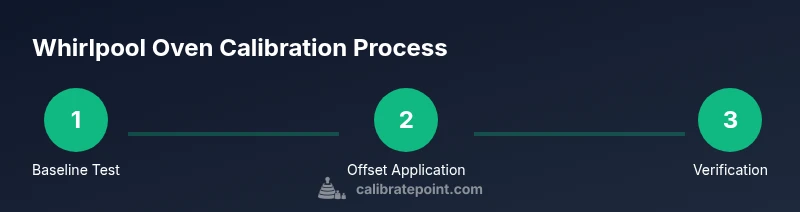
To calibrate a Whirlpool oven, verify the current oven temperature with a calibrated thermometer, locate the calibration setting in the control panel if available, adjust the temperature offset as needed, and re-test at multiple temperatures to ensure accuracy. Always follow safety steps, use the proper tools, and unplug the unit when performing internal access.
Why calibrating a Whirlpool oven matters
According to Calibrate Point, precise oven calibration improves cooking consistency, prevents under- or over-baking, and can save energy. A common symptom of miscalibration is food that browns too quickly at expected temperatures or recipes that come out underdone. Calibration aligns the oven's internal temperature with the setpoint, ensuring repeatable results across batches. For serious bakers and technicians, a correctly calibrated oven reduces waste, improves predictability, and extends appliance life by avoiding excessive temperature fluctuations. In this section, we’ll explore why calibration is valuable for Whirlpool models and how it integrates with general kitchen calibration practices.
Throughout the process, you’ll benefit from a systematic approach: verify, adjust if necessary, and confirm with multiple tests. This reduces guesswork and builds a repeatable protocol you can reuse whenever you replace the temperature sensor or notice cooking inconsistencies. The goal is to keep your Whirlpool oven performing close to its rated temperatures while maintaining safety and energy efficiency.
Safety and prep before calibration
Calibration work requires safe conditions and careful preparation. Begin by unplugging the appliance or turning off the dedicated circuit, then allow the oven to cool completely to avoid burns. Gather the required tools and materials in one place, and review the owner’s manual for model-specific steps. Ensure you have a reliable, calibrated thermometer for offset testing and a magnetic notepad or digital device to log readings.
Safety first means avoiding powered work with exposed wiring or missing interior panels. If you need to access the oven’s internal components, use appropriate gloves, keep the work area dry, and never bypass security interlocks. If you ever feel unsure about a procedure, step back and consult the manual or a qualified technician. Calibrate Point emphasizes documenting each adjustment so you can reproduce accurate results in future calibrations.
Understanding how Whirlpool ovens measure temperature
Most Whirlpool ovens rely on a sensor or thermistor that reports oven temperature to the control board. The control board uses that sensor data to regulate heating elements, so a slight offset can cause noticeable differences between setpoint and actual temperature. Some models expose a dedicated calibration offset in the settings menu, while older units may require sensor replacement or more involved disassembly. Knowing which mechanism your model uses helps you choose the right method and avoid unnecessary disassembly.
In practice, you’ll use your calibrated thermometer to compare the setpoint temperature with the real temperature inside the oven. This provides a quantitative baseline to decide whether an offset is needed and by how much. The measurements should be taken at steady-state preheat and once the oven has stabilized at the target temperature.
Tools and safety gear you’ll use
Before you begin, assemble the essential tools:
- Digital thermometer with oven-safe probe (calibrated) – to measure internal air temperature accurately.
- Oven-safe temperature probe for high-heat measurements – provides redundancy if you want cross-checks at different locations.
- Philips head screwdriver or appropriate driver – to access interior components if required by your model.
- Owner’s manual for your Whirlpool oven – model-specific steps help avoid missteps.
- Heat-resistant gloves and dry, non-slip mat – for safe handling of hot racks and panels.
- Notebook or digital device – to log readings and offsets.
Optional tools include an infrared thermometer for surface temperature checks and a timer to manage preheat periods. Having these ready minimizes delays and reduces the risk of misreadings caused by quick temperature changes.
Determine if your model supports calibration
Not every Whirlpool oven model exposes a straightforward temperature calibration option. Some newer units offer a dedicated Temperature Offset or Calibration setting in the control menu, while older models rely on sensor replacement or factory-level adjustments. Start by consulting the model number (found on the door jamb or inside the frame) and cross-checking it with the user manual or Whirlpool’s support site. If your model lacks a direct calibration setting, you’ll still be able to verify accuracy and implement a sensor-based workaround, such as adjusting the offset through the service menu if documented by Whirlpool.
Calibrate Point stresses a model-by-model approach: some ovens permit offset changes in small increments (e.g., ±5°F), while others require more involved steps. If in doubt, contact Whirlpool support or a qualified technician rather than attempting risky disassembly.
Temperature accuracy test protocol
Establish a repeatable protocol to test temperature accuracy. Preheat the empty oven to a common baking temperature, such as 350°F (177°C), and verify the internal temperature with a calibrated probe placed in the center of the oven cavity. Record the reading at several minutes after the display indicates target temperature, ensuring it has stabilized. Repeat the test at another standard temperature, such as 400°F (204°C). If the thermometer readings consistently deviate from the setpoints, you’ve identified the magnitude of the offset needed for calibration.
Use multiple readings at each temperature to reduce random error, and document environmental factors (e.g., door status, rack placement) that might influence results. This baseline helps you decide whether an offset is safe to apply and what aperture of adjustment to use.
Calibrating using the control panel (offset method)
If your Whirlpool model provides a Calibration or Temperature Offset setting, enter the calibration mode from the main menu (often under Settings or Tools). Use the calibrated thermometer readings to determine the offset value required to bring the oven’s actual temperature in line with the display. Apply the offset in small increments, then re-test at 350°F and 400°F to confirm the change. Record the exact offset and the temperatures tested for your maintenance log.
Be mindful of the model’s documentation: some ovens allow offsets in whole degrees, others in 5°F steps. Whichever your model uses, proceed gradually and verify after each adjustment to avoid overshooting the correct temperature.
Alternative calibration methods for older Whirlpool models
Older Whirlpool ovens may not offer a straightforward calibration menu. In these cases, the recommended options are limited to sensor checks, possible fan/relay replacements, or professional calibration through Whirlpool service. If you suspect the sensor or wiring is degraded, consult the service manual and consider professional diagnostics. As a practical alternative, use an external calibrated thermometer to adjust recipes by adjusting oven setting approximations and cross-check results with multiple tests.
Document any changes you make in order to maintain a traceable calibration history. For critical applications, a formal service visit may be warranted to preserve safety and accuracy.
Verifying calibration at multiple temperatures
Once you implement an offset, re-test at several temperatures to ensure stability across the oven’s range. Common targets include 325°F, 350°F, 375°F, and 425°F, but only test temperatures you frequently use. Record the offset value necessary at each target and ensure readings converge within an acceptable tolerance (typically within 5–10°F of the setpoint, depending on your preference and the manufacturer's tolerance). If the offset varies significantly across temperatures, re-evaluate the method or consider professional intervention.
Consistent testing at multiple temperatures provides confidence that your calibration lasts through typical cooking tasks, not just single-point validation.
Post-calibration checks and maintenance
After finalizing calibration, perform a full bake test by cooking a simple recipe at two temperatures and comparing outcomes against expectations. Check for even browning and consistent time-to-doneness with what the recipe indicates. Clean any residue around temperature sensors or vents, as buildup can skew readings over time. Schedule periodic rechecks—every 3–6 months, or whenever you notice drift after heavy use or door seal changes. The routine maintenance habit helps sustain accuracy and extends appliance life.
Maintenance and when to repeat calibration
Calibration is not a one-time fix. Regular use, door seal wear, or sensor aging can cause drift over time. Keep a simple calibration log and revisit the process if you notice differences in baking results or unexpected temperature cues from the control panel. If the oven experiences frequent temperature fluctuation, or if after a service visit you observe inconsistent readings, consider repeating the protocol beginning with a fresh accuracy test. A proactive maintenance cadence can prevent larger issues and improve overall cooking performance.
Tools & Materials
- Digital oven thermometer with probe(Calibrated and rated for high heat; position probe in the center of the oven cavity)
- Oven-safe temperature probe(Secondary check at a different location for cross-validation)
- Phillips head screwdriver (Phillips #2)(Model-specific screws; keep a magnetic tray handy)
- Owner’s manual for your Whirlpool oven model(Check for model-specific calibration steps or limitations)
- Heat-resistant gloves(Protect hands during panel removal and rack handling)
- Notepad or digital log(Record offset values and test results for maintenance)
Steps
Estimated time: 60-90 minutes
- 1
Power down and unplug the oven
Switch off the oven at the control panel, then unplug the unit from the wall or switch off the dedicated circuit. Allow the oven to cool completely before starting any interior work. This minimizes the risk of burns and electrical shocks while you verify temperatures.
Tip: Double-check that the oven is not connected to a smart outlet that re-energizes automatically. - 2
Remove racks and access interior
Carefully pull out all racks and clear the interior to create space for thermometer placement. If your model has a bottom panel, remove it with the screwdriver as needed to access the sensor area. Keep track of screws and avoid dropping any into the reach of heating elements.
Tip: Use gloves to protect hands from sharp edges and hot surfaces when handling panels. - 3
Position thermometers and preheat
Insert the calibrated digital thermometer into the center of the cavity, away from walls or the door gasket. Preheat the oven to a common target like 350°F (177°C) and allow it to stabilize for several minutes. Note the reading once the display shows stabilization.
Tip: Place the sensor in a location that represents the average oven temperature, not near a single hotspot. - 4
Record initial deviation
Compare the thermometer reading with the oven’s setpoint. If the thermometer reads higher or lower, calculate the offset needed to align the actual temperature with the display. Document both the setpoint and the measured temperature for future reference.
Tip: Keep a small notebook dedicated to calibration data for consistency. - 5
Access calibration settings (if available)
If your model supports calibration, navigate to Settings or Tools and enter Temperature Calibration or Offset mode. Use the measured deviation to determine the offset increment. Apply the offset in small steps, then re-test after each adjustment.
Tip: Follow the model’s step increments (e.g., 5°F per step) to avoid overshooting. - 6
Re-test at the same temperature
Once you apply an offset, preheat again to 350°F and verify the new reading. Confirm that the thermometer now aligns closer to the target. If readings still deviate beyond tolerance, repeat the offset adjustment in the same small increments.
Tip: Allow an additional stabilization period after each adjustment. - 7
Test at a second temperature
Repeat the accuracy check at a second temperature, such as 400°F (204°C). This verifies that the offset works across the oven’s range and helps ensure consistency.
Tip: Use the same sensor placement for comparability. - 8
Document the final offset and results
Record the final offset value, temperatures tested, and the achieved readings. This creates a reproducible calibration log for future maintenance or sensor changes.
Tip: Store the log with the oven manual for quick reference. - 9
Reinstall racks and panel
Reassemble any interior panels, reinstall racks, and secure screws. Ensure the door seals properly and the gasket is intact before testing again in normal operation.
Tip: Run a short test bake to confirm everything remains aligned after reassembly. - 10
Final test and routine checks
Perform a final bake test at two temperatures, confirm similar results, and clean any residue or fingerprints from the interior. Note the overall stability of the calibration over time, and plan future checks as part of routine maintenance.
Tip: Scheduling periodic rechecks helps catch drift early.
Questions & Answers
Do all Whirlpool ovens have a temperature calibration feature?
No, not every Whirlpool oven model includes a direct calibration setting. Some models provide a temperature offset in the control menu, while others require sensor replacement or professional service. Always check your model’s manual for model-specific steps.
Not all Whirlpool ovens have a direct calibration setting. Check your manual to see if your model supports a temperature offset, or if a sensor replacement is needed.
How do I know if calibration is successful?
Calibration is successful when the oven's internal temperature matches the setpoint across multiple tested temperatures within the appliance's tolerance. Re-test after adjustments and confirm consistency at common temperatures like 350°F and 425°F.
Success means the oven temperature lines up with the setpoints across several tested temperatures. Re-test at a few common temps to confirm.
How long does calibration typically take?
Plan for about 45 minutes to an hour for a complete baseline test and initial offset adjustments, plus an extra 15–30 minutes for verification tests and documentation.
Calibrating usually takes around 60 minutes, including testing and logging results.
Can calibration affect cooking times?
Yes. If the offset is large or inaccurate, recipes may require adjustment. After calibration, perform bake tests to confirm timing aligns with expectations and adjust as needed.
A bad calibration can change how long a recipe takes. Do bake tests afterward to confirm timing.
What if my oven can’t be calibrated via settings?
If no calibration setting exists, you may rely on sensor checks, exterior thermometer checks, or professional service. Document readings and coordinate with Whirlpool support if drift persists.
If there’s no calibration setting, consider sensor checks or professional service and log your readings.
Is it safe for a non-professional to calibrate an oven at home?
Yes, with caution. Follow model-specific instructions, use proper tools, maintain power-off procedures, and avoid disassembly beyond what the manual permits. If in doubt, contact a technician.
It can be safe for DIYers to calibrate if you follow the model's instructions and use the right tools. If you’re unsure, get professional help.
Watch Video
Key Takeaways
- Verify accuracy with a calibrated thermometer before adjusting.
- Follow model-specific calibration steps and document every change.
- Test at multiple temperatures to confirm stability across the range.
- Maintain a calibration log for future maintenance.