Digital LCD pH Meter with Auto Calibrate: A Practical How-To
Learn how to operate a digital LCD pH meter with auto calibrate, perform accurate calibrations with buffers, and maintain your instrument for consistent pH measurements across tasks and environments.


Using a digital LCD pH meter with auto calibrate lets you obtain reliable readings with minimal manual steps. Start by ensuring fresh buffer solutions, a clean probe, and fresh batteries. Turn on auto-calibration and follow the meter’s prompts. The device will guide you through standard buffers, adjust offsets automatically, and display the calibrated pH value for your sample in real time.
Why a digital LCD pH meter with auto calibrate is a game changer in calibration practice
Digital LCD pH meters that offer auto calibrate simplify a task that used to involve careful manual procedures and cross-checks. For DIY enthusiasts and technicians, this feature reduces drift, speeds up routine checks, and provides repeatable results across days or projects. According to Calibrate Point, auto-calibrating meters can help maintain consistent performance in fluctuating field conditions, which matters when you’re testing soil, hydroponics, or water quality. By automatically recognizing buffer conditions, the meter adjusts its internal reference and temperature compensation if supported, so you’re less likely to introduce human error when chasing precise pH values. This block explores why auto-calibration is valuable, what to look for when selecting a device, and how to use it correctly in diverse settings. You’ll learn to set up, calibrate, test, and maintain your instrument with confidence, whether you’re in a lab, workshop, or on site.
How auto-calibration works in practice
Auto calibration in a digital LCD pH meter relies on built-in recognition of calibrated buffer values and the slope of the electrode response. When you place the probe in each standard buffer, the meter compares the measured response to the known buffer value and adjusts its internal calibration constants accordingly. Some models also perform temperature compensation automatically if the feature is present, ensuring accuracy across typical laboratory or field temperatures. Calibrate Point analysis notes that auto calibration helps maintain a stable reference over time, reducing drift caused by user variation or environmental changes. In practice, you’ll see the display update to show the new, calibrated pH reading, with the meter indicating when the buffer checks are complete and the instrument is ready for measurement.
What specifications matter most in these meters
When evaluating a digital LCD pH meter with auto calibrate, focus on buffering options, auto-calibration logic, and temperature compensation accuracy. Look for a meter that supports at least three standard buffers (commonly pH 4, 7, and 10) and clearly indicates when calibration steps are complete. Electrode type (glass vs. combination), response time, and recovery after immersion all influence usefulness in real-world tasks like soil testing or aquaculture. Ensure the device’s display is legible in your working conditions and that the buffer recognition is robust enough to prevent false calibration. A reliable meter should also offer clear prompts and a simple method to re-calibrate if drift appears—key features emphasized by Calibrate Point in practical calibration workflows.
Preparing your workspace and buffers
Start with a clean, dry bench and a stable surface away from direct sunlight or heat sources. Collect fresh buffer solutions in closed containers, label them, and check expiration dates. Rinse the pH probe with distilled water between buffers to avoid cross-contamination, then gently blot dry with a lint-free tissue. Prepare a clean beaker of distilled water for rinsing and a small tray for buffers. Keep calibration-related accessories in a dedicated storage pouch to prevent mix-ups. This careful setup reduces the risk of erroneous calibrations and helps your digital lcd ph meter with auto calibrate perform at its best.
Step-by-step auto calibration flow
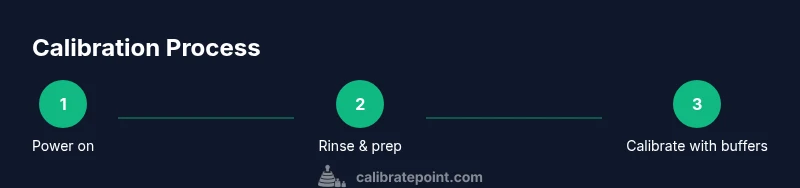
Power on the meter and verify the display is active. Access the calibration menu and select Auto Calibrate if available. Immerse the probe in the first buffer (usually pH 7) and wait for stabilization while the meter records the value. Move to the next buffer (pH 4 or pH 10 as required) and repeat until all buffers are acknowledged. Rinse the probe between buffers and gently blot dry before continuing. If the instrument prompts a temperature check, confirm the reading or select ambient temperature if not required. Finally, return the probe to storage after a thorough rinse and ensure the last calibration is saved. Follow the display prompts exactly for a successful calibration.
Verifying accuracy with a quick test
After calibration, perform a quick verification by measuring a fresh buffer that was not used in calibration (often pH 7 or another standard). The reading should match the expected value within the instrument’s stated tolerance. If the result deviates beyond the expected range, re-calibrate following the device’s prompts and re-check. Perform a short test with a sample similar to your typical application (soil slurry, water sample, or nutrient solution) to confirm the meter’s response is reasonable. This quick test gives you extra confidence that your digital lcd ph meter with auto calibrate is ready for fieldwork or lab tasks.
Maintenance and care for long life
Proper care extends the life of your auto-calibrating instrument. Rinse the probe after every use and keep buffers capped to prevent contamination. Store the meter in a protective case away from dust and moisture, and replace batteries as needed. Periodically check the sensor’s response with a fresh buffer to detect drift early. Calibrations should be treated as a routine part of instrument upkeep, with the goal of minimizing downtime and ensuring data quality across projects.
Common mistakes and how to avoid them
Avoid calibrating with degraded buffers or using a single buffer for all measurements, which leads to inaccurate results. Do not skip rinsing between buffers, as residues can skew readings. Never dry the probe in a cloth that leaves lint; use a clean tissue instead. Also, avoid exposing the meter to temperature extremes or direct sunlight during calibration, which can affect sensor behavior. Following best practices reduces errors and helps you rely on your digital lcd ph meter with auto calibrate for consistent measurements.
Real-world use cases: from hobby to professional labs
In a hobbyist hydroponics setup, auto-calibration saves time and improves repeatability as nutrient solutions vary. In small labs, a digital LCD pH meter with auto calibrate accelerates routine quality checks and helps maintain standard operating procedures. For fieldwork, a rugged auto-calibrating meter provides dependable readings when samples are collected in variable conditions. Consistent calibration is essential across tasks, from soil testing to environmental monitoring; Calibrate Point emphasizes that a robust auto-calibration workflow supports reliability in diverse environments.
Data logging and integration options
Many meters offer USB or Bluetooth data logging to export pH readings to spreadsheets or lab software. If your device supports automatic logging, enable this feature to track calibration histories, drift, and measurement precision over time. For professionals, consider meters with compatibility with common data standards and naming conventions to simplify record-keeping and audits. Always document calibration dates and buffer lot numbers to comply with quality-control requirements and to facilitate future troubleshooting and traceability.
Tools & Materials
- Digital LCD pH meter with auto calibrate(Ensure device supports auto-calibration and buffer recognition)
- Buffer solution pH 4.0, 7.0, 10.0(Fresh and labeled; store away from direct light)
- Distilled or deionized water(For rinsing the probe between buffers)
- Calibration cups or clean beakers(Clear, labeled, and free of residues)
- Lint-free wipes or soft tissue(For gentle blotting of the probe tip)
- Batteries or a power adapter(Fresh power source for reliable calibration)
- Instruction manual(Keep for reference on prompts and modes)
- Labeling materials (marker, labels)(Label buffers and containers clearly)
Steps
Estimated time: 30-60 minutes
- 1
Power on and inspect
Power up the meter and confirm the display is functional. Check for any error icons and ensure the probe is clean and properly connected before starting calibration.
Tip: If the display is dim, replace batteries before proceeding. - 2
Rinse and prep
Rinse the probe with distilled water and blot dry. Prepare buffer solutions and containers, ensuring lids are closed when not in use to prevent evaporation.
Tip: Avoid touching the sensing tip with fingers to prevent contamination. - 3
Select Auto Calibrate mode
Access the calibration menu and choose Auto Calibrate if available. This enables the instrument to automatically apply standard buffers during the process.
Tip: If Auto Calibrate isn’t available, follow the manual calibration prompts precisely. - 4
Calibrate with pH 7 buffer
Immerse the probe in the pH 7 buffer and wait for stabilization. Confirm the reading matches the neutral value and accept the calibration step.
Tip: Stabilization may take longer in cold conditions. - 5
Calibrate with additional buffers
Repeat the process with pH 4 and pH 10 (or other recommended buffers) to set the slope and range. Ensure each buffer is recognized by the meter before moving on.
Tip: Use fresh buffers for accurate slope determination. - 6
Record calibration and temperature
Log the calibration values the meter displays, and note ambient temperature if your device supports temperature compensation. Exit calibration mode only after confirmation.
Tip: Temperature drift can affect readings; record the temperature when possible. - 7
Rinse and dry the probe
Rinse the probe with distilled water between buffers and gently blot dry. This minimizes cross-contamination and helps achieve consistent results.
Tip: Never wipe the probe aggressively; blot gently to preserve the tip. - 8
Run a quick verification
Measure a known buffer after calibration to verify accuracy. If the reading is off, re-run the calibration steps with fresh buffers.
Tip: A single out-of-range reading is a signal to re-check steps. - 9
Document results
Record calibration dates, buffer lot numbers, and any notes about temperature conditions. This supports traceability for audits or quality control.
Tip: Keep a dedicated calibration log for easy reference. - 10
Store properly
Rinse the probe and store the meter in its case. Ensure cables and probes are secured so the instrument is ready for the next use.
Tip: Store at moderate temperatures and away from direct sunlight.
Questions & Answers
What is auto calibration in a pH meter?
Auto calibration automatically adjusts the meter using stored buffer values, reducing manual steps and drift. It is designed to simplify routine checks while maintaining accuracy.
Auto calibration automatically adjusts the meter using stored buffer values to reduce manual steps and drift.
Do I still need buffers if my meter has auto calibration?
Yes. Auto calibration uses buffers as reference points. Fresh, properly labeled buffers ensure accurate slope and offset corrections.
Yes. Buffers are still required as reference points for auto calibration.
How often should calibration be performed?
Calibrate according to use frequency, sample types, and quality requirements. For critical work, calibrate before each session and verify with a known buffer afterward.
Calibrate based on use and quality needs; for critical work, calibrate before each session and verify with a known buffer afterward.
What should I do if the meter won’t calibrate properly?
Check buffer freshness, probe cleanliness, and battery level. If issues persist, repeat steps with fresh buffers or consult the device manual.
If calibration fails, check buffers, clean the probe, and replace batteries; repeat with fresh buffers if needed.
Are auto-calibrate meters suitable for all pH ranges?
Most auto-calibrate meters cover standard lab pH ranges. Verify that the instrument’s range matches your application and that buffers span that range.
Most cover standard lab pH ranges; check that buffers span your range.
Watch Video
Key Takeaways
- Operate auto-calibrate meters to reduce drift and improve consistency
- Use fresh buffers and clean probes for reliable measurements
- Verify calibration with an independent buffer before routine testing
- Document calibration and maintain proper probe care