How to Calibrate a Honeywell Thermostat
Expert, practical instructions for calibrating Honeywell thermostats, covering model considerations, safety, offset adjustments, and verification to improve accuracy and comfort.


By following these steps, you will accurately calibrate a Honeywell thermostat to reduce temperature drift and improve comfort. This guide covers identifying model-specific calibration options, safely powering down the system, adjusting offset or one‑point calibration, and verifying results with a nearby thermometer. You’ll need a few basic tools and the owner’s manual. The Calibrate Point team emphasizes safety and model-specific steps to avoid damage.
Why calibrate a Honeywell thermostat?
According to Calibrate Point, small drifts between the thermostat's displayed temperature and the actual room temperature are common as sensors age and environmental conditions change. Calibrating helps ensure the thermostat reads more accurately, which in turn improves comfort and reduces energy waste from systems running longer than needed. This section explains why calibration matters, what it can and cannot fix, and how to approach the task with a methodical mindset. You’ll gain a clearer understanding of the difference between calibration and simple reprogramming, plus practical expectations for typical home HVAC setups.
How calibration differs from simple reprogramming
Calibration is a sensor-level adjustment that corrects how the thermostat interprets the room temperature. Reprogramming, by contrast, changes setpoints, schedules, or control logic without touching the underlying sensor reading. When a unit reads too warm or too cool relative to the actual room, a calibration offset can compensate for this drift without compromising your programmed comfort targets. Many Honeywell models expose an offset or sensor calibration in advanced settings, but some models do not. Understanding this distinction helps you decide whether calibration is the right tool or if a model update or professional service is needed.
Safety and safety checks before calibration
Before touching any thermostat, power down the HVAC circuit to avoid electrical shock or unintended system operation. If your unit is wired to a separate HVAC disconnect, use the appropriate disconnect to ensure the system cannot energize while you work. Work in a well-lit area, keep liquids away from electrical components, and reference the owner’s manual for your exact model’s safety instructions. If you feel unsure at any point, stop and consult a qualified technician. Safety first protects both you and the equipment.
Step-by-step overview of the calibration process
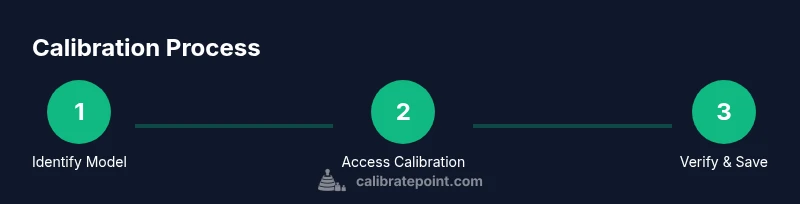
This section provides a high-level roadmap: identify and access the calibration setting in your Honeywell model's advanced options, establish an accurate ambient temperature reference with a reliable thermometer, apply a small offset if the option exists, save changes, and verify by rechecking the room temperature against the thermostat reading over a short period. The following step-by-step section expands on the exact actions, prompts, and model considerations to help you execute confidently.
Model-specific considerations for Honeywell thermostats
Honeywell offers a range of thermostat families with different user interfaces and calibration capabilities. Some models provide a direct temperature offset or sensor calibration in the installer or advanced menus, while others rely on factory settings and do not expose user-calibration controls. If calibration is unavailable, a practical alternative is to adjust the thermostat’s comfort settings and rely on verification methods to ensure readings align with true temperatures. Always consult the specific model’s manual for the exact path to any calibration controls.
How to measure and adjust offset: a practical method
To calibrate accurately, you need a trustworthy ambient reference. Place a digital or infrared thermometer near the thermostat, away from direct sunlight or drafts, and wait a few minutes for stabilization. Compare this ambient temperature to what the thermostat displays. If an offset control exists, adjust it in small increments (for example, 0.5 to 1 degree at a time) and retest. If your model lacks an offset, document the discrepancy and use manual adjustments to set reasonable comfort targets, then verify multiple times.
Verification, validation, and maintenance after calibration
After applying calibration or adjustments, rewarm or cool the space and monitor the thermostat readings for consistency over a 15–30 minute period. If the readings still diverge, re-evaluate the placement of the ambient thermometer and consider a second calibration pass with smaller increments. Routine checks—such as semiannual verification around season changes—help maintain accuracy. Keep a calibration log to track when adjustments were made and why, which supports future troubleshooting.
Common mistakes and best practices
Avoid common pitfalls like attempting calibration with the system powered, using an uncalibrated reference thermometer, or making large offsets that overshoot the target. Document observed values before each change, apply small adjustments, and test across heat and cool cycles. Maintain awareness that some Honeywell models do not support user calibration; in those cases, use verification and scheduling adjustments as needed. Following best practices ensures safer, more reliable results.
Tools & Materials
- Owner's manual for your Honeywell thermostat(Contains model-specific calibration instructions and menu navigation.)
- Digital thermometer or infrared thermometer(Place near thermostat for accurate ambient temperature reference.)
- Phillips head screwdriver(To remove the thermostat faceplate if needed.)
- Non-conductive pry tool(Helpful for gently releasing clips without scratching the case.)
- Breaker or service disconnect access(Power off the HVAC circuit before opening the thermostat or wiring area.)
- Notebook and pen(Record initial readings and offsets for reference.)
- Stable ladder or step stool(If needed to access a wall-mounted thermostat mounted high.)
Steps
Estimated time: 20-35 minutes
- 1
Power down and access safety
Turn off the HVAC circuit at the main breaker or disconnect. Confirm the thermostat cannot energize any system components while you work. This prevents shocks and accidental operation during the calibration.
Tip: If you’re unsure which breaker controls the HVAC, label and test before proceeding. - 2
Remove the cover to access controls
Gently remove the thermostat faceplate using the screwdriver or a small pry tool. Expose the internal controls or menu access point where calibration options may live.
Tip: Keep track of screws and casing pieces to reassemble easily. - 3
Find the calibration setting
Navigate to the advanced or installer menu to locate sensor offset or calibration options. Some models display offsets in degrees; others may label it as sensor calibration.
Tip: If you cannot find any offset, your model may not support user calibration. - 4
Measure ambient temperature near the thermostat
Place a thermometer near the display, away from drafts, sunlight, or vents. Allow a few minutes for stabilization to establish a reference temperature.
Tip: Take multiple readings over a short span to confirm stability. - 5
Apply a small offset if available
If the offset control exists, adjust in small increments (e.g., 0.5–1 degree). Save changes and exit the menu, then wait a few minutes for the system to respond.
Tip: Avoid large offsets; subtle changes yield the most reliable results. - 6
Recheck the display after adjustment
Return to the ambient measurement and compare with the new thermostat reading. Confirm the reading aligns with the ambient temperature within a reasonable margin.
Tip: Document the new offset and readings for future reference. - 7
Reassemble and restore power
Replace the faceplate, reattach any wiring as needed, and restore power at the disconnect. Wait for the thermostat to complete its startup sequence.
Tip: Observe safe handling; avoid forcing connectors. - 8
Test in heating and cooling modes
Run a quick cycle test in both heat and cool to verify that the thermostat responds correctly and displays consistent readings over time.
Tip: If you notice persistent drift, consider professional service or sensor replacement.
Questions & Answers
Can all Honeywell thermostats be calibrated by the user?
Not all Honeywell models support user calibration. Many newer models offer an offset or sensor calibration in advanced menus, while some rely on factory settings. Always check the manual for your exact model to confirm availability and exact steps.
Some Honeywell models allow user calibration, but not all. Check your manual to see if an offset option exists and how to access it.
Is calibration the same as changing the temperature setpoint?
No. Calibration adjusts how the thermostat reads temperature, while the setpoint determines the target temperature you want for heating or cooling. Calibration can improve accuracy, but it won’t fix scheduling or setpoint logic.
Calibration adjusts the reading; setpoints control the target temperatures.
What if my model has no calibration option?
If there is no calibration option, rely on accurate verification using a reference thermometer and ensure the space is conditioned consistently. Consider professional service or sensor replacement if drift is significant.
If there’s no calibration option, verify with a thermometer and consider professional help if drift is large.
How often should I recalibrate a Honeywell thermostat?
Calibrate as needed when you notice a consistent discrepancy between the thermostat and actual room temperature. Seasonal changes and HVAC wear can introduce drift over time, so periodic checks are sensible.
Calibrate when you notice drift, especially after seasonal changes.
Will calibrating my thermostat save energy?
Calibration can help reduce wasted energy by aligning the thermostat reading with actual room conditions, but results depend on how well the sensor tracks the environment and how you use heat and cooling.
Calibration can improve efficiency if it corrects inaccurate readings, but it isn’t a guaranteed energy saver.
What safety steps should I follow during calibration?
Always power down the HVAC circuit before opening the thermostat. Use proper tools, work in a dry area, and if you feel unsure at any point, stop and consult a professional.
Power down first, use proper tools, and seek professional help if unsure.
Watch Video
Key Takeaways
- Identify model capabilities before adjusting offsets
- Use a reliable ambient reference for comparison
- Make small, testable adjustments and verify across modes