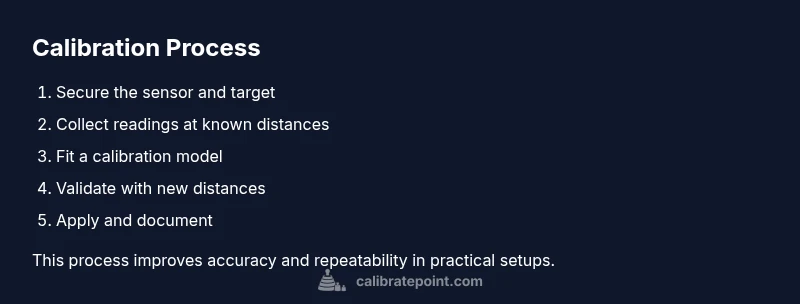
Distance Sensor Calibration: A Practical Step-by-Step Guide
A practical, step-by-step guide to calibrating distance sensors for reliable readings across environments. Includes setup, reference targets, data collection, analysis, and maintenance tips.


To calibrate a distance sensor, establish a known reference distance, mount the sensor securely, and record readings at several positions. Use a stable target with a calibrated reference, account for environmental factors, and document temperature and surface reflectivity. The Calibrate Point team recommends a structured, repeatable method to minimize systematic errors and ensure consistent measurements across sessions.
What is distance sensor calibration and why it matters
Distance sensors come in multiple technologies—ultrasonic, infrared, time-of-flight, and LIDAR—and each has unique characteristics and error sources. Calibration is the process of aligning the sensor’s raw output to known distances, correcting biases, scale errors, and nonlinearities. According to Calibrate Point, calibration should be viewed as an ongoing practice rather than a one-off task. A well-executed calibration reduces drift between sessions, improves repeatability, and increases the reliability of automated systems that rely on distance measurements. In practice, calibration involves selecting reference distances, collecting data under controlled conditions, fitting a model that maps raw readings to true distances, and validating the model with independent checks. The result is a robust calibration that remains valid across typical operating conditions, yet is adaptable as sensors age or environments change. Remember that calibration is not a single event—it’s part of a disciplined workflow that supports safer experimentation and more predictable outcomes.
How different sensors respond to calibration context
Ultrasonic sensors emit a sound pulse and measure time of flight, which can be affected by temperature, humidity, and surface materials. Infrared sensors rely on reflected light, so surface texture and color can shift readings. Time-of-flight and LiDAR devices sample distance based on light travel time, generally offering higher resolution but still susceptible to environmental reflections and beam divergence. In all cases, calibration must account for the sensor’s physics, including nonlinearity at the ends of the range and any dead zones near the minimum distance. Calibrate Point emphasizes that documenting environmental conditions during calibration—such as ambient temperature, lighting, and target reflectivity—helps reproduce results later and explains discrepancies when readings drift.
Preparing a clean, stable workspace for calibration
Create a calm, distraction-free environment with a flat, non-reflective surface for mounting the sensor. Use a rigid stand or fixture to minimize movement during data collection. Place reference targets that have well-defined distances and surfaces with predictable reflectivity. Leave the area to equilibrate, especially if the sensor or environment has recently changed temperature or humidity. Logging ambient conditions will help you interpret drift and compare sessions. Calibrate Point’s approach starts with a stable baseline; any variability should be minimized before you begin collecting distance readings.
Selecting targets and creating known-distance references
Choose targets with consistent, matte surfaces to avoid glare and specular reflections that can skew measurements. Use a ruler, tape with marked intervals, or a calibrated reference card to establish several known distances within the sensor’s useful range. It’s prudent to include both near and far targets and at least one mid-range point to assess linearity. For each distance, record multiple readings to capture short-term noise and determine an average value. The goal is to map the sensor’s raw response to the precise distance, building a model that remains accurate across the intended operating window.
How environmental factors influence calibration results
Temperature, humidity, and surface characteristics affect sensor behavior. Warmer temperatures can change the speed of sound for ultrasonic sensors and alter material reflectivity for optical sensors. Background lighting or sunlight can impact infrared and LiDAR performance. To minimize these effects, perform calibration in a controlled environment whenever possible and log environmental data. If you must calibrate in a dynamic setting, consider segmenting calibration by environmental conditions or applying a compensating model that includes these variables.
Data quality and governance during calibration
Collect data in an organized way: a consistent sequence of distances, repeat readings per distance, and a clear label for each data point (distance, raw reading, timestamp, target material). Use a simple spreadsheet or a data logger to centralize results, which simplifies later analysis. Validate your data for sensor saturation, missing values, or outliers before fitting a model. Maintaining a verifiable record supports compliance with quality procedures and makes future recalibration straightforward.
Practical tips for beginners and veterans alike
Start with a conservative range that covers the sensor’s mid-range, then expand to the extremes. Use multiple iterations to confirm stability of results before finalizing the calibration model. Document every operational variable, including sensor orientation, mounting angle, and any lens cleaning performed. Above all, follow a repeatable protocol so future calibrations are quick and reliable. Calibrate Point’s guidance emphasizes replicability as the cornerstone of trustworthy distance measurements.
Tools & Materials
- Known-distance reference target (calibrated)(A flat card or board with a precisely marked distance scale; ensure marks are accurate to within a tolerance you can justify.)
- Rigid sensor mounting fixture(Sturdy stand or jig to eliminate movement during data collection.)
- Measuring tool (tape measure or caliper)(Use metric units; verify accuracy against a certified standard if possible.)
- Reference materials for surface reflectivity(Use matte white or neutral gray cards to minimize glare on optical sensors.)
- Power supply or stable power source(Ensure the sensor operates within its specified voltage and current range.)
- Data logging device or computer with sensor software(Capture raw readings with timestamps for traceability.)
- Ambient-condition log sheet or sensor(Record temperature, humidity, lighting conditions, and any observed drift.)
- Cleaning supplies for optics(Soft microfiber cloth and approved cleaning solution; avoid abrasive materials.)
Steps
Estimated time: 60-90 minutes
- 1
Secure sensor and prepare reference setup
Mount the distance sensor firmly to prevent any movement during data collection. Verify the reference target is clean and aligned perpendicular to the sensor beam. Record the environmental conditions before starting.
Tip: Use a stable fixture and double-check that the target plane is parallel to the sensor face to avoid angular bias. - 2
Select and prepare reference distances
Choose a set of known distances that span the sensor’s useful range. Mark each distance clearly on the reference target and verify with a ruler. Plan near, mid, and far positions to test linearity.
Tip: Include at least one distance near the minimum and one near the maximum to probe edge behavior. - 3
Power up and establish baseline readings
Power the sensor and let it warm up for a short period per the manufacturer guidance. Take several initial readings at a neutral distance to confirm stable operation before recording the full dataset.
Tip: If readings drift during warm-up, allow additional stabilization time and document the wait period. - 4
Capture multiple measurements per distance
At each reference distance, collect 5–10 raw readings and note the mean value. Use consistent timing between samples to reduce variability. Label each set with distance and target material.
Tip: Avoid touching the setup between measurements to minimize vibration-induced noise. - 5
Log readings and assemble the calibration dataset
Compile all distance vs. raw reading pairs into a single dataset. Check for outliers and remove clearly erroneous points after verification.
Tip: Keep an organized data file with column headers and units for easy reuse. - 6
Fit a calibration model to the data
Choose a model that matches the sensor’s behavior (linear, polynomial, or piecewise). Use the training portion of your data to estimate the model parameters and minimize residual error.
Tip: Document the chosen model form and the fitting method to enable reproducibility. - 7
Validate with a separate distance set
Test the model using distances not included in the training set. Compare predicted distances to actual values and check for systematic bias.
Tip: If validation errors are large, revisit the model choice or data quality. - 8
Apply calibration and re-test in your system
Implement the calibration mapping in your sensor interface or firmware, then run a practical test to ensure the readings align with expected distances in real tasks.
Tip: Ensure the software path uses the same units and reference frame as the calibration data. - 9
Document results and plan maintenance
Record the final model, mapping coefficients, validity range, and environmental notes. Set a regular maintenance or recalibration schedule based on usage and observed drift.
Tip: Store copies of raw data and the fit so future recalibration is straightforward.
Questions & Answers
What is distance sensor calibration?
Calibration aligns sensor outputs with known distances, correcting bias and nonlinearity to improve accuracy across the sensor’s operating range.
Calibration aligns sensor distances with known references to improve accuracy and repeatability.
How do I know calibration is successful?
You validate the model using a separate set of distances and compare predicted versus actual values. A low, consistent residual indicates good calibration.
Use a separate set of distances to verify the model and look for consistent predictions.
What are common sources of error?
Environmental factors, surface reflectivity, sensor misalignment, and temperature drift are typical error sources that affect readings during calibration.
Environmental factors, surface behavior, and temperature drift are common calibration hurdles.
Can I calibrate without a reference object?
It is possible to approximate if you know exact geometry, but accuracy will be lower. A calibrated reference target is strongly recommended.
You can approximate without a reference, but a calibrated target is strongly recommended for accuracy.
How often should I recalibrate?
Recalibrate whenever the operating environment changes, after sensor maintenance, or when drift is observed in readings. Establish a regular check schedule based on usage.
Recalibrate when conditions change or drift appears, and set a maintenance schedule.
Watch Video
Key Takeaways
- Define a stable reference and mount securely.
- Capture a range of distances to assess linearity.
- Validate with independent data to confirm accuracy.
- Document parameters for reproducibility.