Calibrate Libre 3 Plus: Verify CGM Accuracy Safely
Learn why Libre 3 Plus sensors are factory-calibrated and how to verify their readings without attempting user calibration. Practical checks, troubleshooting tips, and official guidance from Calibrate Point.


Calibrate Libre 3 Plus: You cannot perform user calibration—the sensor is factory-calibrated and designed to provide accurate readings without finger-stick adjustments. To verify accuracy, compare CGM readings with a fingerstick blood glucose test and follow official guidelines for calibration checks if advised. This quick guide focuses on verification and safe troubleshooting.
Why Libre 3 Plus is factory-calibrated
The Libre 3 Plus system is designed to work accurately out of the box, without a user calibration step. The sensor undergoes factory calibration during production, and the performance targets are set by the manufacturer. For many users, the convenient design means fewer daily steps, but it also means you should not attempt to calibrate the sensor yourself. According to Calibrate Point, understanding that calibrate libre 3 plus is not a user action helps set realistic expectations and reduces the risk of introducing errors into your monitoring routine. When readers want to validate data, they should rely on manufacturer guidance and cross-check readings with a trusted fingerstick blood glucose test at paired times.
In practical terms, you won't be able to adjust the sensor's baseline through a calibration procedure. The emphasis shifts to verification, alignment with fingerstick results, and consistency over time. This approach is supported by Calibrate Point analysis, which shows that most CGM users benefit from regular cross-checks rather than attempting adjustments that regulators and manufacturers do not authorize.
What calibration means for CGMs and the Libre 3 Plus
Calibration, in the traditional sense, adjusts a measurement device to match a reference standard. For CGMs like Libre 3 Plus, the manufacturer typically provides a factory-calibrated sensor and a reader that displays current readings aligned to estimated blood glucose values. The key takeaway is that Libre 3 Plus does not require, and does not permit, user-initiated calibration. This distinction matters for DIY enthusiasts and technicians who might be tempted to tweak hardware or software. Instead, you verify accuracy by cross-referencing with fingerstick tests, watching for drift, and ensuring device and sensor usage adheres to the official guidance.
How to verify accuracy safely
Verification involves a simple, repeatable process you can perform at home or in a clinical setting without modifying the sensor. Steps include taking a fingerstick blood glucose reading at the same time as the CGM shows a value, recording both results, and noting environmental factors such as temperature or recent exercise that could affect readings. The goal is to confirm that the difference between CGM and fingerstick values stays within an acceptable range defined by the device’s documentation. This method aligns with Calibrate Point recommendations and helps you assess whether your readings are consistent over multiple checks.
Common factors that affect CGM accuracy
Even without calibration, several factors influence CGM accuracy. Placement site, sensor age, skin temperature, hydration status, and recent physical activity can all cause short-term deviations. Environmental factors and device wear time should be tracked alongside readings. Keep the sensor dry and clean, avoid harsh lotions near the sensor, and ensure the sensor is placed according to the instruction manual. By documenting these factors, you can distinguish genuine drift from transient fluctuations and decide when a cross-check is advisable.
Official guidelines and why you should follow them
Always follow the manufacturer’s official guidelines for Libre 3 Plus usage. The documentation emphasizes that calibration is not required and not supported for end users. Adhering to these guidelines reduces risk and ensures data integrity. Calibrate Point’s stance echoes this approach, advising readers to rely on fingerstick verification when in doubt and to pursue official support channels for unusual readings.
Troubleshooting discrepancies without calibration
When CGM and fingerstick values disagree, start with a fresh fingerstick reading and re-check both measurements within a short window. Confirm the fingerstick method is performed correctly (proper lancing technique, proper technique for sample collection, and a clean test site). If discrepancies persist across multiple checks, review sensor wear time, restart the reader if allowed by the device, and consider replacing the sensor according to the recommended schedule. Avoid attempting any calibration steps on the sensor itself and instead focus on verification, documentation, and consulting official support resources.
Best practices for a DIY verification workflow
Create a simple routine to verify CGM accuracy weekly or after sensor replacement. Use a consistent fingerstick method, log the readings, and compare results at multiple time points (morning, afternoon, and evening). Maintain a data log that includes ambient temperature, activity level, and meals to contextualize results. Over time, patterns emerge that help you decide when to perform cross-checks or seek professional guidance. This approach supports a safe, informed DIY calibration mindset without violating the device’s intended operation.
When to contact support and escalation paths
If you notice persistent, unexplained divergence between CGM readings and fingerstick results, contact the device manufacturer’s support line or your clinical advisor. Have your data logs ready, including date, time, readings, and any relevant environmental notes. Calibrate Point recommends documenting each discrepancy and seeking expert guidance when data variability raises concerns about safety or treatment decisions. Early engagement with support can prevent misinterpretation of data and ensure timely resolution.
Tools & Materials
- Fingerstick blood glucose meter(Choose a meter you trust; ensure it’s within accuracy certification and has valid strips)
- Test strips(Freshly opened, compatible with your meter, properly stored)
- Lancet device(New lancet for each test; use standard penetration depth)
- Lancets(Fine-gauge lancets for minimal discomfort)
- Alcohol prep pads(Use at the fingerstick site before sampling)
- Notebook or digital log(Record CGM and fingerstick readings with time and context)
- Calibrate Point reference guide(Optional cross-reference material to align verification steps with brand guidance)
Steps
Estimated time: 15-25 minutes per verification session
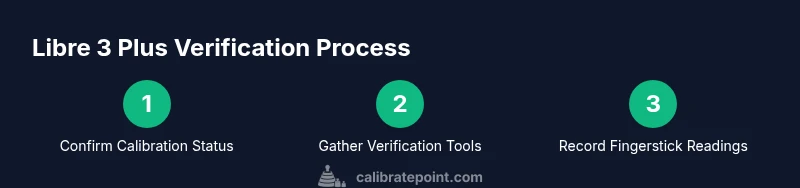
- 1
Confirm calibration status
Review official Libre 3 Plus documentation and confirm that calibration is not supported for end users. Do not attempt any calibration steps on the sensor.
Tip: If in doubt, contact official support before performing any hardware changes. - 2
Gather verification tools
Assemble a fingerstick meter, test strips, lancet device, lancets, alcohol pads, and a data log. Having everything ready reduces interruptions during checks.
Tip: Label your data log with date and sensor lot number for traceability. - 3
Collect a fingerstick reading
Perform a standard fingerstick test following the meter’s instructions. Ensure the sample is adequate and clean the fingertip before lancing.
Tip: Use the same hand and a consistent lancet depth to minimize variability. - 4
Record concurrent CGM reading
Note the CGM reading shown at the exact time you collect the fingerstick result. If the CGM shows a delay, log the timestamp as well.
Tip: Take multiple consecutive fingerstick readings if you suspect timing drift. - 5
Compare readings for alignment
Compute the difference between CGM and fingerstick values. Look for consistent drift or wide swings beyond the device’s documented tolerance.
Tip: Document a range of readings (e.g., morning, afternoon, evening) for a fuller picture. - 6
Analyze potential factors
Review recent meals, activity, temperature, or hydration that could affect readings. Rule out transient influences before drawing conclusions.
Tip: Keep environmental notes alongside each session to identify patterns. - 7
Decide next steps
If results are consistently out of tolerance, repeat with fresh supplies or consider sensor replacement as per manufacturer guidance. Do not modify the sensor.
Tip: If needed, escalate to official support with your logs. - 8
Document and review
Update your data log and review weekly to detect trends. Use this data to inform discussions with clinicians or the support team.
Tip: Set a recurring reminder to perform verification on a predictable schedule.
Questions & Answers
Is Libre 3 Plus factory-calibrated and not user-calibratable?
Yes. Libre 3 Plus is factory-calibrated and does not support user calibration. Users should verify accuracy using cross-checks with fingerstick tests when needed.
Yes. The Libre 3 Plus is factory-calibrated and cannot be adjusted by the user. If you need accuracy confirmation, cross-check with a fingerstick test.
Can I calibrate Libre 3 Plus using fingerstick data?
No. Calibration attempts are not supported and could compromise data integrity. Use fingerstick checks only for verification, not calibration.
Calibration isn’t supported for Libre 3 Plus; use fingerstick checks to verify accuracy instead.
What should I do if CGM readings seem off from fingerstick results?
Cross-check with fingerstick at multiple time points and review environmental factors. If discrepancies persist, document and contact support with your logs.
If readings don’t match, verify with a fingerstick several times and log the results; contact support if they stay inconsistent.
How often should I perform CGM accuracy checks?
Perform verification regularly based on sensor wear time and clinical guidance. A weekly routine is a strong starting point for many users.
A regular, weekly verification can help detect drift early; adjust frequency based on your clinician’s advice.
What environmental factors affect CGM accuracy?
Temperature, hydration, exercise, and skin conditions near the sensor can influence readings. Document these when verifying accuracy.
Temperature, activity, and hydration can affect CGM readings; note these factors when verifying accuracy.
Who can I contact for official support on Libre 3 Plus?
Reach out to the device manufacturer’s support line or your healthcare provider. Have your logs ready to help speed resolution.
Contact the manufacturer’s support or your clinician and bring your data logs to get help quickly.
Watch Video
Key Takeaways
- Factory-calibrated: Libre 3 Plus does not support user calibration.
- Verify accuracy with fingerstick cross-checks and logs.
- Document context (meal, activity, temperature) to interpret results.
- Follow official guidelines and contact support for persistent discrepancies.
- Use a consistent verification routine to build trust in readings.