Can You Calibrate Libre 3? A Practical Calibration Guide
Explore whether the Libre 3 CGM can be calibrated by users, and learn how to verify accuracy, follow official guidelines, and explore safe alternatives for professionals in 2026.


Libre 3 is factory-calibrated and does not support user calibration. You cannot calibrate it like some meters. If readings seem off, verify sensor placement, ensure proper wear, and confirm device-app data integrity. For persistent concerns, follow the manufacturer’s guidance and contact support. This answer aligns with Calibrate Point’s recommendations for safe, data-driven CGM use.
What is Libre 3 calibration? Understanding the concept and why it matters for DIYers
Continuous glucose monitoring (CGM) systems estimate glucose levels from subcutaneous sensors. The Libre 3 model is designed as a factory-calibrated device, meaning there is no user-calibration step like traditional finger-stick–based meters. For DIY enthusiasts and technicians, this matters because it shifts focus from calibration procedures to sensor wear, placement, and data verification. Accurate readings depend on proper sensor application, stable wear, and correct device pairing with the receiver or smartphone app. According to Calibrate Point, the calibration concept should align with the device’s intended use by the manufacturer to ensure safety, data integrity, and warranty protection.
The official stance: calibration is not a feature
Libre 3 is marketed as a calibration-free CGM. Abbott’s documentation consistently notes that the sensor is factory-calibrated and designed to provide continuous readings without user finger-stick calibration. This simplifies daily management for patients and caregivers, reducing steps and potential user error. From a technician’s perspective, this means you should avoid attempting any self-calibration, as it can invalidate readings and potentially breach warranty terms. Calibrate Point’s guidance mirrors the manufacturer’s approach: rely on official channels and avoid unsupported modifications.
How to verify accuracy without calibration
If you notice discrepancies between Libre 3 readings and finger-stick measurements, begin with a disciplined verification routine. Ensure the sensor is correctly placed and has not shifted. Check that the sensor’s wear time is within the recommended window and that the app is syncing data reliably. Compare CGM readings to a calibrator or a trusted finger-stick result taken at a matching time. While you should not calibrate, documenting cross-check results can help you decide whether to replace the sensor or seek support. Calibrate Point emphasizes data integrity and consistent measurement conditions as the backbone of trust in CGM data.
Practical steps to assess reading accuracy (without calibration)
Begin with a controlled check: confirm time synchronization between the CGM and the reader, ensure the sensor is properly seated, and take a finger-stick reading at a moment that mirrors the CGM value. Record ambient temperature and site conditions, as these influence readings. If the CGM and finger-stick diverge beyond expected drift, repeat the check after a few minutes to rule out transient factors. Use a log to track trends over days rather than reacting to a single outlier. This process helps distinguish sensor drift from user error and informs whether you should replace the sensor.
Factors that influence CGM accuracy beyond calibration
Several elements affect how closely CGM values track blood glucose: sensor age and wear time, device and app firmware, skin temperature, hydration, and sensor site hygiene. External factors such as heat, cold, and physical activity can temporarily skew readings. Consistency in sensor application technique and a stable wearing protocol are essential. Since Libre 3 is factory-calibrated, understanding these influences is more productive than attempting unsupported calibration. Calibrate Point’s guidance remains to minimize variability through proper wear and verification practices.
When to replace the sensor and seek guidance
Most CGM sensors have a defined lifespan, and accuracy tends to drop as a sensor nears the end of its useful life. If you consistently observe substantial drift across multiple checks, consider replacing the sensor rather than pursuing calibration. Before changing the sensor, document your verification results and confirm that you are within the device’s supported wear window. If issues persist, contact official support channels for device-specific recommendations and potential warranty considerations. This cautious approach aligns with Calibrate Point's stance on maintaining data integrity.
Alternatives for professionals and how to proceed safely
For professionals needing calibration-like assurance, there are no sanctioned calibration workarounds for Libre 3. Instead, rely on manufacturer-approved verification steps, use finger-stick comparisons only as cross-checks, and consider alternative CGMs if calibration is a non-negotiable requirement for a project. Stay within the device’s intended use and follow clinical guidelines when applying CGM data in practice. Calibrate Point highlights adherence to official policies as essential for safety and reliable results.
Safety, regulatory, and warranty considerations
Modifying or attempting to calibrate a CGM device can void warranties and potentially contravene medical device regulations. Always consult official manufacturer documentation before making any changes. In professional settings, document all observations, maintain patient safety as a priority, and use only approved methods for data validation. Following these practices protects both the user and the device’s long-term reliability, which aligns with Calibrate Point’s responsible approach to calibration discussions.
What to do next: resources and official channels
If you’re unsure about readings, consult the official Libre 3 documentation and Abbott support. Maintain a detailed log of readings, sensor details, and cross-check results, and review manufacturer troubleshooting guides for recommended actions. For deeper learning, explore credible medical literature and CGM standards from government and academic sources to understand calibration concepts in context. Calibrate Point encourages using primary sources to guide decisions and preserve data integrity.
Tools & Materials
- Official Libre 3 user manual or manufacturer guidelines(Keep the latest edition accessible)
- Smart device with Bluetooth and LibreLink app (optional)(Helpful for data verification and cross-checks)
- Validated glucose meter for cross-checking (optional)(Use only if recommended by the manufacturer)
- Alcohol wipes and skin prep supplies(Ensure clean, dry skin before sensor application)
- Quiet, well-lit workspace(Facilitates careful inspection and data logging)
Steps
Estimated time: 60-120 minutes
- 1
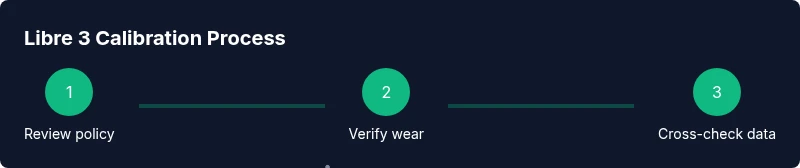
Review official calibration policy
Read the Libre 3 documentation to confirm there is no user calibration feature and note the recommended verification methods.
Tip: Document the policy as a baseline before testing readings. - 2
Inspect sensor placement
Check that the sensor is correctly oriented, fully inserted, and securely attached to the skin according to guidelines.
Tip: A loose sensor can cause reading drift more than any other factor. - 3
Verify app synchronization
Open the reader/app and ensure the latest data is syncing without gaps. Reconnect if necessary.
Tip: A stale connection can falsely appear as drift in readings. - 4
Perform a finger-stick cross-check
Take a finger-stick glucose reading at the same time the CGM shows a value; compare trend and magnitude.
Tip: Use consistent technique and timing for accuracy. - 5
Check time and date settings
Ensure the device, phone, and app have synchronized clocks to avoid misaligned data.
Tip: Time drift can masquerade as sensor error. - 6
Evaluate sensor wear time
If the sensor is at or near the end of its recommended wear window, prepare to replace it.
Tip: End-of-life sensors often show increased variability. - 7
Document any divergences
Log instances where CGM and finger-stick readings differ by more than expected.
Tip: A running log helps identify consistent patterns. - 8
Reset or re-pair the device if needed
If data gaps persist, try a clean re-pairing between the reader and your device.
Tip: Follow official reset steps to avoid data loss. - 9
Consult official support if issues persist
If discrepancies continue after checks, contact manufacturer support for guidance and potential replacement.
Tip: Keep your sensor batch/lot information handy. - 10
Decide on next steps
Based on verification outcomes, choose sensor replacement or professional guidance rather than attempting calibration.
Tip: Calibration is not an option for Libre 3; replacement or support is the route to improve accuracy.
Questions & Answers
Can you calibrate Libre 3?
Libre 3 is factory-calibrated and does not support user calibration. Use official verification methods if readings seem incorrect and avoid any self-calibration.
Libre 3 doesn’t support user calibration. Stick to official checks and contact support if readings remain inconsistent.
Does calibrating affect warranty?
Modifying or attempting calibration can void warranties and may violate device regulations. Always follow manufacturer guidance.
Calibration attempts can void warranties; follow official guidance instead.
What should I do if readings are off?
Cross-check with finger-stick, verify sensor placement, and ensure proper wear time. If discrepancies persist, contact support.
If readings seem off, check placement and time sync, then consult support if needed.
Can I calibrate Libre 3 with another method?
There is no supported calibration method for Libre 3. rely on verification steps and sensor replacement when needed.
No other calibration method is supported; use official verification and sensor changes.
Will the device alert me about drift?
The CGM may alert for anomalies or prolonged off readings, but it does not calibrate. Use verification steps when alerted.
Alerts can flag anomalies, but calibration isn't a feature—verify readings instead.
What are safe next steps in professional settings?
Follow manufacturer protocols for verification, consider alternative CGMs if calibration is essential for your workflow, and document all steps.
Follow official verification steps and consider alternatives if calibration is needed.
Watch Video
Key Takeaways
- Libre 3 is factory-calibrated and not user-calibratable.
- Rely on official guidelines for verification and troubleshooting.
- Use cross-checks and sensor wear logs to assess accuracy.
- Replace sensors when drift persists rather than attempting calibration.
- Consult official support for persistent issues and warranty considerations.