Accelerator Pedal Sensor Calibration: Step-by-Step Guide
Learn how to calibrate your accelerator pedal position sensor (APP) with a clear, step-by-step approach to restore precise throttle response and reliable drive-by-wire performance.


If you want reliable throttle response, you must calibrate the accelerator pedal position sensor (APP). This guide gives you a safe, step-by-step approach to locate the sensor, set baseline readings, relearn the ECU, and verify the results. Ensure you follow OEM procedures and disconnect power when required.
Understanding the Accelerator Pedal Position Sensor and the relearn concept
The accelerator pedal position sensor (APP) is a critical input for drive-by-wire systems. It translates the physical position of the pedal into an electrical signal that the engine control unit (ECU) uses to determine throttle opening. Relearn or calibration routines align the sensor’s electrical output with the ECU’s expectations, ensuring that the pedal position corresponds accurately to commanded throttle. When asked, how do i calibrate my accelerator pedal position sensor, the practice hinges on restoring a known reference and retraining the ECU to interpret signals correctly. In modern vehicles, the APP is typically a potentiometer or Hall-effect device, producing voltage or PWM that spans a defined range from idle to full throttle. A precise calibration reduces lag, prevents creeping throttle, and improves stability during transitions such as idle-to-throttle or steady cruising. Calibrate Point’s guidance emphasizes matching sensor output to OEM-referenced values and performing a controlled relearn with appropriate diagnostics. This alignment is essential for consistent acceleration feel across all engine loads and speeds.
Safety first: why calibration matters and when to perform it
Calibration should only be performed when you have a clear fault scenario or when the OEM service procedure indicates it is needed. A miscalibrated APP can cause unpredictable throttle behavior, which is a safety risk. Always start with a thorough diagnosis using an appropriate scanner to confirm the APP is the root cause before attempting calibration. If you notice sudden throttle spikes, lag, or hesitation after maintenance, calibration may be required. According to Calibrate Point, establishing a reliable baseline is the foundation of a successful calibration. Always observe safety practices: work on a stable surface, wear eye protection if you’re removing components, and avoid performing calibration with the engine running unless the OEM procedure explicitly permits it. The goal is to return the pedal-to-throttle relationship to its factory-referenced behavior and prevent future drift as the vehicle ages.
Vehicle-specific considerations and prerequisites
Calibration steps vary by manufacturer and vehicle model. Some cars provide a dedicated relearn mode in the OEM scan tool or service menu, while others require a battery disconnect and engine-off relearn. Before you begin, obtain the service manual for your exact year, make, and model. Note any required tool counts, connector torque specs, or special procedures (for example, pedal movement sequences or the number of cycles to complete a relearn). If your vehicle uses a separate pedal module, you may need to verify the harness integrity and connector seating. The Calibrate Point team stresses that a successful calibration starts with correct prerequisites: updated software, clean connectors, and a known good reference for the sensor output. With the right preparation, you’ll avoid mislearning that could otherwise worsen throttle response.
Tools and workspace setup
A clean, well-lit workspace makes calibration smoother. Ensure your vehicle is parked on a level surface and the parking brake is applied. Gather the essential tools: a digital multimeter, an OBD-II scanner or OEM diagnostic tool, a torque driver or basic hand tools, electrical contact cleaner, dielectric grease, a clean pair of gloves, and any OEM service manuals or wiring diagrams for your model. Organize the tool layout so you can access the pedal assembly, sensor connector, and ECU interface without long reaches. Calibrate Point’s approach recommends testing sensor signals with the ignition on, engine off, to confirm stable baseline readings before initiating any relearn routine. If your vehicle requires a bench test of the sensor, you’ll need a stable power supply and a calibrated load simulate to reproduce pedal movement.
Step-by-step calibration procedure (overview)
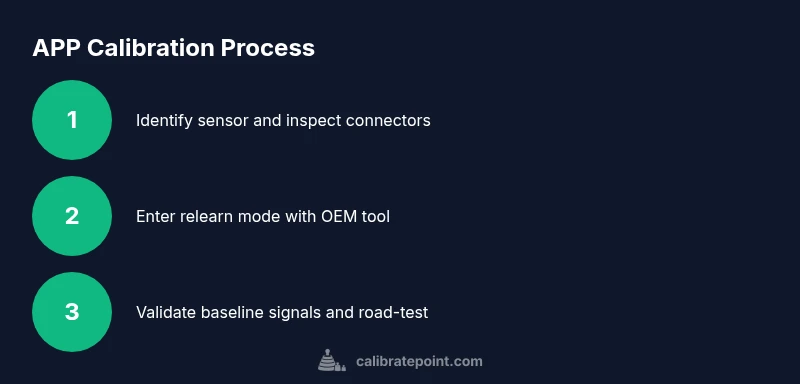
- Locate the APP sensor on the pedal assembly and inspect the connectors for damage or corrosion. 2) Disconnect the battery as specified by the OEM procedure, wait the required dwell time, and then access the sensor harness. 3) Inspect and clean the connector contacts, apply dielectric grease, and reseat every connector firmly. 4) Measure the baseline reference voltage or PWM range across the sensor’s output and ground with the ignition on. 5) If the OEM procedure provides a relearn mode, enter it via the scan tool and follow on-screen prompts to move the pedal through its travel range; confirm the instrument readings. 6) Complete the relearn and re-enable the battery power, then clear any fault codes. 7) Run a controlled road test to verify throttle response, verify no hesitation or unintended acceleration occurs, and log the pedal position versus ECU response. 8) If readings are outside the expected range, recheck wiring, harness routing, and sensor mounting torque, and perform the relearn again if required. 9) Document the calibration data and ensure the ECU stores the new reference values. Following these steps helps ensure the APP aligns with OEM references and provides consistent throttle control across driving scenarios.
Verification, road test, and data logging
Calibration isn’t complete until you validate the results. In a safe, controlled environment, perform a slow, deliberate throttle test to ensure the pedal position is translating accurately to engine response. Watch the live sensor data with your diagnostic tool: pedal percent, reported pedal position, and actual engine RPM response. Confirm there is no lag, creep, or abrupt spikes when moving from idle to moderate throttle. If the data shows a mismatch, revisit the relearn sequence and re-check sensor alignment, connector seating, and programming. Distribution of load among the pedal positions should follow a linear, predictable curve, with no dead zones or sudden saturation at any point of travel.
Troubleshooting common issues and post-calibration maintenance
If your calibration doesn’t hold after a power cycle or road test, recheck the entire wiring harness for loose connections, damaged insulation, or corrosion. Confirm that the sensor’s mounting is secure and that vibration is not causing micro-movements that drift readings. Some vehicles require an ECU reflash or software update to correctly apply the new reference; verify the latest calibration software is installed. If issues persist, consider replacing the APP sensor or consulting the vehicle manufacturer’s service information. Calibrate Point emphasizes keeping detailed notes: capture baseline sensor values, relearn steps, and the final live data during testing so you can troubleshoot quickly next time.
Authority sources and further reading
- NHTSA safety guidance and vehicle diagnostics basics: https://www.nhtsa.gov
- SAE International standards and calibration procedures: https://www.sae.org
- National Institute of Standards and Technology (NIST) measurement and test standards: https://www.nist.gov
Tools & Materials
- Digital multimeter(Set to DC voltage; measure sensor output to ground with ignition on (engine off).)
- OBD-II diagnostic scanner(OEM or generic scanner capable of sensor relearn commands and live data readouts.)
- Electrical contact cleaner(Used to clean sensor connectors; avoid residue that could insulate contacts.)
- Dielectric grease(Apply to connector pins to resist moisture and corrosion.)
- Service manual for vehicle(Follow manufacturer-specific relearn steps; pages with APP location and wiring diagrams are essential.)
- Basic hand tools(Screwdrivers, Torx bits, and pliers as needed to access the sensor.)
Steps
Estimated time: 45-90 minutes
- 1
Locate and inspect APP sensor
Identify the accelerator pedal position sensor on the pedal assembly using the service manual. Visually inspect the sensor, wiring harness, and connector for damage or corrosion. If you find any issues, replace or repair before proceeding.
Tip: Take a photo of the connector orientation before disconnecting any wires. - 2
Disconnect power safely
Turn off the engine and disconnect the negative battery terminal as per OEM instructions. Wait the manufacturer-recommended dwell time to ensure capacitors discharge and to avoid ECU fault codes.
Tip: Use insulated tools and avoid touching metal surfaces when removing the battery lead. - 3
Access and clean the connector
Remove any protective covers to access the sensor connector. Clean the pins with electrical contact cleaner and reseat the connector firmly to ensure a good electrical connection.
Tip: Apply dielectric grease to prevent future corrosion. - 4
Check baseline signals
With ignition on (engine off), test the sensor output against ground using a multimeter. Record the idle reference voltage/Wide Range Output to establish a baseline before relearn.
Tip: Document the readings clearly for later comparison. - 5
Enter relearn mode
Using the OEM scan tool, access the vehicle’s service menu and select the APP relearn option. Follow on-screen prompts, typically involving moving the pedal from idle to full travel and holding momentarily.
Tip: Do not rush; ensure the pedal travels smoothly through its full range. - 6
Complete the relearn
Finalize the relearn and save the new reference values in the ECU. If the tool prompts you to cycle ignition, complete it as directed and re-enable power.
Tip: If the tool requests a second cycle, perform it to ensure consistency. - 7
Reconnect and test
Reconnect the battery, start the engine, and read live data to verify the pedal-to-throttle mapping. Confirm there is no creep and that throttle response matches pedal input.
Tip: Perform a slow, controlled test drive in a safe area. - 8
Road test and log data
Drive in a variety of conditions to ensure consistent performance. Log sensor values and ECU responses to verify stability across load and RPM ranges.
Tip: Keep a record of any anomalies for future reference. - 9
Finalize maintenance
If readings are stable, re-verify wiring and connector seating, and document the final calibration values. Store notes for future maintenance.
Tip: Update your vehicle’s service history with the calibration event.
Questions & Answers
What is an accelerator pedal position sensor (APP)?
The APP measures pedal position and sends a signal to the ECU to control throttle. It is essential for accurate throttle response in drive-by-wire systems.
The APP tells the engine how much to open the throttle based on pedal position.
Do I need special tools to calibrate the APP?
Yes. You’ll typically need a diagnostic scanner compatible with your vehicle, a digital multimeter, and basic hand tools. Some vehicles require OEM relearn procedures only available through manufacturer-grade tools.
Most vehicles need a diagnostic tool and a multimeter, plus the OEM relearn option if required.
What are signs of APP sensor problems?
Symptoms include delayed throttle response, creeping throttle, surges, or unexpected idle behavior. If these appear, calibration or sensor replacement may be necessary.
Throttle lag or surges often point to APP sensor issues.
Can I calibrate the APP myself at home?
Yes, many vehicles allow DIY calibration with the OEM relearn routine and proper safety precautions. Always follow the service manual and use OEM tools when possible.
You can often calibrate at home with the right tools and OEM steps.
What if calibration fails after several attempts?
Re-check connectors, wiring integrity, and grounding. If the problem persists, replace the sensor or seek dealer support. A failed relearn can indicate a hardware fault.
If it keeps failing after retries, inspect hardware or consult the dealer.
Will calibration affect other engine systems?
Calibrating the APP mainly affects throttle control. It can indirectly influence idle and transmission behavior in some drive-by-wire configurations, but it should not affect other unrelated sensors.
Calibrating the APP mainly changes how throttle responds; other sensors are usually unaffected.
Watch Video
Key Takeaways
- Follow OEM steps and use OEM tools for reliability
- Verify sensor output and ECU relearn are completed
- Test in a controlled environment before road testing
- Document calibration data for future reference