How to calibrate a Nespresso machine: Step-by-step guide
Learn to calibrate a Nespresso machine for consistent espresso and lungo shots with volume programming, temperature checks, and regular maintenance. A Calibrate Point practical guide for DIY enthusiasts and professionals.


By the end of this guide, you’ll be able to reliably calibrate a Nespresso machine for consistent espresso and lungo shots. You’ll use the built-in cup-size programming to set target volumes, perform a quick temperature check, and run through a descaling/cleaning routine to maintain accuracy. Calibrate Point recommends starting with a clean machine and testing with standard capsules.
Understanding calibration for a Nespresso machine
Calibration, in the context of a capsule-based machine, means aligning the machine's output with your preferred beverage profile. For most users this means achieving consistent cup volumes, stable brewing temperature, and repeatable extraction times across different days and capsules. Even though Nespresso units are designed for automatic operation, small variances in capsule fill, water temperature, and pump pressure can shift flavor and strength. According to Calibrate Point, precise calibration reduces beverage variability and extends equipment life. The aim is to create a repeatable process you can rely on regardless of capsule type or climate. You’ll notice that the key levers you can adjust are the programmed cup volume, the brew temperature range (in some models), and how often you descale. In practice, calibration is a short routine that fits into a normal coffee ritual, rather than an annual service. The benefits include less waste, more consistent crema, and faster decision-making about which capsules to use for specific drinks.
Preparing your machine for calibration
Before you begin, ensure the machine is clean and free of old coffee residue that can affect temperature and flow. Descale the unit using a manufacturer-approved descaler to remove mineral buildup that skews temperatures and flow rate. Fill the water reservoir with fresh, clean water and consider using filtered water to reduce mineral content in the brew. Place an empty, wide-mouth cup under the espresso outlet and another under the lungo outlet if you have dual-program options. Have a digital kitchen scale handy if you plan to verify volumes precisely. Finally, confirm your power supply is stable and the machine is unplugged when you attach cleaning accessories. A clean machine is the foundation of reliable calibration, and Calibrate Point notes that this step saves you from chasing phantom variances later.
Program cup sizes and preset targets
Many Nespresso models let you program the output volume for the espresso and lungo buttons. Start by choosing your baseline volumes: espresso for a typical shot and lungo for a larger cup; these are common ranges, but you should use your preferred target. With the machine off, press and hold the button you want to program until you see the LED begin to blink, then release. Start a brew and stop when you reach the desired amount. Press the same button again to save the setting. Repeat for the other beverage size. This step creates the baseline for all subsequent tests and should be performed with the same capsule type to minimize variability. If your machine lacks adjustable volumes, rely on the manufacturer’s recommended settings and perform more frequent cleaning and preheating to stabilize temperature.
Calibration workflow: test, measure, adjust
With your targets set, run a test shot using a standard capsule and capture the output in a calibrated cup. Visually check the flow and crema; a healthy crema and steady, consistent flow indicate good calibration. If you overshoot, reduce the programmed volume slightly and re-run; if you undershoot, increase the target volume and test again. For more precision, weigh the brew on a kitchen scale to ensure it falls within your target range. Repeat the process for both espresso and lungo settings, documenting each result in a simple calibration log. By keeping notes, you’ll quickly identify when a capsule change or water quality shift affects the output. Calibrate Point recommends recording the date, capsule type, water hardness, and measured volumes for ongoing trackability.
Validating results and maintaining calibration
After multiple iterations, you should have stable results for espresso and lungo volumes across at least three consecutive tests. Use a consistent capsule type and a known water source to minimize variables. If results drift, re-check descale status, water temperature, and pump performance. Temperature variation is a common culprit; running a quick preheat by letting the machine brew a short water-only cycle helps stabilize the system. Keep a calibration log and revisit every 4–6 weeks or after descaling or changing water source. The habit of quick checks can prevent long-term drift and protect flavor consistency. The Calibrate Point team emphasizes routine maintenance as the true calibrator of beverage quality.
Quick-start calibration checklist
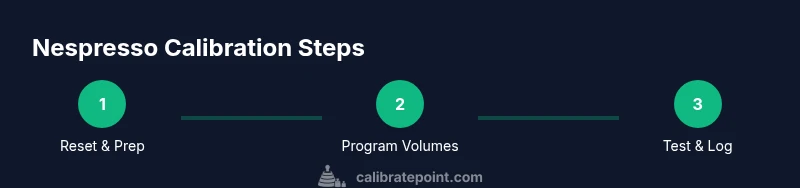
Beginner-friendly, this concise list keeps you on track: 1) Clean and descale; 2) Program target volumes; 3) Brew and measure; 4) Adjust; 5) Re-test; 6) Log results. This tune-up takes only a few minutes once you have a process, and it pays off with consistent shots and less waste. Remember: even small changes in volume and temperature can alter taste, so make incremental adjustments and test again. By following this checklist, you solidify a repeatable calibration routine that lasts between sessions and scales with future capsule choices.
Tools & Materials
- Nespresso machine(Ensure the model supports cup-volume programming)
- Measuring cup (calibrated)(Clear measurement marks, 50–200 ml range recommended)
- Kitchen scale(For precise brew weight comparisons)
- Descaling solution(Manufacturer-approved descaler)
- Clean microfiber cloth(For exterior wipe-downs)
- Filtered or distilled water(Reduces mineral buildup during tests)
Steps
Estimated time: 25-40 minutes
- 1
Reset and prepare the machine
Power down and unplug the machine. Wipe the exterior; remove and rinse any accessories. If your model supports a reset, perform it to restore factory default settings before calibration.
Tip: A reset helps eliminate lingering settings from prior testing. - 2
Descale and clean thoroughly
Run a full descaling cycle with manufacturer-approved descaler. Rinse the reservoir and run several clean water cycles to remove any residue.
Tip: Descaling removes mineral build-up that can affect temperature and flow. - 3
Program espresso cup volume
With the machine off, press and hold the espresso button until the LED blinks. Start a brew and stop at your target volume, then release to save the setting.
Tip: Use a consistent capsule type and cup for repeatability. - 4
Program lungo cup volume
Repeat the same process for the lungo button to set your larger-volume target. Confirm both settings by performing test brews.
Tip: Note the order you program to avoid cross-programming mistakes. - 5
Brew test shots and measure
Brew a standard shot and a lungo, measuring total liquid with the cup or weighing it. Compare against targets and adjust if necessary.
Tip: Do not skip crema check; it’s a quick quality indicator. - 6
Record results and fine-tune
Log dates, capsule type, water source, volumes, and any adjustments. Re-test after any capsule change or water variation.
Tip: Keep a simple notebook or digital log for easy reference.
Questions & Answers
Can all Nespresso machines be calibrated for cup volume?
Most newer Nespresso models support cup-volume programming. Some older models have fixed presets or limited adjustment. Check your model’s manual for capabilities.
Most newer models let you program cup volumes; older models may have fixed settings. Check your manual for exact options.
Is temperature calibration possible on Nespresso machines?
Many models maintain a stable brewing temperature automatically, but you can improve consistency by preheating and descaling. Some models offer temperature-related settings; consult the manual.
Most machines rely on automatic temperature control; you can improve consistency with proper preheating and descaling.
Why does calibration drift after a descaling?
Descaling changes mineral content in water and can affect flow and heat transfer slightly. Recalibrate after descaling to re-establish target volumes.
Descaling can shift flow and temperature slightly, so recalibrating afterward helps keep things consistent.
How often should I recalibrate?
Calibrate as part of routine maintenance or after significant changes like a descaling cycle, water source change, or capsule variation. A monthly quick check is common in busy setups.
Calibrate when you notice drift or after descaling or switching water sources, typically monthly for heavy use.
Will calibrating void the warranty?
Calibrating using built-in features and following the manufacturer’s steps should not void the warranty. Avoid disassembly or repairs beyond the user-accessible settings.
Using built‑in calibration features per the manual should not void your warranty.
What tools help with calibration beyond the machine?
A kitchen scale, a calibrated cup, and clean water help you verify volumes precisely. Keep a log to track performance over time.
Scale, calibrated cup, and clean water are great to verify volumes and log results.
Watch Video
Key Takeaways
- Program dedicated volumes first; test and adjust incrementally.
- Keep a calibration log to track drift over time.
- Regular descaling maintains stability and flavor.
- Use consistent capsules and water to minimize variables.