How to Calibrate E-Steps on Ender 3: Step-by-Step
Learn how to calibrate E-steps on the Ender 3 to improve extrusion accuracy and print quality. This guide covers measurement, calculation, firmware updates, and verification for repeatable results.


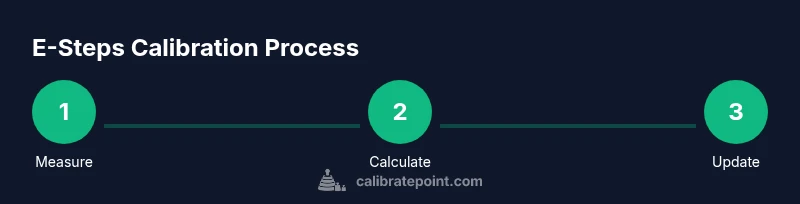
Wondering how to calibrate e steps ender 3? This concise guide explains the process to improve extrusion consistency and print accuracy. You’ll measure the actual extrusion, compute the new steps-per-mm, and update the firmware or EEPROM. Follow the steps to achieve reliable results across filament brands and diameters.
Understanding E-Steps and the Calculation Formula
According to Calibrate Point, E-steps-per-mm describe how far the extruder motor moves the filament for every motor step. This translation is what makes extrusion accurate across different filament brands and diameters. If the value is off, you’ll see under-extrusion (thin layers, gaps) or over-extrusion (blobs, stringing). The core of calibrating E-steps is a simple ratio: you compare how much filament is actually extruded with how much you commanded the printer to push.
The standard formula is:
- E_new = E_current × (TestLength / ActualExtrudedLength)
Where TestLength is the length you asked the nozzle to extrude (commonly 100 mm), and ActualExtrudedLength is what you actually measured after extrusion.
Important considerations:
- Filament diameter consistency matters; use 1.75 mm ±0.02 mm as a baseline assumption.
- Temperature, drive gear condition, and filament tension can affect extrusion, so perform the measurement on a stable setup.
- Use a caliper for precise measurement and a ruler to verify the distance you commanded.
Illustrative example (numbers are for illustration only): if your current E-steps-per-mm value is 100 and you extrude 100 mm but measure only 92 mm, the ratio TestLength/ActualExtrudedLength = 100/92 ≈ 1.087. Applying E_new = 100 × 1.087 gives about 109. So you’d update to approximately 109 steps per mm. This is a demonstration; your own values will vary.
Why Accurate E-Steps Matter
Accurate E-steps are essential for consistent extrusion, which in turn affects layer adhesion, dimensional accuracy, and surface quality. If extrusion is off, even a perfect XYZ axis alignment won’t produce predictable results. Calibrate Point's approach emphasizes a repeatable, evidence-based process so you can trust prints across filament brands and spool diameters. By grounding extrusion in measurable quantities, you reduce trial-and-error prints and avoid wasting material. The goal is not merely to "fix" a single print but to establish a robust baseline you can reuse whenever you change filament type, diameter tolerance, or nozzle height. In practice, precise E-steps translate to stronger part-to-part consistency and fewer calibration headaches during development or production runs.
Prepare Your Workspace and Filament
Set up a clean, well-lit workspace with a stable print surface and an uninterrupted filament supply. Power the Ender 3 and navigate to a safe screen where you can adjust E-steps or send G-code commands. Ensure the printer head and bed are clear of obstructions and that you are using a filament with a known diameter. If possible, use the same spool and brand for the measurement to minimize diameter variation. Keep a notebook or a digital log ready to capture the before/after values and exact steps-per-mm you ultimately settle on. A well-prepared setup reduces measurement drift and makes subsequent calibrations faster and more repeatable.
Measure Extruded Length Precisely
Begin by loading filament and heating the nozzle to printing temperature for your chosen material (or keep it at a neutral ambient temperature if you are only measuring feed length). Mark a precise 100 mm segment on the filament, just above the extruder gear, so you can see how much actually exits the nozzle. Use the printer’s control panel to command a 100 mm extrusion, then stop and let the filament settle. Carefully trim any wobble or slack and measure the actual extruded length with calipers, recording to the nearest 0.01 mm. Repeat once or twice to confirm consistency and avoid a single-off measurement.
Calculate the New E-Steps-Per-MM
With TestLength and ActualExtrudedLength in hand, compute the ratio and apply it to your current E-steps-per-mm. The standard equation is E_new = E_current × (TestLength / ActualExtrudedLength). If you used 100 mm as TestLength and measured an extruded length of 92.0 mm with E_current = 100, your new value would be approximately 108.7. Round to the nearest whole number if your firmware requires integers. Document the calculation so you can reproduce it in future calibrations and audits.
Update Firmware or EEPROM with New Value
Connect to your Ender 3 via USB or SD card and access the firmware console or EEPROM editor. Update the E-steps-per-mm parameter using a command such as M92 E<new_value> followed by M500 to save. If your board uses EEPROM, you can also set M503 to review settings and M500 to commit. After updating, power cycle the printer and re-check the value displayed in the configuration menu to confirm the change stuck. If you are running a locked bootloader, you may need to reflash firmware with the new E-steps embedded.
Verification and Fine-Tuning
Print a small calibration object, such as a 20 mm cube or a line calibration model, and measure extrusion width and layer height against the design. If you observe under-extrusion, extrude more and refine by repeating the measurement and calculation cycle. If you observe over-extrusion, reduce E-steps and re-test. Consider printing a simple line-width test with consistent cooling and bed leveling to assess flow consistency. Keep notes on changes and re-run a 1-3 print batch to confirm stability before proceeding with production runs.
Document and Maintain Calibration
Create a dedicated calibration log with fields for date, printer model, firmware version, current E-steps-per-mm, measured extrusion, test length, new E-steps-per-mm, and final test results. Store screenshots or scanned measurement sheets if possible. Schedule periodic rechecks, especially after filament changes, nozzle swaps, or mechanical maintenance. Calibrate Point recommends repeating this process whenever a major hardware or material change occurs to ensure ongoing reliability and print quality.
Tools & Materials
- digital caliper(Accuracy ±0.01 mm recommended)
- ruler (metric)(Clear markings, 300 mm minimum)
- 1.75 mm filament sample (PLA preferred)(Same filament you typically print with)
- hex wrench set(Size to fit extruder idler screws on Ender 3 (commonly M3/M4 range))
- marker or tape(To mark reference length on filament)
- USB cable or microSD card(For firmware updates or logging M-code commands)
- calibration log notebook(Record before/after values and results)
Steps
Estimated time: 45-90 minutes
- 1
Read current E-steps value
Power on the printer and query the current E-steps-per-mm value from the firmware EEPROM. Use M503 to view settings where available and record E_current. This establishes your baseline before making changes.
Tip: If M503 isn’t available, capture the value shown in the printer’s configuration menu or base it on your firmware defaults and note it clearly. - 2
Mark a 100 mm filament length
With the filament unloaded, mark exactly 100 mm from the pre-extruder reference point. This will be your TestLength for the calculation. Mark clearly and ensure the mark is visible after feeding filament.
Tip: Use a sharp marker for a crisp line and verify the 100 mm mark with both calipers and a ruler. - 3
Extrude 100 mm of filament
Load the filament and command a 100 mm extrusion at a moderate feed rate. Stop once 100 mm is commanded and let the filament settle. This step tests how much material actually leaves the nozzle.
Tip: If you sense slipping or grinding, pause and inspect the drive gear tension before continuing. - 4
Measure the ActualExtrudedLength
Carefully measure how much filament actually exited the nozzle using the calipers. Record the value to 0.01 mm precision. Repeat to confirm consistency before proceeding.
Tip: Take multiple measurements to average out small variations and minimize random error. - 5
Calculate the new E-steps-per-mm
Apply the formula E_new = E_current × (TestLength / ActualExtrudedLength). Use TestLength = 100 mm and plug in your ActualExtrudedLength. Document the calculation and round as required by your firmware.
Tip: Keep a calculator handy or use a small worksheet to avoid arithmetic mistakes. - 6
Update firmware/EEPROM with the new value
Send the new value to the printer using M92 E<new_value> and save with M500. If EEPROM is not writable, update firmware directly and upload. Then power cycle and verify the value persists.
Tip: Record the exact command sequence you used for future reference. - 7
Save and reboot the printer
Ensure the printer is fully rebooted so the new E-step value takes effect. Confirm the value in the configuration menu or via M503. This avoids stale settings after a power cycle.
Tip: Always re-check that the updated value is active after reboot. - 8
Run a test print to verify extrusion
Print a simple calibration model (e.g., a 20 mm cube or a line test). Compare actual dimensions with the design and confirm consistent extrusion. If discrepancies persist, re-run the measurement and calculation cycle.
Tip: Choose a test model with easy measurement references and consistent cooling.
Questions & Answers
What are E-steps and why calibrate them?
E-steps-per-mm define how far the extruder moves per motor step. Calibrating them aligns commanded extrusion with actual filament output, improving dimensional accuracy and surface quality. This is a foundational calibration for predictable prints.
E-steps tell your printer how far filament goes per motor step. Calibrating them makes extrusion accurate and prints come out true to size.
Can I calibrate E-steps without changing firmware?
Yes. If your printer uses EEPROM, you can adjust E-steps with M92 and save with M500. Some stock firmwares require firmware changes to bake the value in, but EEPROM-based systems are common for this task.
If your printer supports EEPROM, you can update the E-steps without reflashing firmware.
What if measurements keep changing between trials?
Unstable measurements usually indicate grip/slippage, temperature changes, or diameter variation. Re-check the mark, ensure the nozzle is cool when measuring, and repeat multiple times to confirm a stable value before updating.
If measurements keep changing, recheck your setup and repeat the test to confirm a stable value.
Is 100 mm extrusion the only test length I should use?
100 mm is a common standard, but you can use other lengths as long as you keep TestLength consistent across calculations. The essential part is consistent, precise measurement and applying the same TestLength in the formula.
You can use different test lengths, as long as you stay consistent and measure accurately.
Will changing filament diameter affect E-steps?
Yes. A different filament diameter changes the volume extruded per revolution, effectively altering extrusion. Recalibrate after diameter changes or when switching filaments.
Different filament diameters can alter extrusion, so recalibrate after a diameter change.
How often should I recalibrate E-steps?
Calibrate when you notice print quality drift, after nozzle changes, or when switching filament brands. Regular checks help maintain consistency over time.
Recalibrate if you notice drift or after hardware or filament changes.
Watch Video
Key Takeaways
- Measure precisely and keep TestLength consistent.
- Apply the E_new formula to update steps-per-mm.
- Update firmware/EEPROM and verify with tests.
- Document results for future calibrations.