Color Calibrate TV: A Practical Step-by-Step Guide
Learn how to color calibrate TV for accurate color, grayscale, and contrast using a colorimeter, test patterns, and a repeatable workflow. Calibrate Point guides DIY enthusiasts and professionals to reliable, repeatable results.


Color calibrate tv to achieve accurate color, grayscale, and contrast across content. This practical workflow uses a colorimeter, test patterns, and a controlled viewing environment to deliver repeatable results for SDR and HDR. Follow the steps below to establish a reliable baseline and maintain color fidelity over time.
Why Color Calibration Matters for TV Viewing
Color calibration is the process of aligning your display with reference standards so that the image you see matches the creator's intent. When you color calibrate tv, you correct color inaccuracies, balance the grayscale, and set a consistent white point and gamma. According to Calibrate Point, a well-executed calibration reduces color casts, improves skin tones, and enhances perceived contrast across different content types. In this section, we’ll outline a practical approach you can perform at home using accessible tools and common test patterns. The goal is a repeatable workflow that delivers predictable results for movies, sports, and video games, while keeping the process approachable for DIY enthusiasts and technicians alike.
What You’ll Achieve with Proper Calibration
- Accurate skin tones and foliage colors across content
- Consistent grayscale and contrast for both dark and bright scenes
- A repeatable process you can repeat whenever your room lighting or content changes
- A documented baseline you can compare against for future tweaks
Calibrate Point’s guidance emphasizes measuring, validating, and documenting results to ensure you can reproduce the same quality over time.
Tools & Materials
- Colorimeter or spectrophotometer(Choose a device compatible with your software and TV inputs.)
- Calibration software or app(Includes grayscale, color gamut, and white-point controls.)
- Test pattern set (digital or physical disk)(Covers grayscale ramps, color bars, and gamma patterns.)
- High-speed HDMI cable(Ensure stable signal during pattern delivery.)
- Laptop/PC or tablet with calibration software(Runs the software and saves your profiles.)
- Optional: White balance card or grayscale target(Helpful for on-site references in bright rooms.)
- Stable viewing environment (dim lighting)(Avoid lighting changes during calibration.)
- Calibrated reference content (SDR/HDR)(Useful for cross-checking results.)
Steps
Estimated time: 45-60 minutes
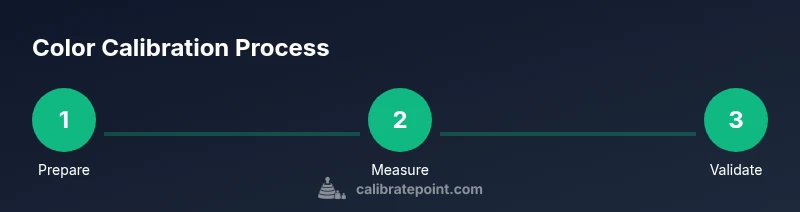
- 1
Prepare your calibration setup
Gather all tools and set up in a dim, stable environment. Ensure the TV is at a comfortable distance for viewing, and that room lighting won’t change during the session. This step establishes a repeatable baseline.
Tip: Place the TV away from direct sunlight and bright lamps to minimize glare. - 2
Warm up the TV
Power on the TV and allow at least 15 minutes of warm-up to reach stable brightness and color performance. Warm-up reduces early drift in white point and gamma.
Tip: Use a consistent content type (e.g., a blank test pattern) during warm-up. - 3
Reset picture mode and baseline controls
Set the display to a neutral, standard picture mode and reset advanced controls (contrast, brightness, color, tint) to their default or calibrated baseline. This avoids inherited biases from pre-set modes.
Tip: Record the original values before changing anything so you can revert if needed. - 4
Connect the measurement device
Connect the colorimeter to your calibration computer and ensure the software recognizes the device. Confirm the TV is selected as the target display within the software.
Tip: Calibrate the device’s calibration routine with a quick live check to verify communication. - 5
Run grayscale calibration
Use grayscale test patterns to set the white point and gamma. Adjust the gamma curve so midtones look natural, and set white balance to a neutral target (D65 or as recommended by the software).
Tip: Make small, incremental adjustments and re-measure after each change. - 6
Tune color gamut and saturation
Calibrate the color primaries to match the target color space (BT.709 for SDR, BT.2020 or DCI-P3 for HDR depending on content and device). Adjust saturation so that primary colors render accurately without clipping.
Tip: Avoid pushing saturation beyond what content requires; over-saturation reduces realism. - 7
Fine-tune tint and black levels
Balance tint (green/muchsia bias) and verify black levels by checking dark detail in test patterns. Ensure black is truly deep without crushing shadow detail.
Tip: Use a pattern designed for low-luminance steps to detect subtle shifts. - 8
Validate with test content and save profile
Review a variety of content (movies, sports, games) to confirm color fidelity. Save the calibration profile for the input source and create a separate profile for HDR if applicable.
Tip: Label profiles clearly by date and content type to avoid confusion later.
Questions & Answers
What is the difference between calibrating SDR versus HDR content?
SDR calibration focuses on standard dynamic range color and gamma curves, while HDR requires wider color gamuts and perceptual quantization. HDR may need different test patterns and targets due to increased brightness and extended color range.
SDR uses standard color and gamma; HDR needs broader color and brightness targets. In practice, you calibrate HDR after SDR using HDR patterns and a meter compatible with the extended gamut.
Can built-in TV color controls replace external hardware?
Built-in color controls can help with quick adjustments but usually don’t reach the accuracy of a meter-based workflow. External hardware provides objective measurements and repeatable results.
You can tweak on-screen controls, but for true accuracy, hardware plus software is recommended.
How often should I recalibrate my TV?
Recalibration frequency depends on usage and changes in your environment. If you notice color drift, washed-out grayscale, or a shift in skin tones, re-calibrate rather than sticking to a fixed schedule.
If you see color drift or pale skin tones, recalibrate. There’s no one-size-fits-all interval.
What test patterns should I use for calibration?
Use grayscale ramps, color bars, and gamma patterns to evaluate luminance, white point, and color accuracy. Include HDR patterns if calibrating an HDR display.
Grayscale, color bars, and gamma targets cover the main accuracy checks for most TVs.
Will HDR content look perfect after SDR calibration?
HDR requires its own calibration because of extended color gamut and brightness. Calibrating for HDR may involve different white points and tone-mapping targets.
HDR needs its own calibration due to broader color and brightness ranges.
Do I need to professional calibration for the best results?
Professional calibration offers highly controlled measurements and room-specific adjustments, often with specialized equipment. For many enthusiasts, a well-followed DIY workflow using a colorimeter yields excellent results.
Pros can yield the most precise results, but a solid DIY workflow is enough for great color accuracy.
Watch Video
Key Takeaways
- Reset to a neutral picture mode before calibrating.
- Use a colorimeter and test patterns for objective measurements.
- Balance white point, gamma, and gamut separately for accuracy.
- Validate with diverse content and save profiles per input.
- Maintain a calibration log and re-check after changes.