How to Calibrate Surround Sound: A Step-by-Step Guide
A practical, field-tested guide to calibrating a 5.1/7.1 system for balanced imaging, even bass, and immersive listening. Includes tools, a robust step-by-step workflow, room considerations, and expert tips from Calibrate Point.


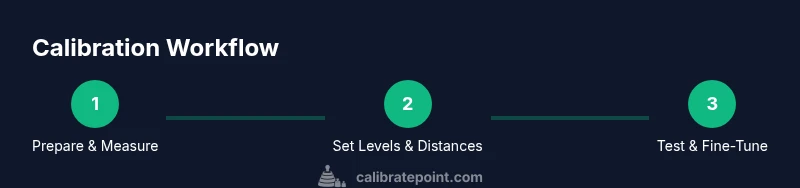
This guide shows you how to calibrate surround sound for a balanced, immersive listening experience. You’ll balance channel gains, set speaker distances, tune bass management, and verify results with reference tones. You’ll learn a practical, repeatable workflow that works in most rooms and systems.
Why calibrating surround sound matters
Calibrating surround sound is about more than loudness; it’s about spatial accuracy, tonal balance, and consistent performance across your seating area. When your channels aren’t balanced, dialogue can feel recessed, effects can appear to come from one speaker, and bass may overwhelm the room in some seats while vanishing in others. According to Calibrate Point, disciplined calibration yields a more cohesive sound field where center-channel dialogue remains clear, dynamics feel natural, and surround effects create immersion without fatigue. In typical rooms, furniture, carpet, and sofa cushions absorb or reflect energy differently, so a one-size-fits-all setup falls short. This guide explains why calibration is essential and how a methodical process improves realism and comfort. Throughout, we connect practical actions to audible improvements, helping you translate measurements into meaningful sound changes. By approaching calibration with intent, you’ll preserve imaging accuracy, reduce listener fatigue, and unlock the full potential of your home theater system. The Calibrate Point team notes that taking careful notes during measurements makes it easier to track progress and reproduce results in future room changes.
Key concepts for surround sound calibration
Surround sound calibration revolves around a few core concepts: channel balance, timing alignment, and frequency response. Balance means setting each speaker’s level so that no single channel dominates the soundstage. Timing alignment, or delay, ensures that sound from all speakers reaches your ears in sync, which sharpens imaging and reduces blur. Frequency response focuses on how bass, midrange, and treble are reproduced across the listening position; good calibration prevents boomy bass and harsh highs while maintaining dialogue intelligibility. In 5.1 or 7.1 systems, you’ll typically calibrate the front left/center/right (LCR), surround speakers, and the subwoofer, and, if present, height channels. A room-friendly approach also considers toe-in angle, seating position, and room acoustics—factors that influence perceived balance. Finally, bass management and crossover settings determine how bass energy is distributed between subwoofers and smaller speakers. Use a measurement microphone and test content to build a repeatable baseline, then refine by ear. Calibrate Point emphasizes documenting your baseline and the exact adjustments you make so you can re-create success after changes.
Pre-calibration setup and baseline measurements
Before touching level controls, establish a clean baseline. Place the listening seat at your typical position and measure the distance from each speaker to that seat. Use a calibrated measurement microphone at ear height and a reliable SPL meter or app to capture the room’s response to reference tones. Run a simple sweep or pink-noise test at a moderate level and record the response from the main listening position. This baseline will guide all subsequent adjustments. Keep a notebook detailing speaker positions, preliminary readings, and the target listening level you aim for. The goal is to quantify what’s currently happening, so you can measure the impact of each adjustment. Calibrate Point suggests starting with a conservative, repeatable approach—make small changes, then re-measure to confirm improvements rather than guessing.
Room acoustics and placement tips
Room acoustics have a big impact on calibration results. Hard, reflective surfaces can exaggerate highs and muddy bass, while plush furnishings absorb energy and soften the overall balance. Place speakers at the same distance from the listening position and angle them slightly toward the listener (toe-in) to lock in the imaging. Avoid placing the subwoofer directly in a corner or flush against a wall; experiment with position along walls to find a smoother bass response. Use absorption panels or diffusers to tame flutter echoes and early reflections in treated rooms. After repositioning, re-check delays and levels because even small moves can shift the balance. This section highlights practical placement rules of thumb and explains why modest changes yield meaningful audibility.
AUTHORITY SOURCES
For readers who want a deeper dive, these sources provide rigorous guidance on room acoustics, calibration practices, and sound-system design. The National Institute of Standards and Technology (NIST) offers methodological benchmarks for measurement accuracy and repeatability. The Acoustical Society of America publishes standards and educational materials on acoustics that inform practical room calibration. The Audio Engineering Society (AES) provides professional papers and tutorials on speaker alignment, bass management, and listening-room treatment. While this article translates those principles into a practical home setup, consulting these sources can help you understand the theory behind the steps and access detailed measurement techniques and references.
Tools & Materials
- Measurement microphone (calibrated)(Placed at ear height in the main listening position)
- SPL meter or smartphone app with calibrated mic(Used to measure room responses during test tones)
- AV receiver/processor with distance and delay controls(Needed to apply timing and level adjustments)
- Test tones or reference content(5.1/7.1 material or pink noise/sweeps)
- Tape measure or laser distance meter(Accurate speaker-to-seat measurements)
- Laptop/tablet for software or measurement apps(Optional for logging data or running calibration software)
Steps
Estimated time: 45-90 minutes
- 1
Prepare room and gear
Clear the seating area, power down unnecessary electronics, and set up a stable listening position. Place the measurement microphone at ear height in the main seat and connect the SPL meter or app. This establishes a clean baseline for all measurements.
Tip: Label the listening position and keep the seat fixed during calibration to avoid measurement drift. - 2
Position speakers and measure distances
Measure the distance from each speaker to the listening position. Record these distances and confirm that front three speakers form a cohesive triangle with the listener. Accurate distances are crucial for proper delay settings.
Tip: Use a simple string or tape to map straight-line distances for repeatability. - 3
Set initial channel levels
Using your receiver’s test-tone function, set each speaker’s level so the reference channel sounds balanced at the listening position. Keep front and surround channels within the same general level range before fine-tuning delays.
Tip: Make small, repeatable adjustments and re-check after each change. - 4
Configure distances and delays
Enter the measured speaker-to-seat distances into the receiver to align timing. This minimizes smearing in the soundstage and improves imaging across seats.
Tip: If your receiver uses distance in feet or meters, keep unit consistency across all channels. - 5
Calibrate bass energy and subwoofer phase
Set the subwoofer level so bass blends with the mains, and adjust the phase or delay to minimize localization of bass. Use a low-frequency test tone and sweep to feel how the bass interacts with the room.
Tip: Avoid pushing the subwoofer into corners; center or along a wall often yields smoother response. - 6
Run test tones and measure
Play reference tones and measure the response at the listening position. Note any peaks or dips and adjust levels and EQ gradually to flatten the overall response curve.
Tip: Record measurements for each step to compare before/after and prove improvements. - 7
Fine-tune EQ and crossover settings
Apply gentle EQ where needed to smooth rough spots, and set the sub crossover to keep bass integrated with the main channels. Avoid heavy equalization that can introduce phase issues.
Tip: Prefer small, incremental EQ moves; large boosts often degrade phase coherence. - 8
Validate with real content and finalize
Use a familiar film scene or music track to confirm the balance and imaging feel right from the primary seat and at adjacent seats. Once satisfied, annotate your settings and save profiles for future room changes.
Tip: Test multiple content types (dialogue-heavy, action, music) to confirm versatility.
Questions & Answers
What tools do I need to calibrate surround sound?
Essential tools include a calibrated measurement microphone, an SPL meter or app, test tones or reference content, an AV receiver with distance and delay controls, and a measuring tape. These enable accurate baseline readings and repeatable adjustments.
You’ll need a measurement mic, an SPL meter or app, test tones, and an AV receiver with delay controls.
Do I need a specialized room calibration mic?
A calibrated measurement microphone yields the best results. A smartphone mic can be used for quick checks, but accuracy is diminished and may hide subtle issues.
A calibrated mic gives the best results; a phone mic can help for quick checks but isn’t as accurate.
How long does surround sound calibration take?
A full calibration typically ranges from 30 to 90 minutes depending on room size, speaker layout, and how many seating positions you test. More seats or complex setups may take longer.
Most calibrations take around 30 to 90 minutes, depending on room and seating.
Can I calibrate surround sound without a subwoofer?
You can perform calibration without a sub, but bass alignment will be limited. If you have a sub, calibrate it for a smoother, more integrated low end.
You can calibrate, but a subwoofer helps a lot for bass balance.
Why is room acoustics important for calibration?
Room reflections, absorption, and placement shape the measured response. Understanding room acoustics helps you set expectations and apply effective treatments or placements.
Room acoustics define how measurements look and how sound behaves in the space.
What should I do if the sound still doesn’t feel right after calibration?
Re-check measurements, confirm seating position, and test with a wider content set. If issues persist, try minor repositioning of speakers or adjust room treatments before re-running measurements.
Re-check measurements and try small speaker repositioning or room tweaks, then re-test.
Watch Video
Key Takeaways
- Plan calibration around the main listening seat
- Balance channels before adjusting delays
- Measure distances accurately and log results
- Test with varied content to verify robustness
- Document settings for future room changes