Calibrate Oven Temperature LG: A DIY Guide
Learn how to calibrate oven temperature LG models for accurate baking. This guide covers tools, safety, step-by-step procedures, tips, and verification to ensure reliable cooking results.


Calibrating the oven temperature on LG models ensures accurate baking results and repeatable cooking outcomes. You’ll measure with a reliable oven thermometer, compare to the LG display, and adjust using the built-in calibration controls or thermostat offset. This guide provides the exact steps, required tools, and verification methods to calibrate oven temperature lg effectively.
Why calibrate oven temperature lg matters
According to Calibrate Point, precise calibration of oven temperature lg is essential for consistent results across baking and roasting tasks. Home cooks and technicians alike notice that small temperature discrepancies can lead to uneven browning, undercooked centers, or overcooked edges. For professional settings, consistent LG oven temperatures support repeatable performance in recipe development and service.
In many LG ovens, the internal thermostat can drift slightly over time due to age, door seal integrity, and venting behavior. Calibrating the oven temperature lg helps align the display with the actual air temperature inside the cavity, reducing the risk of under- or over-baking. When you calibrate, you’ll create a dependable baseline you can reproduce for future meals.
Throughout this guide, you’ll learn how to approach calibration with careful measurements, how to minimize ambient influences, and how to document results so you can revert if needed. The goal is steady, predictable heat that matches what the recipe expects.
Tools and measurement accuracy
To calibrate oven temperature lg with confidence, use a calibrated oven thermometer placed in the center of the oven and near the middle rack. LG models often provide an offset or calibration setting; you’ll use measured readings to adjust this offset as needed. Keep your work area clean,(r) preheat cycles consistent, and limit changes to one variable at a time so you can identify the true cause of any deviation.
Key factors that affect accuracy include oven preheat stability, door seal integrity, internal airflow, and thermometer placement. Positioning the thermometer away from the door and away from heating elements minimizes bias. If your thermometer reads low or high by a consistent amount, you can translate that drift into a corresponding calibration adjustment on LG’s controls. Maintain a log of readings and adjustments for traceability.
Safety and setup considerations
Working with hot ovens requires respect for heat, sharp racks, and hot surfaces. Before you begin calibrating oven temperature lg, ensure the kitchen is clear of clutter and that you have heat‑resistant gloves, a timer, and a stable surface. Don’t rush the preheat or measurement steps; small measurement errors multiply when you test across multiple temps. If you suspect a faulty door seal or air leak, address that first, as it will skew calibration results.
Always use dry hands when handling thermometers and racks, and never place probes near the door latch. If your LG model uses a wall‑mounted control panel, ensure the panel is not exposed to moisture or steam during the procedure.
Understanding LG’s calibration options and how they work
LG ovens may include a calibration or offset feature that allows you to adjust the bake temperature reading. This feature compensates for a drift between the displayed temperature and the actual oven cavity temperature. The calibration method is model‑dependent, so consult the LG manual or model‑specific online resources for exact steps. The general concept is to measure the oven at target temperatures, compare to the display, and apply the offset as needed. Practically, calibration aligns the cooking time and temperature expectations with real oven performance.
If your LG oven lacks a dedicated offset control, you may still refine accuracy by adjusting the thermostat setting through the control panel according to the model’s available options. In all cases, document the offset applied, the temperatures tested, and the resulting readings for future reference.
Preparing measurements: environment, placement, and bias control
To obtain reliable results, standardize the measurement environment. Use a consistent kitchen temperature, ensure the oven is empty, and allow the preheat cycle to complete fully before taking readings. Place the thermometer in the center of the oven, on the middle rack, away from doors and heating coils. If you’re testing at multiple temperatures (e.g., 350°F, 400°F), use the same thermometer and the same test method for each temperature to minimize bias.
Avoid placing the thermometer on trays or on metal racks that could absorb heat differently. Record the ambient kitchen temperature and any potential draft sources nearby. When calibrating oven temperature lg, use identical test conditions for all measurements to ensure the offsets you derive are genuinely corrective.
Step-by-step calibration outcomes: interpretation and verification
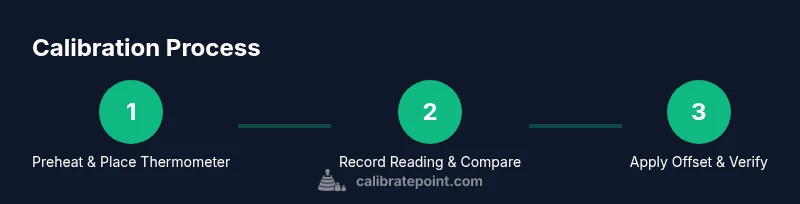
After collecting measurements at the chosen target temperatures, compare the thermometer readings with the LG display. If the readings differ by more than a small tolerance (per your manual), decide whether to apply a calibration offset or repeat measurements to confirm drift. A stable, repeatable offset across multiple temps indicates a reliable calibration path. If drift is inconsistent, revisit thermometer placement, preheat stability, and oven door seal checks. Documentation is key—log every reading, adjustment, and verification result to build a calibration history for the oven temperature lg.
Verifying results: test bakes and cross-checks
Verification involves baking at temperatures that match common recipes and checking for doneness against expected results. Start with a neutral test dish, such as a sheet of cookies or a roast pork loin, and compare the outcome to the recipe’s guidelines. If consistent doneness and browning are achieved at multiple temps, the calibration is likely stable. Repeat the process after a few weeks or after maintenance to confirm long‑term accuracy. This approach ensures ongoing reliability of oven temperature lg.
What to do if results still differ by model or after adjustments
If calibration attempts yield inconsistent results across different temperatures or food types, revisit the measurement approach and re-check the door seal, vent, and insulation. Consider environmental factors like kitchen temperature or airflow. In some cases, calibration drift can be due to a failing thermistor or sensor inside the oven; if persistent, contact LG support or a qualified technician for a model‑specific assessment. Maintaining a calibration log helps you spot patterns and determine when professional service is warranted.
Tools & Materials
- Oven thermometer (calibrated)(Place in center of oven, on middle rack; read at target temperature with oven on and preheated.)
- LG oven manual (model-specific) or digital guide(Identify model-specific calibration or offset options; have it handy during setup.)
- Digital thermometer with long probe(Probe should be at least 12 inches; avoid contact with hot surfaces other than the intended measurement point.)
- Timer or stopwatch(Use to track preheat stabilization and measurement intervals; record times precisely.)
- Calibration log(Notebook or digital log to record readings, offsets, and verification results.)
- Oven-safe gloves(Heat-resistant gloves rated for high temperatures; protect hands during tests.)
- Ambient kitchen thermometer (optional)(Helps account for room temperature influence on measurements.)
Steps
Estimated time: 45-75 minutes
- 1
Power on and preheat to target temperature
Set the LG oven to the target temperature and allow it to preheat to completion. Wait for the oven to reach stable temperature and stop cycling before measuring.
Tip: Verify that the kitchen is free of drafts and that the oven door is fully closed during preheat. - 2
Insert thermometer at center
Place the calibrated oven thermometer in the center of the oven on the middle rack. Do not let it touch the walls or racks. Allow 5–10 minutes for stabilization.
Tip: Ensure the thermometer probe is not near heating elements to avoid skewed readings. - 3
Record reading and compare to display
Note the thermometer reading and compare it with the LG display for the same target temperature. Repeat at least once to confirm stability.
Tip: Take readings at the same time after stabilization to reduce variability. - 4
Apply calibration offset if needed
If the reading consistently deviates beyond tolerance, apply the corresponding offset in the LG controls or temperature offset setting per the manual.
Tip: Document the offset value and the temperatures tested for traceability. - 5
Re-test after offset
Preheat again and repeat the measurement steps with the new offset. Verify readings align with the target temperature.
Tip: If misalignment persists, check door seal and ventilation before adjusting further. - 6
Test across multiple temps
Repeat measurements at additional temperatures (e.g., 325°F, 375°F) to ensure offset works across a range.
Tip: Use identical test conditions for each temperature to ensure consistent results. - 7
Log results and finalize
Record all readings, adjustments, and verification outcomes in the calibration log. Confirm your final offset is stable.
Tip: Keep a copy of the log with the model’s warranty details in case service is needed later. - 8
Perform a final bake test
Bake a standard test recipe and assess doneness against expected times. If results look good, calibration is complete.
Tip: Choose a recipe with clear doneness cues to easily verify results.
Questions & Answers
Can I calibrate LG oven temperatures myself?
Yes. Many LG ovens offer a calibration or offset option. Follow model-specific instructions in the manual and verify with a thermometer.
Yes, you can calibrate LG ovens yourself using the built‑in offset options and a reliable thermometer.
What is the safe process to test calibration at different temperatures?
Test at multiple, standard temperatures using the same thermometer placement and preheat time to ensure consistency. Then compare to the LG display for each temp.
Test at several standard temperatures using the same setup to verify accuracy.
Why would the oven reading differ from the thermometer after calibration?
Differences can come from thermometer placement, door seal leaks, or sensor drift. Re-check placement and seal, and re-measure before adjusting again.
Differences can come from placement or leaks; recheck before adjusting again.
How often should I calibrate my LG oven?
Calibrate if you notice changes in cooking times or a consistent mismatch between readings and outcomes. Re-test after maintenance or service.
Calibrate when you notice changes or after maintenance.
Is calibration permanent or temporary?
Calibration offsets are typically persistent until changed, but recheck after any door seal service or oven component replacement.
Offsets stay until you change them, but recheck after service.
Watch Video
Key Takeaways
- Measure with a calibrated thermometer for accuracy
- Apply offsets only after consistent readings
- Verify results across multiple temperatures
- Document all steps and results for future reference
- Re-test after any maintenance or door seal issues