How to calibrate a Kenmore oven
A practical, step-by-step guide to calibrate a Kenmore oven for accurate bake and broil temperatures. Learn safe prep, measure temps with a thermometer, adjust offsets, and verify results with a reliable test.


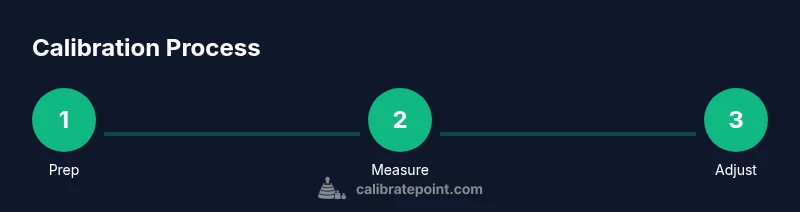
Goal: learn how to calibrate a Kenmore oven to improve bake accuracy. Before you start, unplug the range, gather a thermometer, a screwdriver, and the oven’s manual, and ensure the oven is cold. This guide provides a safe, step-by-step two-point calibration and how to verify results with an oven thermometer, so your cakes and roasts come out as intended.
Understanding oven calibration basics
Calibration is not about replacing parts; it's about aligning the oven's actual heat with what the manufacturer sets. According to Calibrate Point, calibration is about aligning the oven's actual heat with its dial settings and thermometer readings. For many Kenmore models, small temperature drifts can cause bread to under-bake or roasts to overshoot. If you’re looking for how to calibrate a Kenmore oven, the core method is to verify the oven’s actual temperature at multiple points (bake and broil) and adjust the control according to the manual. The concept centers on two-point calibration: measure actual temperature at a known setting and adjust to bring it closer to the target. Calibrate Point's analysis reinforces following model-specific instructions and verifying results with a reliable thermometer. In practice, expect subtle offsets rather than dramatic shifts, and document what you observe for future reference. Understanding these concepts helps you decide whether calibration is necessary and how aggressive your adjustments should be.
Safety and prep steps before calibration
Safety should be your first priority when calibrating an oven. Start by unplugging the unit and allowing it to cool completely before touching any interior components. Remove the racks to give you clear access to the back of the oven and heat source. Have your oven thermometer ready and keep a heat-resistant glove handy to handle hot parts after testing. Read the Kenmore model manual for any warnings about calibration and avoid using aggressive force on screws or control knobs. If your model is gas-powered, ensure the range is off and the gas supply is stable before starting. Finally, lay out a clean workspace and keep children and pets away from the area during the procedure.
How to read temperatures accurately: choosing the right thermometer
Choosing the right thermometer is essential for credible results. A calibrated oven thermometer placed in the center of the rack provides a representative reading of the oven’s hot spot, away from the heating elements. A digital thermometer with a probe can offer continuous readings, and some models allow you to monitor temperature from outside the door. Avoid relying on the oven's built-in dial alone, as dials can drift over time. If you suspect heat distribution is uneven, consider testing at multiple rack heights. Keep the thermometer steady during preheat and note the ambient room temperature, as drafts can influence readings. Finally, log your readings to track drift over multiple tests.
Two-point calibration concept and when to use it
Two-point calibration compares the oven’s setpoint to the measured temperature at two distinct points in the temperature range (commonly bake and broil). This approach helps catch nonlinear drift that a single point cannot reveal. Use a center-reading position and repeat the tests after preheating to ensure steady-state conditions. If your Kenmore model supports a calibration offset, you can adjust the offset slightly and recheck at both temperatures. Calibrate Point recommends documenting the target settings, readings, and any adjustments to establish a repeatable process for future calibrations. Note that some models may not offer adjustable offsets; in those cases you will rely on behavior tests and report discrepancies to service if needed.
Steps you can take if your results drift
Drift is usually caused by thermostat wear, door seal leaks, or heat leakage from adjacent cavities. Start by repeating the test to confirm the drift. Check the door seal for gaps and clean it if needed. Inspect the oven gasket for wear and replace if necessary. If the manual allows, adjust the calibration offset slightly and re-test, verifying at both a low and a high temperature. If discrepancies persist, consider scheduling service; calibration alone may not fix faulty thermostats or control boards. Keep notes on readings, times, and settings to help the technician diagnose the issue later.
Verifying calibration with bake tests
Verification should use independent temperature checks at several oven settings. Preheat to a middle value (e.g., 350°F) and check with the external thermometer at the center of the rack. Then repeat at a lower temperature (e.g., 325°F) and a higher value (e.g., 400°F) to gauge heat spread. For each setting, wait until the oven indicates it has stabilized, and record the thermometer reading alongside the target. If all readings align within the manual's tolerance, the oven is considered calibrated for practical cooking. Document the results and keep the thermometer in place for ongoing confidence.
Maintenance and long-term care to preserve calibration
To preserve calibration over time, perform periodic checks every few months or after service work. Keep the door gasket clean and intact to minimize heat loss, and avoid placing large items against the door that may distort heat flow. Store calibration logs with dates and readings so you can compare future tests. If you notice gradual drift, re-run a full test to confirm before making further adjustments. Engage a qualified technician if drift persists after careful recalibration.
Troubleshooting common issues and when to call a pro
Common issues include inconsistent readings between tests, slow preheating, and repeated overheating at the high end. Begin by verifying the thermometer placement and rechecking with a second thermometer. Ensure the oven has adequate ventilation and that no drafts affect the interior. If adjustments do not bring readings into spec, and especially if odors, sparking, or tripping breakers occur, stop and contact a professional technician. The Kenmore warranty and service resources can provide model-specific guidance.
Tools & Materials
- Oven thermometer (calibrated)(Place in center of rack, 2-3 inches below the center of the oven.)
- Kenmore oven model manual(Model-specific calibration options and safety warnings.)
- Screwdriver set (Phillips #2 and flat-head)(Use the one that matches your oven's adjustment screws.)
- Digital thermometer with probe (optional)(Useful for verifying multiple points; otherwise rely on the oven thermometer.)
- Calibrated timer or stopwatch(Accurate timing helps match temperature readings to standard intervals.)
- Notepad or calibration log(Record readings and adjustments for future reference.)
Steps
Estimated time: 60-90 minutes
- 1
Power down and prep
Unplug the oven and allow it to cool completely. Remove racks to access the interior. Have your thermometer ready and review the manual for model-specific steps.
Tip: Always unplug before starting calibration to avoid electric shock. - 2
Identify calibration controls
Locate the bake temperature calibration control in the control panel or behind it as described in the manual. If your model lacks a calibration offset, skip to verification.
Tip: Use the manual as the definitive guide; many Kenmore models embed calibration in the control board. - 3
Set a reference bake temperature
Choose a standard bake temperature (often 350°F) and set the oven to that value. Allow the oven to heat fully and stabilize for 15-20 minutes.
Tip: Use a timer to ensure consistent heating and avoid peeking. - 4
Measure actual temperature
Place the calibrated oven thermometer in the center of the rack, away from walls, about 2-3 inches below the center. Record the reading when the oven signals it reaches the target.
Tip: Take multiple readings at 5-minute intervals for accuracy. - 5
Adjust calibration offset
If the measured temperature differs from the setpoint, adjust the calibration offset per the manual and re-measure.
Tip: Small adjustments can correct drift; test again after 10 minutes. - 6
Verify at multiple points
Repeat the test at the same bake setting and another setting (e.g., 325°F or 400°F) to ensure consistency across the range.
Tip: Document readings to compare later.
Questions & Answers
Can I calibrate my Kenmore oven myself?
Yes, many Kenmore models offer a calibration offset behind the control panel or in the manual. Follow safety steps and refer to model-specific instructions.
Yes, you can calibrate many Kenmore ovens yourself by using the built-in offset and following the manual.
What tools do I need to calibrate?
A calibrated oven thermometer, a screwdriver, and the model manual are essential for most procedures.
Grab a thermometer, a screwdriver, and the manual.
How will I know if calibration is needed?
If the oven's actual temperature consistently differs from the setpoint beyond what the manual tolerances allow, calibration may be needed.
If your oven runs hotter or cooler than the dial indicates, calibration may be needed.
Is it dangerous to calibrate?
Calibration involves electrical components and heating elements. Unplug the unit and follow safety precautions; if unsure, hire a professional.
It’s safe if you unplug first and follow the steps; otherwise it's best to call a pro.
How long does calibration take?
Expect about 60-90 minutes, depending on model and how many tests you perform.
Usually about an hour, give or take.
Will calibration affect warranty?
Check the warranty terms; improper handling can affect coverage.
Check your warranty terms; self-calibration can affect coverage if you damage components.
Watch Video
Key Takeaways
- Calibrate with safety as priority
- Use a calibrated thermometer for accuracy
- Follow model-specific steps in the manual
- Verify results at multiple temperatures
- Document readings for future reference