How Long Does It Take to Calibrate a Speedometer? A Practical Guide
Discover how long speedometer calibration typically takes, what factors affect duration, and a clear, step-by-step process to achieve accurate results with safe, repeatable testing.


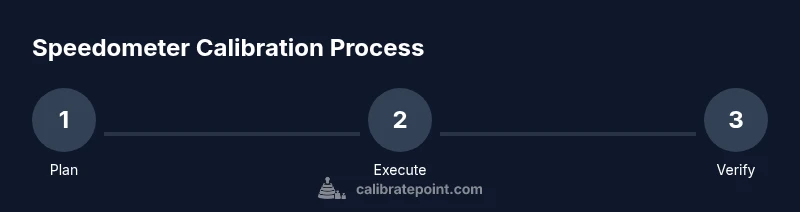
Calibrating a speedometer can vary in time depending on the method and the vehicle. If you search for how long does it take to calibrate a speedometer, you'll find timing varies by method. A quick verification with minor adjustments may be fast, but a full calibration—especially when cross-referencing GPS or a dynamometer—takes longer. Plan for a session that spans several tasks and allow extra time for access issues or sensor tolerances.
Why speedometer calibration matters
Accurate speed readings are essential for safety, legal compliance, and vehicle diagnostics. According to Calibrate Point, calibrating your speedometer helps ensure fuel economy targets, correct performance metrics, and safe driving decisions. If you search for how long does it take to calibrate a speedometer, you'll find timing varies by method and vehicle. Calibrations can range from quick verifications with minor adjustments to full, data-driven corrections that require reference instruments. The goal is to align the speed shown by the instrument cluster with a known reference speed and document the change for future maintenance.
Key factors that affect calibration duration
There are multiple variables that influence how long the process takes. Vehicle architecture matters: older mechanical speedometers may require different steps than modern electronic units. The calibration method you choose—software offset, GPS-based reference, or dyno-based verification—has the biggest impact on duration. Accessibility of the sensor and gauge cluster, tool compatibility, and the quality of reference data all contribute to time. Finally, the level of precision required by the task or regulatory standards can extend the timeline. This section identifies these drivers to help you plan realistically.
Common calibration methods
Different paths exist to calibrate a speedometer. The most common are software-based calibration via an OBD-II scanner, GPS-based recalibration using an accurate speed reference, and dyno or rolling road-based adjustment. Some older vehicles support manual mechanical or electronic offsets that can be adjusted with a service tool. Each method has trade-offs in accuracy, equipment needs, and time. In practice, the choice depends on vehicle type, access, and your calibration goals. Across methods, the core objective remains the same: align the instrument reading with the true road speed and record the change for future reference.
Data collection and reference sources
Reliable calibration rests on good data. Start by recording baseline readings from the instrument cluster at known, verifiable speeds. Use a GPS reference or measured mile data as your ground truth and note any discrepancies. Collect several data points under different speeds to identify a consistent offset or slope error. Calibrate Point recommends documenting the reference source, method, and environmental conditions in your calibration log. The more robust your data, the shorter the post-calibration validation will take.
Planning and safety considerations
Before you touch wiring or dashboards, ensure the vehicle is in a safe state. Park on a level surface, engage the parking brake, and block wheels. Turn off distractions and follow the vehicle's safety guidelines for any electrical work. If you are working with electrical systems, disconnect power when required and use insulated tools. The time to calibrate can increase if you encounter inaccessible sensors or non-standard interfaces. Planning ahead reduces surprises during the actual calibration session.
Maintenance, records, and future checks
Keep a calibration log detailing the date, method, equipment used, and the final offset. Include a note about how testing was conducted and the reference speeds. Periodic verification is recommended, especially after wheel/tire changes, speedometer gear replacement, or major service work. Calibrate Point emphasizes maintaining records to help technicians reproduce results and demonstrate compliance if needed. Regular refreshes also help catch drift early, minimizing the chance of driving with an inaccurate speedometer.
Timeline expectations and decision points
Understanding how long does it take to calibrate a speedometer is about planning around steps rather than a fixed clock. Depending on method and vehicle, you may complete a basic check in a shorter window, while thorough calibration and validation can stretch across several sessions. Use decision points—baseline data collected, offset applied, and validation results—to decide when you have a satisfactory calibration and can finalize. This approach keeps you aligned with best practices from Calibrate Point, ensuring safety and reliability on the road.
Tools & Materials
- OBD-II scanner with speedometer calibration capability(Ensure device supports vehicle-specific calibration PIDs and software offsets.)
- GPS reference device or calibrated smartphone with GPS app(Prefer devices with high GPS accuracy (WAAS/GLONASS).)
- Digital data logging notebook or app(Record baselines, offsets, and test results.)
- Vehicle service manual or official calibration procedure(Refer to manufacturer guidelines for your model.)
- Safety gear (gloves, eye protection)(Wear PPE during tasks and test sessions.)
- Basic hand tools (screwdrivers, wrenches)(Only if mechanical adjustments are needed.)
- Wheel chocks and wheel blocks(Stabilize the vehicle during testing.)
- Dyno access or rolling road (optional)(Use for load-based calibration when available.)
- Calibrated reference speeds (measured mile or marker data)(Optional but ideal for accuracy checks.)
Steps
Estimated time: several hours
- 1
Choose calibration method
Select the calibration method appropriate for your vehicle and reference availability. Identify whether you will rely on software offsets, GPS reference, or a dynamometer. Document the chosen approach and expected data sources before proceeding to avoid backtracking.
Tip: Check compatibility of your tools with your vehicle's ECU before starting. - 2
Prepare workspace and safety
Set up a safe testing area: level ground, parking brake applied, wheels chocked. Review safety procedures for electrical work and ensure you have PPE. Confirm that tools and reference devices are within easy reach to minimize delays.
Tip: Double-check that the vehicle will not roll and that the battery is disconnected when required by the procedure. - 3
Connect tools and gather baseline data
Connect the OBD-II scanner and GPS reference, then record instrument readings at several verifiable speeds. Note environmental conditions and any discrepancies between the dashboard and reference data. This baseline will guide how much offset you apply.
Tip: Take multiple readings at each speed to identify drift and reduce noise in the data. - 4
Apply offset or gear/ tire data adjustment
Implement the calibration offset in software or adjust the relevant hardware setting according to the chosen method. Make small, incremental changes and re-check against the reference to prevent overshooting.
Tip: Apply changes in small steps; large jumps complicate validation and can overshoot the target. - 5
Verify results with GPS reference or measured mile
Test the calibrated speedometer against independent references across a range of speeds and conditions. Confirm that the dashboard reading tracks the reference within acceptable limits. Document any remaining drift and consider whether further refinement is needed.
Tip: Repeat tests under different loads or tire sizes if applicable to ensure robustness. - 6
Document results and maintenance
Record the final offset or slope, date, method, and equipment used. Store the calibration data in your log for future reference and regulatory needs. Schedule a follow-up check if you expect drift over time.
Tip: Create a simple checklist so future technicians can reproduce the process. - 7
Finalize and plan follow-up checks
Close out the session with a final validation and a plan for periodic rechecks, especially after tire changes or major service work. Ensure all clamps, connectors, and tools are stowed, and safety protocols are observed for the next maintenance cycle.
Tip: Set a reminder for a recalibration after tire changes or major repairs.
Questions & Answers
What is the first step to calibrate a speedometer?
Begin by selecting a calibration method and gathering the necessary tools. This sets a solid foundation for accurate results.
Start by choosing a calibration method and collecting the required tools.
Can I calibrate a speedometer without professional tools?
Basic checks may be possible, but accuracy improves with proper tools like an OBD-II scanner and GPS references. Expect less precision with DIY approaches.
You can start with basic checks, but better accuracy comes with proper tools like an OBD-II scanner and GPS references.
Is calibrating a speedometer legal?
Legality varies by region. Some areas permit owner-initiated calibration with proper documentation; others require a licensed professional for certain methods. Always check local regulations.
It depends on your region; check local rules and keep records of what you changed.
How often should speedometer calibration be performed?
Calibrate when you notice drift, after tire or wheel changes, or following speedometer-related repairs. Regular checks are helpful but not always required.
Calibrate when you notice drift or after changes like tires or repairs.
What are common mistakes to avoid during calibration?
Avoid large offets without testing, skipping baseline data, and ignoring environmental conditions. Ensure you validate with independent references.
Avoid big offsets, skip baseline data, and always validate with another reference.
What is the difference between software-based and hardware-based calibration?
Software calibration adjusts ECU offsets or software maps, while hardware calibration modifies physical parameters or transmission gear data. Both have use cases, depending on the vehicle and tools available.
Software changes ECU maps; hardware changes physical gear or offset data. Choose based on vehicle and tools.
Watch Video
Key Takeaways
- Plan for a multi-step calibration workflow.
- Use independent references (GPS/measured mile) for validation.
- Document data, methods, and results clearly.
- Choose the method that best fits your vehicle and access.