How to Calibrate Speedometer for Bigger Tires on F-150
Learn how to recalibrate your Ford F-150's speedometer when upgrading to bigger tires. A step-by-step, practical guide with methods, tools, verification, and safety tips to keep readings accurate and compliant.


To calibrate a speedometer for bigger tires on an F-150, compare the new tire diameter to the stock size, then adjust the vehicle’s speedometer through the PCM or an aftermarket correction device, and verify using GPS data. This often requires a scan tool or dealer service and a measured tire size.
Why speedometer accuracy matters for F-150 with bigger tires
For many Ford F-150 owners, upgrading to bigger tires is a common modification for improved off-road capability or a bolder look. However, larger tires do not change your vehicle’s actual speed, only the distance the tire travels per rotation. This means your speedometer can become inaccurate, showing you are traveling faster or slower than you really are. Understanding how to calibrate speedometer for bigger tires f150 helps maintain accurate speed readings and keeps you compliant with legal limits, fuel economy estimates, and overall safety. According to Calibrate Point, precision in calibration translates to better braking distances, improved transmission shifts, and more predictable cruise control behavior. This article explains why accuracy matters, the underlying physics, and practical paths you can take to restore reliable readings when you fit larger tires.
How tire size changes affect speedometer readings
When you install larger tires, the overall diameter increases. Since the speedometer is calibrated to the factory wheel/tire combo, each rotation travels a different distance, causing the indicated speed to deviate from real speed. In practical terms, you may notice the needle reads higher or lower than your actual GPS speed, especially at highway speeds. The math is straightforward: the correction factor equals the ratio of the new tire diameter to the stock diameter, and the speedometer error follows from that ratio. Calibrate Point analysis shows that even modest diameter changes can produce noticeable discrepancies across the speed range, particularly in cruise control and odometer readings. Understanding this relationship is essential before selecting a calibration method.
Approaches to calibrate: PCM reprogramming, aftermarket modules, dealer tools
There are several routes you can take to restore accuracy after fitting bigger tires. The most precise method is a module or ECU reprogramming by a dealer or qualified shop, which rewrites the speedometer’s calibration data to reflect the new tire diameter. An aftermarket correction module, usually installed in-line with the OBD/ABS signals, can provide a cost-effective alternative with adjustable settings. Some owners opt for software tools or dealer portals that permit PCM recalibration with the new diameter values. Each path has trade-offs in cost, risk, and compatibility with your truck’s computer system. Calibrate Point’s guidance emphasizes using hardware and software approved for your vehicle and exercising caution with any modification that affects vehicle safety systems.
Choosing the right calibration path for your setup
The best approach depends on your goals, budget, and how aggressively you’ve changed wheel and tire size. If you’re running a modestly larger tire, a correction module may be sufficient and easier to revert if you change tires again. If you’ve swapped to a significantly larger diameter or altered wheel width, OEM-calibration methods via a dealer or a calibrated workshop tend to yield the most reliable results. Always confirm that any calibration device or software version supports your F-150’s model year and trim. If your platform relies on transmission or traction control data linked to speed readings, keep in mind that the calibration path should account for those interactions to avoid unintended drivability changes.
How to calculate the correction factor and choose a method
To calculate the correction factor, determine the new tire’s overall diameter and compare it with the stock diameter. The correction factor is the ratio D_new / D_stock, and the speedometer error is approximately (D_new / D_stock − 1) × 100%. For example, if the new tire diameter is larger, expect the indicated speed to be higher than actual speed; if smaller, the opposite. With this factor, you can decide whether to pursue PCM reprogramming, an aftermarket correction module, or in-vehicle software adjustments. Always document the calculation and keep the original settings as a baseline for future tire changes. Calibrate Point analysis suggests starting with a non-destructive correction method for minor diameter changes and reserving PCM-level recalibration for larger, sustained upgrades.
Step-by-step workflow overview (high-level)
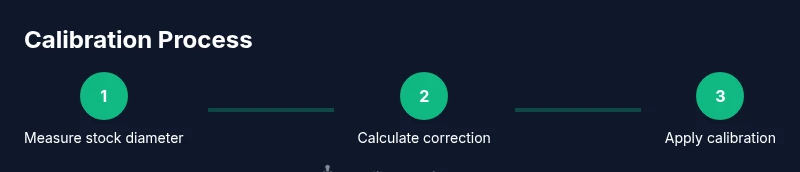
The calibration workflow typically follows a sequence of data collection, factor calculation, method selection, implementation, and verification. Start by recording stock and current tire dimensions, compute the correction factor, choose an implementation path, perform the calibration, and then verify results. The verification phase is essential to ensure the indicated speed matches GPS readings within a narrow tolerance across a range of speeds. This approach minimizes risk and keeps you within legal speed limits while driving. The following STEP-BY-STEP section provides concrete actions and timings.
Practical verification and road testing after calibration
After applying the chosen calibration method, verify accuracy using street and highway tests. Compare the vehicle’s indicated speed against GPS-tracked speed at several steady speeds (e.g., 30, 50, 65 mph). If discrepancies persist, revisit the calculation or calibration settings. Record any differences and adjust if necessary, noting that prolonged discrepancies could indicate additional factors such as tire bulge, incorrect tire dimensions, or sensor drift. Always perform a cautious test immediately after calibration in a safe, legal area and avoid high-speed driving until confidence is established.
Safety, maintenance, and long-term considerations
Calibration is not a one-and-done task. Regular checks after seasonal tire changes, weight shifts (such as loaded cargo), or suspension modifications help maintain accuracy. Keep a log of tire sizes, wheel dimensions, and calibration settings for quick reference. If you notice rapid or unexplained changes in indicated speed, revisit the calibration. Safety-critical systems can be affected if calibration drifts, so address deviations promptly.
Final thoughts and avoiding common pitfalls
Avoid mixing tires with different diameters across axles, as asymmetrical errors can cause stability control to misinterpret vehicle dynamics. Do not assume a single correction applies to all driving modes; some conditions may require recalibration of ABS or stability-related parameters. The Calibrate Point team recommends documenting every step and validating with independent data (GPS) before confidence limits are exceeded and before long trips. This disciplined approach reduces risk and improves overall driving safety.
Tools & Materials
- Measuring tape or caliper(to measure tire diameter and circumference accurately)
- OBD-II scanner or dealership tool(to access and adjust speedometer calibration data)
- GPS-enabled device or smartphone(to verify actual speed against indicated speed during tests)
- Notebook or digital log(to record stock vs. current tire data and calibration outcomes)
- Original tire size documentation(stock and new tire dimensions for reference)
- Safety gear (gloves, eye protection)(for handling tires and tools safely)
- Owner’s manual or service portal access(vehicle-specific calibration steps or notes)
Steps
Estimated time: 2-3 hours
- 1
Identify and record stock tire size
Document the original tire size as installed at the factory (e.g., width x aspect ratio x wheel diameter) and confirm the stock wheel diameter. This baseline is essential for calculating the correction factor and for future projects. If you have multiple OE sizes, note the exact configuration used on your vehicle.
Tip: Double-check the tire sidewall for exact numbers and record them verbatim. - 2
Measure the new tire’s overall diameter
With the new tires installed, measure the overall diameter or use the manufacturer’s published diameter. If you cannot rely on published data, measure by placing the tire on the ground, marking a reference point, and calculating diameter from the distance across the tire while the vehicle is on flat ground.
Tip: Take measurements at multiple points around the circumference to account for tread wear. - 3
Compute the correction factor
Compute D_new / D_stock to get the diameter ratio. The speedometer error follows from (ratio − 1) × 100%. This factor will guide whether to choose a correction module, PCM reprogramming, or software adjustment.
Tip: Keep a scratch pad calculation; small rounding errors can affect final calibration. - 4
Choose a calibration path aligned with your needs
For modest tire increases, an aftermarket correction module may suffice. For substantial diameter changes or if you rely on precise speed data for work, consider PCM reprogramming via a dealer or certified shop.
Tip: If you’re unsure, start with non-invasive options and test thoroughly before normal driving. - 5
Prepare the calibration tool or service appointment
If using an aftermarket module, install it per the provided instructions and connect your OBD tool to input the calculated correction factor. If using dealer calibration, schedule a service and bring tire size data.
Tip: Backup the factory settings if possible before making any changes. - 6
Apply calibration and perform initial test drive
Complete the calibration step and take a low-speed test drive to confirm that basic speed reading aligns with GPS data. Observe for any unexpected handling changes.
Tip: Move gradually from slow to moderate speeds to ensure stable readings. - 7
Verify accuracy at multiple speeds
Test indicated speed versus GPS across several speeds (e.g., 25–70 mph). Record results and look for consistency. Any persistent discrepancy warrants a revisit of steps or recalibration.
Tip: Aim for less than a few percent deviation across the tested range. - 8
Document results and plan future checks
Log tire size, wheel dimensions, correction factor, calibration method, and verification results. Recheck calibration if tires are rotated, swapped, or if you change tire size again.
Tip: Keep the log accessible for quick reference in future tire changes.
Questions & Answers
Will bigger tires always cause my speedometer to read fast or slow?
Bigger tires typically cause the speedometer to read too fast because the tire travels farther per rotation. The exact effect depends on the diameter change and calibration method used. Calibrating to the new diameter aligns indicated and actual speed.
Larger tires usually make the speedometer read faster than your true speed until calibrated, depending on the diameter change.
Do I need a dealer reprogram, or can aftermarket modules work for my F-150?
Both options exist. Dealer reprogramming tends to be most precise for significant changes or if other systems rely on speed data. Aftermarket correction modules can work for moderate changes and are often cheaper, but verify compatibility with your model year and any safety system ties.
A dealer reprogram is usually the safest choice for major changes, while aftermarket modules can work for smaller diameter changes.
Is it safe to drive with an uncalibrated speedometer?
Driving with an uncalibrated speedometer can lead to unsafe driving decisions, speed violations, and unsafe braking due to incorrect speed data. Calibrate before long trips or heavy highway driving.
Not advisable. Uncalibrated speed readings can affect safety systems and driving decisions.
How long does calibration typically take?
Calibration duration varies by method and vehicle. A dealer calibration may take 1–2 hours including setup, while an aftermarket module can be installed and tested in 45–90 minutes.
Most calibrations take under a few hours, depending on the method and vehicle setup.
How can I verify accuracy after calibration?
Use GPS readings at multiple speeds to compare against the indicated speed. Repeat tests after tire rotations or if you later change tire sizes. Maintain a log of results.
Check with GPS at several speeds to confirm the calibration stuck and remains accurate.
Can I calibrate speedometer for any tire size, or are there limits?
Most systems support a range of diameter changes, but extreme sizes may not be fully correctable with a simple correction module. Always consult the vehicle’s service notes or a qualified technician for limits.
There are practical limits; very large changes might require more involved recalibration.
Will changing tire pressure affect the speedometer reading after calibration?
Tire pressure can affect contact patch and rolling radius slightly, but the primary factor is the tire diameter. Recheck calibration if you change tire pressures beyond factory recommendations.
Pressure changes can subtly affect the rolling diameter, so re-check if pressures change significantly.
Watch Video
Key Takeaways
- Know why speedometer accuracy matters when upgrading tires
- Calculate correction factor as D_new/D_stock and apply the corresponding calibration path
- Verify results with GPS data across speed ranges to ensure reliability
- Document every step for future tire changes and safety checks